Ưu đãi trong tuần: Nhập mã UD50 giảm 50k cho đơn từ 300k!
Trang chủ
Menu

Unreal Engine 5 (UE5): Complete Beginners Course

Unreal Engine 5 (UE5): Khóa Học Toàn Diện Cho Người Mới Bắt Đầu

Unreal Engine 5 (UE5): Khóa Học Toàn Diện Cho Người Mới Bắt Đầu

Cách Nhanh Nhất Để Bắt Đầu Với Unreal Engine 5

4.6
(2,338 đánh giá)
12,765 học viên
Giảng viên
Tyler DeLange
Phụ đề Việt chất lượng cao Phụ đề tiếng Anh Bán chạy Đánh giá cao
50.000đ 349.000đ -86%
✓ Xem giỏ hàng và thanh toán
Bao gồm phụ đề tiếng Việt, tiếng Anh
9.0 giờ video
45 bài giảng
Truy cập vĩnh viễn
Học trên mọi thiết bị
Cập nhật: 17/03/2026

Bạn sẽ học được gì

Unreal Engine
Unreal Engine 5
Thiết Kế Game
Thiết Kế Kiến Trúc
Thiết Kế Sản Phẩm

Yêu cầu

Không Yêu Cầu Kiến Thức Nền Tảng

Đối tượng phù hợp

Sinh Viên Thiết Kế Game
Sinh Viên Thiết Kế Sản Phẩm
Sinh Viên Thiết Kế Kiến Trúc

Nội dung khóa học

13 phần • 45 bài giảng
1 Giới Thiệu Khóa Học
2 Tải Và Cài Đặt Unreal Engine 5
3 Tạo Màn Chơi Đầu Tiên Trong UE5
4 Exposure và Các Khối Xử Lý Hậu Kỳ (Post Processing Volumes)
1 Giới Thiệu Về Vật Liệu UE5
2 Tạo Vật Liệu Chính (Master) và Vật Liệu Thể Hiện (Instance)
1 Cách Sử Dụng Epic Unreal Marketplace
1 Giới Thiệu Về Ánh Sáng UE5 và Các Loại Đèn
2 Tạo Bản Đồ Ánh Sáng (Light Maps)
3 Cài Đặt Light Mass
4 Cách Khắc Phục Các Lỗi Bản Đồ Ánh Sáng Thường Gặp
1 Giới Thiệu Về Lumen
2 Sử Dụng Vật Liệu Phát Sáng (Emissive) Với Lumen
1 Giới Thiệu Về Công Nghệ Hình Học Ảo Hóa Nanite
2 Xây Dựng Các Đối Tượng Nanite
3 Cách Tránh Hiện Tượng Vẽ Chồng (Overdraw) Trong Nanite
1 Bắt Đầu Với Quixel Bridge và Megascans
2 Sử Dụng Vật Liệu Có Sẵn Từ Quixel Bridge
1 Nhập Mô Hình và Vật Liệu FBX Vào UE5
1 Giới Thiệu Về Blueprints
2 Dự Án Blueprint Đầu Tiên Của Bạn
3 Biến Số (Variables) Trong Blueprint
4 Hàm (Functions) Trong Blueprint
5 Hệ Thống Máu (Health) và Sát Thương (Damage)
1 Giới Thiệu Game Castaway
2 Lên Kế Hoạch Cho Game Đầu Tiên
3 Thiết Lập Dự Án
4 Điêu Khắc Cảnh Quan và Địa Hình
5 Tô Vẽ Cảnh Quan và Vật Liệu Cảnh Quan
6 Các Thể Nước (Water Bodies) Trong UE5
7 Thêm Các Biến Thể Thảm Thực Vật (Foliage)
8 Thêm Các Mô Hình Nanite Vào Cảnh Quan
9 Nhập và Gắn Xương (Rigging) Cho Nhân Vật
10 Tạo Lớp Phủ Giao Diện Người Dùng (HUD Overlay)
11 Kho Thực Phẩm và Hệ Thống Hiệu Ứng Hình Ảnh Niagra (VFX)
12 Xây Dựng Cơ Chế Game
13 Sự Kiện Theo Khung Hình (Event Tick) và Sự Kiện Hẹn Giờ
14 Hoàn Thiện Game
1 Tải Tài Nguyên Nhân Vật
2 Thiết Lập Nhân Vật
3 Di Chuyển Nhân Vật
4 Thêm Hoạt Hình Cho Nhân Vật
1 Tạo Một Nhân Vật Metahuman
2 Hoạt Hình Cho Metahuman
1 Cảm Ơn Bạn!

Giới thiệu khóa học

*Brand New Lectures Added This Month*:

  • Character Movement and Animations From Scratch

  • UE5 Metahumans (Creation and Animation)


Welcome to a beginners comprehensive look at the new Unreal Engine 5. UE5 is used by professionals and beginners alike to create stunning real-time content with the help of the new Lumen Lighting System and Nanite Virtualized Geometry Engine. It has never been easier to get started as a Game, Architectural, or Product Developer and create amazing content.


We will take you from Unreal Engine Zero to Hero in just a few hours, covering everything from the general UE5 layout all the way through creating a fully functioning game.


Just a bit of what the course covers:

  • Introduction to Unreal Engine 5

    • Overview of the new UE5 user interface

    • How to setup your first project

    • Creating your first level

    • Adjusting manual exposure and exploring post process volumes


  • Full Introduction to Materials and Shaders

    • How to build materials using the material node editor

    • How to create master and instance materials to easily cut down on material efforts


  • Explore the Unreal Marketplace

    • How to use the Unreal Marketplace to score free and paid meshes, materials, functions, and lots more


  • Unreal Engine Lighting Basics

    • A full introduction to different lighting types in UE5

    • How to use light map baking to create playable beautiful environments

    • An overview on lightmass settings

    • How to fix common light map issues

  • New: Lumen Lighting Engine

    • Introduction on how the lumen lighting engine works to create amazing real-time environment lighting

    • How to create emissive materials that generate both direct and indirect real-time lighting

  • New: Nanite Virtualized Geometry

    • Introduction to Nanite now allowing million plus poly meshes to be added to your scene without major performance issues

    • How to create Nanite assets from existing meshes

    • Discussions around Nanite limitation like overdraw and how to overcome these limitations

  • The Integrated Quixel Bridge (Megascans) Library

    • How to get started with the Quixel Bridge and Megascan meshes right from the UE5 interface

    • A look at pre-built free Quixel Bridge materials

  • Importing External Meshes and Assets to Unreal Engine 5

    • A walkthrough on how to import FBX files right into UE5

    • How to fix possible material issues at import

  • Complete Introduction to the Blueprint Visualized Scripting Engine

    • How to build your very first blueprints and create events in UE5

    • More in depth examples of creating your first UE5 blueprints

    • How to create and use Blueprint Variables and Functions

    • How to build a blueprint health and damage system that updates in realtime

  • We then build a completely functional game that covers additional concepts like:

    • Planning a project

    • Setting up a project for the first time

    • Sculpting landscapes and terrains

    • Painting materials on landscapes

    • Creating "auto" materials that paint different materials based on the slope of the terrain

    • How to create realistic water bodies like oceans and lakes

    • Adding foliage variations (plants, weeds, flowers, trees, etc.) using the UE5 foliage creator

    • Importing, rigging, and adding animations to characters

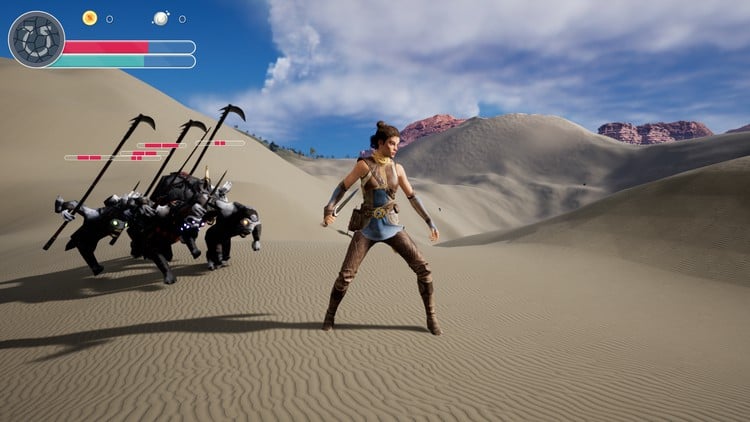
    • Creating a on screen HUD (Heads Up Display) overlay that shows real-time progress bars

    • Creating blueprint food caches

    • Introduction to Unreal's VFX system Niagra

    • How to use the Event Tick and Timed Events in UE5

    • And lots more...


  • Learn how to Import and Animate Characters from Scratch

    • Download Character Meshes and Animations

    • Full Character Setup with Input Keys (Idle, Walk, Run, and Jump)

    • Character Animation Blending


  • Introduction to UE5 Metahumans (Digital Humans)

    • Learn how to use the Metahuman Creator to create amazingly real human characters

    • Basic introduction to Metahuman animation, the Metahuman skeletal rig, and the cinematic sequencer.

Khóa học liên quan

Khám phá thêm các khoá học cùng chủ đề

Hiển thị tất cả khoá học Blueprint Visual Scripting
Hiển thị tất cả khoá học D Modeling
Hiển thị tất cả khoá học Game Development
Hiển thị tất cả khoá học Unreal Engine
Zalo
Tôi có thể tư vấn khoá học cho bạn 😊