Ưu đãi trong tuần: Nhập mã UD50 giảm 50k cho đơn từ 300k!
Trang chủ
Menu

Unreal Engine 5: Intermediate Course

Unreal Engine 5: Khóa học Trung cấp

Unreal Engine 5: Khóa học Trung cấp

Cách tạo video game bằng Vật liệu, Phong cảnh, Hoạt họa & Blueprint trong UE5

4.7
(659 đánh giá)
6,964 học viên
Giảng viên
David Nixon
Phụ đề Việt chất lượng cao Phụ đề tiếng Anh Bán chạy Đánh giá cao
50.000đ 1.729.000đ -97%
✓ Xem giỏ hàng và thanh toán
Bao gồm phụ đề tiếng Việt, tiếng Anh
19.0 giờ video
101 bài giảng
Truy cập vĩnh viễn
Học trên mọi thiết bị
Cập nhật: 30/05/2026

Bạn sẽ học được gì

Các khái niệm Unreal Engine 5 trung cấp dùng để phát triển game
Hiểu sâu về Vật liệu và Kết cấu trong Unreal Engine để nâng tầm đồ họa
Cách tạo phong cảnh đẹp và thế giới mở rộng lớn cho game mà vẫn đạt tốc độ khung hình cao
Cách hoạt động của Skeletal Mesh và cách nhập, chỉnh sửa, gán, điều khiển và pha trộn hoạt họa
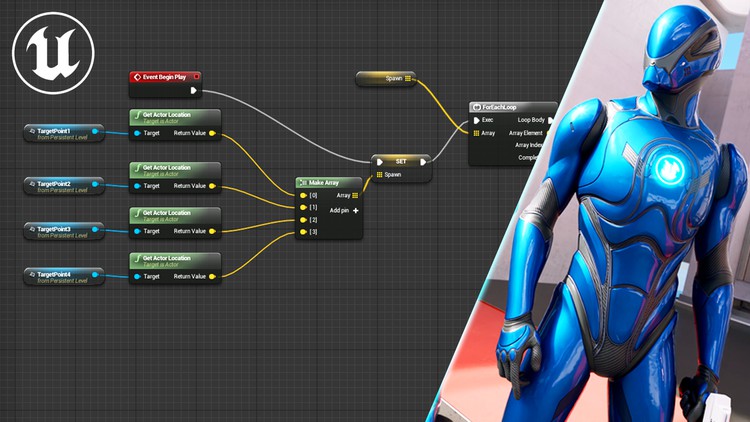
Các khái niệm Blueprint trung cấp như mảng, bảng dữ liệu, sinh đối tượng, gỡ lỗi, bộ phát sự kiện và giao diện Blueprint

Yêu cầu

Hiểu biết cơ bản về các khái niệm Unreal Engine như Dự án, Cấp độ, Đối tượng, Lưới và Va chạm
Cách di chuyển trong Trình chỉnh sửa Cấp độ
Có chút quen thuộc với việc sử dụng Blueprint trong Unreal Engine

Đối tượng phù hợp

Những nhà phát triển game đầy khát vọng đã có kiến thức cơ bản về Unreal Engine và muốn tiếp tục học
Học viên mong muốn tìm hiểu chi tiết các khái niệm Unreal Engine 5
Những ai muốn trở thành chuyên gia sử dụng Unreal Engine 5

Nội dung khóa học

4 phần • 101 bài giảng
1 Tổng quan về Vật liệu
2 Kết cấu
3 Đầu vào Vật liệu
4 Bản đồ Pháp tuyến
5 Tính dị hướng và Đầu vào Tiếp tuyến
6 Thanh công cụ Trình chỉnh sửa Vật liệu
7 Chế độ Pha trộn
8 Thể hiện Vật liệu
9 Thể hiện Vật liệu Động
10 Mô hình Tô bóng Phần 1
11 Mô hình Tô bóng Phần 2
12 Vật liệu Nước
13 Biểu thức Toán học
14 Biểu thức Dữ liệu Đầu vào
15 Hàm Vật liệu
16 Hàm Vật liệu Tích hợp sẵn
17 Mặt nạ Kết cấu
18 Lớp Vật liệu
19 Pha trộn Lớp Vật liệu
20 Ánh xạ UV
21 Nút Tọa độ Kết cấu
22 Hàm Gradient
23 Nút Thời gian
24 Nút Xoay và Nút Trượt
25 Bản đồ Độ gồ ghề
26 Độ lệch Vị trí Thế giới
27 Độ lệch Độ sâu Pixel
28 Hình dán
1 Tổng quan về Phong cảnh
2 Chế độ Quản lý Phong cảnh
3 Cọ vẽ Phong cảnh
4 Lớp chỉnh sửa Phong cảnh
5 Chế độ Điêu khắc Phong cảnh Phần 1
6 Chế độ Điêu khắc Phong cảnh Phần 2
7 Chế độ Tô màu Phong cảnh Phần 1
8 Chế độ Tô màu Phong cảnh Phần 2
9 Vật liệu Lỗ Phong cảnh
10 Vật liệu Tự động cho Phong cảnh
11 Spline Phong cảnh Phần 1
12 Spline Phong cảnh Phần 2
13 Va chạm Phong cảnh
14 Cỏ Phong cảnh Phần 1
15 Cỏ Phong cảnh Phần 2
16 Chế độ Thảm thực vật Phần 1
17 Chế độ Thảm thực vật Phần 2
18 Tổng quan Phân vùng Thế giới Phần 1
19 Tổng quan Phân vùng Thế giới Phần 2
20 Nguồn Truyền phát
21 Lớp Dữ liệu
22 Thể hiện Cấp độ
23 Mức độ Chi tiết (LOD) Phần 1
24 Mức độ Chi tiết (LOD) Phần 2
25 Nanite Phần 1
26 Nanite Phần 2
1 Tổng quan Hoạt họa Skeletal Mesh
2 Trình chỉnh sửa Hoạt họa Skeletal
3 Bộ xương
4 Ổ cắm
5 Chuỗi Hoạt họa
6 Blueprint Hoạt họa
7 Máy trạng thái Phần 1
8 Máy trạng thái Phần 2
9 Tổng quan Pha trộn Hoạt họa
10 Không gian Pha trộn Phần 1
11 Không gian Pha trộn Phần 2
12 Nút Pha trộn Đa dạng & Nút Tư thế Pha trộn
13 Tư thế Đã lưu
14 Nút Pha trộn Theo Xương Phân lớp Phần 1
15 Nút Pha trộn Theo Xương Phân lớp Phần 2
16 Hồ sơ Pha trộn
17 Hoạt họa Bổ sung
18 Độ lệch Ngắm
19 Hoạt họa Montage Phần 1
20 Hoạt họa Montage Phần 2
21 Thông báo Hoạt họa Phần 1
22 Thông báo Hoạt họa Phần 2
23 Đường cong Hoạt họa
24 Trình chỉnh sửa Đường cong Phần 1
25 Trình chỉnh sửa Đường cong Phần 2
26 Mục tiêu Biến hình
27 Thuộc tính Hoạt họa
1 Ôn tập Blueprint
2 Mảng
3 Tập hợp
4 Bản đồ
5 Cấu trúc
6 Bảng Dữ liệu
7 Sinh Đối tượng
8 Tham chiếu Đối tượng
9 Tổng quan về Hàm
10 Thuộc tính Hàm
11 Thuộc tính Hàm Nâng cao
12 Biến cục bộ, Thu gọn Nút và Ghi đè
13 Thư viện Hàm
14 Macro
15 Script Xây dựng
16 Gỡ lỗi Phần 1
17 Gỡ lỗi Phần 2
18 Bộ phát Sự kiện
19 Giao diện Blueprint
20 Bài giảng Bổ sung

Giới thiệu khóa học

Learn how to make video games with Unreal Engine 5. If you’ve already learned the basics of Unreal Engine and are eager to learn more, this is the course for you. For monetary reasons, almost all courses are beginner’s courses. This course is for those who have been desperately seeking something more advanced on Unreal Engine. Continue your journey towards being a professional video game developer with Unreal Engine 5: Intermediate Course.


Learn How to Make Video Games with this Unreal Engine 5 Course for Intermediate Game Developers

Continue your game dev studies with one of the most up-to-date Unreal Engine courses available. This course is regularly updated so that it will always cover one of the most recent versions of Unreal Engine 5.

I also spent a great deal of time before the course was first published to plan out all the lessons so that:

  1. nothing is covered without the prerequisite knowledge needed being covered first

  2. lectures and sections are self-contained without jumping from topic to topic

In other words, I strived to structure the course in the “ideal” order, in order to reduce confusion to a minimum. At this point in your studies, you should understand how difficult it is to achieve goals 1 and 2 at the same time, as so many various topics are closely interrelated, so I’m very proud of what I was able to accomplish with this course.


Learn How to Be a Professional Video Game Developer Using Unreal Engine

This course was designed for those who are looking for a professional path of study for Unreal Engine 5. This might not line up with your goals. If you’re just looking to play around a bit, then you may not like the attention to detail. But if you’re interested in getting as good as possible, I’ve designed this course to give you what the others won’t.

This course covers the details that other courses skip, which causes confusion when trying to learn more advanced topics. By the end you should have a thorough understanding of intermediate concepts of Unreal Engine and be fully prepared to move on to more advanced topics.


Intermediate-Level Game Design Concepts

If you are familiar with, at a basic level, concepts such as Projects, Levels, Actors, Meshes, Collisions, and Blueprints, then you are fully prepared to take this course.

The course will cover the following topics in thorough detail:

  • Materials & Textures

  • Landscapes & Open Worlds

  • Skeletal Meshes & Animations

  • Intermediate Blueprints

Materials and Textures - How to make snazzy, professional-looking materials for your meshes. Includes topics such as material inputs, normal maps, blend modes, shading models, material instances, water materials, material functions, texture masking, UV mapping, texture coordinate node, world position offset, and decals.

Landscapes and Open Worlds - How to make breathtaking landscapes and huge, sprawling open worlds with seamless loading, while still achieving incredible numbers of frames per second. Learn about manage mode, sculpt mode, paint mode, landscape hole materials, landscape auto materials, splines, landscape grass, foliage mode, world partition system, level instances, level of detail (LOD), and nanite.

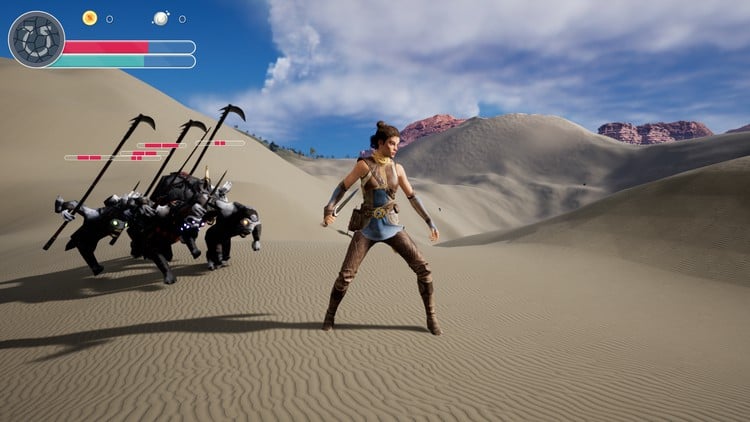
Skeletal Meshes and Animations - How to animate skeletal meshes in an interactive manner and blend smoothly between animations. Learn about skeletons, sockets, animation sequences, animation blueprints, state machines, blend spaces, cached poses, blend profiles, additive animations, aim offsets, animation montages, notifies, animation curves, morph targets, and animation attributes.

Intermediate Blueprints - Recap the fundamentals of Blueprints, then build upon that knowledge to achieve great skill and flexibility when it comes to scripting your games. Topics include advanced data types, data tables, spawning actors, referencing actors, functions, function libraries, macros, local variables, construction script, debugging, event dispatchers, and blueprint interfaces.

Khóa học liên quan

Khám phá thêm các khoá học cùng chủ đề

Hiển thị tất cả khoá học Blueprints Visual Scripting
Hiển thị tất cả khoá học D Modeling
Hiển thị tất cả khoá học Game Development
Hiển thị tất cả khoá học Unreal Engine
Zalo
Tôi có thể tư vấn khoá học cho bạn 😊