If you answered “yes” to any of these, then this course is designed for you.
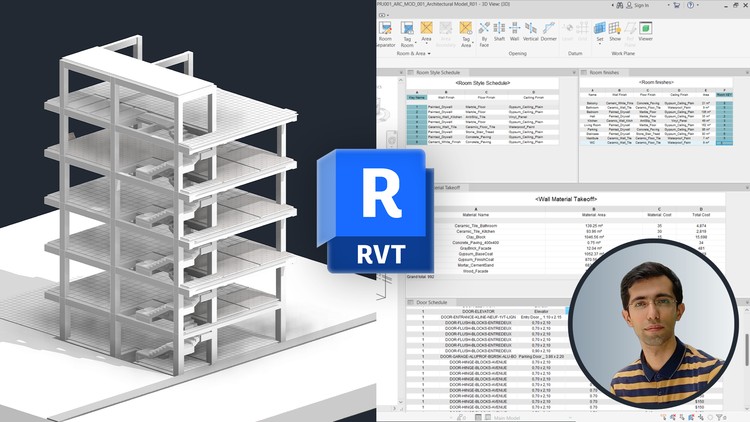
In this comprehensive, hands-on Revit Schedules & Quantities course, you will learn how to create, customize, and manage Schedules/Quantities in Autodesk Revit from the ground up. Starting with the basics, you’ll explore what schedules are, how to set them up for different categories such as doors, windows, and rooms, and how to distinguish between type parameters and instance parameters to ensure data accuracy.
You’ll then move into advanced schedule properties, including Fields, Filters, Sorting & Grouping, Formatting, and Appearance settings. You’ll discover how to add custom parameters, combine and calculate values, apply conditional formatting, and create schedules that are not only accurate but also easy to read.
From there, the course dives into specialized schedules like Material Takeoff (MTO), Sheet Lists, Note Blocks, and View Lists — teaching you how to measure materials across the entire model, organize drawing sheets for documentation, and manage non-model elements effectively.
You will also learn advanced techniques such as:
• Using Schedule Keys to manage repetitive data efficiently
• Applying View Templates to schedule views for consistent appearance
• Organizing schedules in the Project Browser for faster navigation
• Exporting schedules to Excel and text files for reporting and cost estimation
Every topic is explained with real-world examples and practical workflows, ensuring you can immediately apply the skills to your own projects — whether you’re working in architecture, engineering, or construction.
By the end of this course, you will be able to create professional, data-rich schedules, extract accurate quantities, and communicate project data with clarity to clients, contractors, and stakeholders.
Topics covered include:
1. Creating Schedules/Quantities for elements such as doors, windows, walls, and structural components
2. Understanding and using Instance vs Type Parameters in schedules
3. Adding and managing custom fields, including text, images, and URL data
4. Using From Room and To Room fields for room-based data reporting
5. Combining and calculating fields within schedules
6. Applying filters, sorting, and grouping for organized outputs
7. Formatting schedules for professional presentation
8. Adjusting final Appearance settings for clarity
9. Editing schedules directly with the Modify tools
10. Performing Material Takeoff across multiple categories
11. Creating Sheet Lists, Note Blocks, and View Lists
12. Utilizing Graphical Column Schedules
13. Implementing Schedule Keys for data consistency
14. Organizing and managing schedules in the Project Browser
15. Exporting schedules to Excel and TXT files for external use
With these skills, you’ll have the confidence to deliver accurate project data, save time on documentation, and take full advantage of Autodesk Revit’s powerful scheduling capabilities.




![AutoCAD cho Kỹ sư Xây dựng + Cơ bản về Revit – 2 trong 1 [2026]](https://studyvn.academy/assets/uploads/course_6a1802ba824c9.jpg)


