
Master in PlanSwift Professionals 11.0
Khóa học Chuyên sâu về PlanSwift Professionals 11.0

4.7
(12 đánh giá)
46 học viên

Giảng viên
The Global Institute of Quantity Surveying
Phụ đề tiếng Anh
Bán chạy
Đánh giá cao
50.000đ
399.000đ
-87%
Bao gồm phụ đề tiếng Việt, tiếng Anh
2.5 giờ video
58 bài giảng
Truy cập vĩnh viễn
Học trên mọi thiết bị
Cập nhật: 31/05/2026
Bạn sẽ học được gì
Yêu cầu
Không yêu cầu kinh nghiệm trước đó. Người mới bắt đầu hoàn toàn có thể tham gia.
Đối tượng phù hợp
Nội dung khóa học
11 phần • 58 bài giảng
1
Giới thiệu về PlanSwift 11.0
2
Tổng quan các tính năng chính
3
Lợi ích khi sử dụng PlanSwift trong công tác đo bóc khối lượng
1
Hiểu về giao diện PlanSwift Professionals 11.0
1
Tạo dự án mới trong PlanSwift
2
Lưu và chia sẻ dự án PlanSwift
3
Mở dự án PlanSwift có sẵn
4
In ấn dự án PlanSwift
1
Đổi tên bản vẽ
2
Đổi tên hàng loạt bản vẽ
3
Nhập thêm bản vẽ
4
Tạo thư mục riêng cho từng bản vẽ
5
Sắp xếp thứ tự thư mục hoặc bản vẽ
6
Làm việc với nhiều bản vẽ
7
Tách (Un-Dock) & Ghép (Re-Dock) bản vẽ
1
Thiết lập tỷ lệ theo phương pháp thủ công
2
Thiết lập tỷ lệ theo phương pháp tự động
3
Kiểm tra tỷ lệ
4
Thiết lập lại tỷ lệ
1
Đo đếm số lượng
2
Đo chiều dài
3
Đo đoạn
4
Đo diện tích
5
Thực hiện trừ phần cắt (cut-off deductions) trong đo diện tích
6
Thêm nhãn vào phép đo
7
Thêm chú thích (Legends) cho khối lượng đã đo
1
Ẩn & Hiện markup khối lượng đã đo
2
Di chuyển markup khối lượng đã đo
3
Điều chỉnh các markup đo sai
4
Thêm điểm để tính toán khối lượng chính xác hơn
1
Thể tích theo mét khối (CuM)
2
Mét khối tuyến tính
3
Thể tích tuyến tính theo mét khối
4
Mét khối đoạn
5
Thể tích đoạn theo mét khối
1
Đo diện tích tường theo mét tuyến tính
2
Đo diện tích tường theo đoạn mét
1
Cách sử dụng các chức năng Snap, Ortho, Freehand và Verify Points?
2
Thực hiện đo chiều dài cung
3
Thực hiện đo diện tích cung
4
Thực hiện đo diện tích hình tròn khép kín
5
Thực hiện đo chiều dài hình tròn khép kín
6
Thêm điểm phụ và điểm cung để tính toán khối lượng chính xác
7
Sao chép & Dán các phép đo lặp lại
8
Phản chiếu (Mirror) khối lượng đã đo cho các vị trí đối xứng hoặc tầng điển hình
9
Tiếp tục đo khối lượng đã đo trước đó trên cùng một bản vẽ
10
Tiếp tục đo khối lượng đã đo trước đó trên một bản vẽ khác
11
Đo diện tích và chiều dài theo chế độ Box
12
Thực hiện đo chiều dài chỉ bằng một cú nhấp chuột
13
Thực hiện đo diện tích chỉ bằng một cú nhấp chuột
14
Thực hiện phép đo cụ thể
15
Quy trình làm việc với thư mục PlanSwift để đo bóc có tổ chức
16
Thực hiện đo đếm số lượng tự động
17
Làm quen với các phím tắt trong PlanSwift
1
Hiểu về tab Estimating (Ước tính) và giao diện của nó
2
Làm việc với chế độ xem Estimating trong PlanSwift
3
Xuất khối lượng đã đo sang Excel
4
Tích hợp MS-Excel với PlanSwift
Giới thiệu khóa học
Welcome to Master in PlanSwift Professionals 11.0
Disclosure Statement:
This course contains the use of artificial intelligence to enhance the overall learning experience. Certain elements, including images, audio clarity, voiceovers, and instructional delivery, may have been improved or generated with the assistance of artificial intelligence tools.
Our goal is to provide learners with a clearer, more engaging, and accessible experience. Please note that while AI enhances quality, all course content, concepts, and instructional material are designed and reviewed by the instructor to ensure accuracy and reliability.
Take your quantity take-off skills to the next level with this comprehensive, hands-on course designed for Quantity Surveyors, Estimators, Cost Engineers, and Construction Professionals who want to master digital measurement using PlanSwift.
Whether you're transitioning from manual take-offs or looking to sharpen your digital estimating workflow, this course will guide you step-by-step through real-world applications of PlanSwift Professionals 11.0 — from project setup to advanced productivity techniques and Excel integration.
This practical training focuses on industry-relevant workflows, helping you measure faster, reduce errors, and improve accuracy in your daily estimating tasks.
What You’ll Learn
You’ll begin with a clear introduction to PlanSwift — understanding what it is, who it’s for, and how it transforms the quantity take-off process. From there, the course walks you through:
Understanding the Interface
Navigating the PlanSwift Professionals 11.0 workspace
Exploring key features and tools
Understanding how PlanSwift improves efficiency in quantity take-offs
Creating and Managing Jobs
Creating new jobs and organizing project files
Saving, sharing, and reopening PlanSwift jobs
Printing and managing project outputs
Managing Project Drawings Efficiently
Importing and organizing drawings
Renaming single and bulk drawings
Creating folders and adjusting drawing order
Working with multiple drawings
Un-docking and re-docking drawing views
Setting and Verifying Scale
Manual scale setup
Automatic scaling methods
Scale verification and resetting
Performing Accurate Quantity Take-Offs
Count, Linear, Segment, and Area measurements
Cut-off deductions for openings
Adding labels and legends
Managing and editing measurement markups
Improving accuracy with additional points
Productivity Hacks in PlanSwift
Discover powerful tools and time-saving features such as:
Snap, Ortho, Freehand, and Verify Points
Arc length, arc area, and circular measurements
Box mode measurements (area & linear)
Copy, paste, mirror, and duplicate measurements
Continuing measurements across drawings
Auto Count and single-click measurement tools
Shortcut keys for faster workflow
PlanSwift and MS Excel Integration
Learn how to connect your take-offs directly with Microsoft Excel for seamless estimating:
Understanding the Estimating tab
Working in estimating view
Exporting measured quantities to Excel
Integrating Excel for advanced cost calculations
Who This Course Is For
Quantity Surveyors (Junior to Experienced)
Estimators and Cost Engineers
Site Engineers handling measurements
Construction professionals transitioning to digital take-offs
Anyone looking to improve speed and accuracy in estimating
Course Outcomes
By the end of this course, you will:
Confidently navigate and use PlanSwift Professionals 11.0
Perform accurate and efficient quantity take-offs
Manage drawings and projects professionally
Apply advanced measurement techniques
Integrate PlanSwift with Excel for cost estimating
Save time while improving precision and productivity
Why This Course?
Digital take-off software is now essential in modern construction projects. This course is tailored specifically for construction professionals, focusing only on the tools and workflows that matter in real project environments — both on-site and in the office.
Take the next step in your professional development. Master PlanSwift Professionals 11.0 and gain a competitive edge in every project you measure and estimate.
Disclosure Statement:
This course contains the use of artificial intelligence to enhance the overall learning experience. Certain elements, including images, audio clarity, voiceovers, and instructional delivery, may have been improved or generated with the assistance of artificial intelligence tools.
Our goal is to provide learners with a clearer, more engaging, and accessible experience. Please note that while AI enhances quality, all course content, concepts, and instructional material are designed and reviewed by the instructor to ensure accuracy and reliability.
50.000đ
399.000đ
-87%
Bao gồm phụ đề tiếng Việt, tiếng Anh
2.5 giờ video
58 bài giảng
Truy cập vĩnh viễn
Học trên mọi thiết bị
Cập nhật mới nhất: 31/05/2026
Khóa học liên quan
Khám phá thêm các khoá học cùng chủ đề


Dự toán & Định giá cho Sinh viên Ngành Kỹ thuật Xây dựng Dân dụng.
Mudessar Afraz
4.5
(240)
1,290
50.000đ
419.000đ
-88%


Làm chủ phần mái nhà trên Xactimate trong vòng chưa đầy một giờ
Osman Aydin
4.3
(138)
752
50.000đ
399.000đ
-87%



BÓC TÁCH KHỐI LƯỢNG BẢN VẼ KẾT CẤU VÀ LẬP BẢNG TIÊN LƯỢNG MỜI THẦU VỚI PLANSWIFT
Quantity Surveying Academy
4.4
(58)
260
50.000đ
399.000đ
-87%


Định giá và Dự toán Chi phí trong MEP
Augmintech Education Pvt Ltd
4.5
(204)
1,042
50.000đ
399.000đ
-87%
BÓC TÁCH KHỐI LƯỢNG BẢN VẼ KẾT CẤU VÀ LẬP BẢNG TIÊN LƯỢNG MỜI THẦU VỚI PLANSWIFT
Quantity Surveying Academy
4.4
(58)
260
50.000đ
399.000đ
-87%
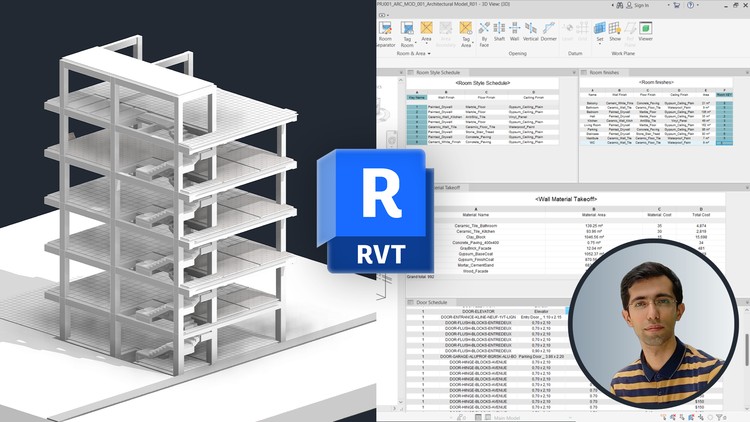
Lịch biểu BIM – Khối lượng & Thống kê Vật tư trong Revit
Hamidreza Ashtiani
4.7
(46)
241
50.000đ
399.000đ
-87%
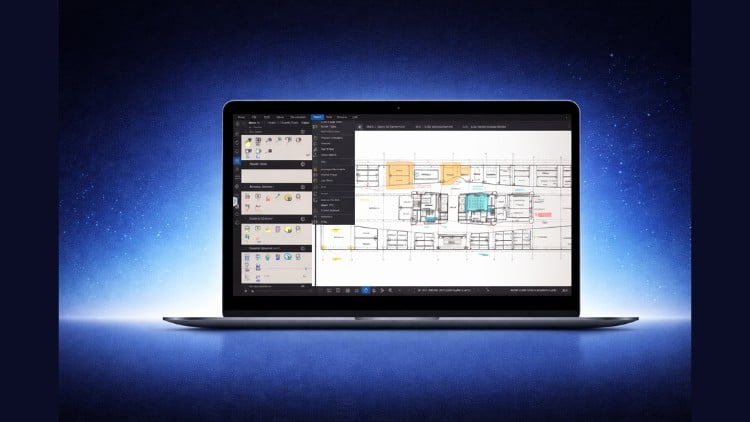
Bluebeam Revu Khối lượng Bóc tách & Quy trình Excel cho Kỹ sư Định lượng.
Mudessar Afraz
4.5
(25)
128
50.000đ
399.000đ
-87%
