
Autodesk Revit - Beginner to Intermediate level
Autodesk Revit - Cấp độ Cơ bản đến Trung cấp

4.5
(10,959 đánh giá)
49,769 học viên

Giảng viên
Steve Clancy
Phụ đề tiếng Anh
Bán chạy
Đánh giá cao
50.000đ
1.749.000đ
-97%
Bao gồm phụ đề tiếng Việt, tiếng Anh
8.0 giờ video
108 bài giảng
16 bài quiz
Truy cập vĩnh viễn
Học trên mọi thiết bị
Cập nhật: 26/06/2026
Bạn sẽ học được gì
Yêu cầu
Học viên nên có kiến thức sử dụng máy tính PC cơ bản.
Kinh nghiệm trước đây với phần mềm CAD không bắt buộc nhưng sẽ có lợi cho học viên.
Cần cài đặt Revit phiên bản tối thiểu 2018, khuyến nghị dùng phiên bản mới nhất. Có bản dùng thử 30 ngày từ Autodesk.
Revit không hỗ trợ MAC, bạn sẽ phải dùng Bootcamp trên MAC và cài đặt Windows để chạy Revit.
Tài liệu khóa học và file đính kèm sẽ được cung cấp.
Nên sử dụng màn hình thứ hai để xem video trong khi dùng Revit trên màn hình kia.
Phần đầu tiên sẽ hướng dẫn bạn quy trình tải xuống và cài đặt.
Đối tượng phù hợp
Nội dung khóa học
35 phần • 108 bài giảng
1
Giới thiệu Khóa học
2
Chất lượng Video
3
Nguyên lý cơ bản của tòa nhà và BIM
4
Thuật ngữ Thiết yếu
5
**KHÔNG ĐƯỢC BỎ QUA** Tải xuống và cài đặt đúng file
6
2023 & các phiên bản trước - Cách tải và cài đặt phần mềm chính xác
7
2024 & 2025 - Cách tải và cài đặt phần mềm chính xác
8
2025 - Cách tải file Mẫu và Thư viện
9
2026 - Tải xuống và cài đặt
10
Cách giải quyết các câu hỏi thực hành trong khóa học
1
**QUAN TRỌNG** Tài nguyên Khóa học
2
Cập nhật cho 2024, 2025 & 2026
3
Màn hình Bắt đầu
4
Tab File, Thanh công cụ Truy cập Nhanh & Trung tâm Thông tin
5
Các Tab, Ruy-băng & Bảng điều khiển
6
Bảng Thuộc tính & Trình duyệt Dự án
7
Thanh Trạng thái, Điều khiển Giao diện, Công tắc Lựa chọn & Menu Ngữ cảnh
8
Điều hướng Khu vực Vẽ
9
Tab Ngữ cảnh
1
Cơ bản về Công cụ Vẽ Tường
2
Các Phương pháp Vẽ Bổ sung cho Công cụ Tường
3
Thanh Tùy chọn - Công cụ Tường
4
Bảng Thuộc tính - Công cụ Tường
1
Căn chỉnh, Đối xứng, Đẩy
2
Di chuyển, Sao chép, Xoay, Cắt/Kéo dài
3
Tách phần tử, Ghim, Sao chép dãy, Tỷ lệ, Xóa
1
Cao độ - Cơ bản
2
Cao độ - Tiếp tục
3
Tạo hệ Lưới trục
1
Đặt Cột Kết cấu trên Lưới
2
Đặt Cột Kiến trúc trên Lưới
3
Đặt Tường Ngoài
4
Đặt Tường Trong
5
Sử dụng Ràng buộc Bằng nhau
6
Đặt Sàn Tầng Trệt
7
Đặt Lối đi bộ ranh giới
1
Đặt Cửa từ Bộ chọn Loại
2
Tải Cửa từ Thư viện
3
Tạo một Loại Cửa mới
4
Thêm một Lỗ mở trên Tường
5
Chỉnh sửa Hồ sơ Tường để tạo lỗ mở
6
Thêm Lỗ mở Kết cấu vào tường
7
Đặt Cửa sổ
1
Tăng Ràng buộc Đỉnh
2
Đặt Sàn Tầng 1
3
Thêm Lỗ mở Thang máy vào sàn
4
Bộ lọc Lựa chọn và Căn chỉnh theo Cao độ đã chọn
1
Cầu thang theo Thành phần
2
Cầu thang theo Phác thảo
3
Tạo cầu thang dự án
4
Đặt Tay vịn
5
Tạo Tay vịn
1
Giới thiệu về Mái theo Mặt bằng
2
Chỉnh sửa mái theo Mặt bằng
3
Mái dốc theo Mặt bằng
4
Mái bằng theo Mặt bằng
5
Mái theo Phép đùn và Mặt phẳng Làm việc
1
Giới thiệu về Tường Kính
2
Xây dựng một Tường Kính
3
Tường Kính – Lối vào
4
Tường Kính – Phía sau
5
Tường Kính – Mặt trước
1
Giới thiệu về Mặt bằng Trần
2
Điều chỉnh vị trí Trần
3
Tạo Mặt bằng Trần Tầng 1
4
Thêm Thành phần vào Trần
5
Ví dụ về Thành phần Trần đã Render
1
Thiết lập một Callout
2
Vùng Mặt nạ và Vùng Tô
3
Thành phần Chi tiết và Thành phần Chi tiết Lặp lại
4
Đặt Vật liệu Cách nhiệt
5
Sử dụng Đường Chi tiết và Tạo Kiểu đường
6
Thêm Chú thích có Đường dẫn
7
Thêm Đường ngắt
1
Giới thiệu về Ghi kích thước theo Từng tham chiếu
2
Ghi kích thước theo Toàn bộ Tường
3
Đường gióng kích thước
4
Chỉnh sửa Kích thước
1
Giới thiệu về Nhãn
2
Thêm thông tin vào Nhãn
3
Đặt Nhãn Cửa sổ
4
Đặt Nhãn Tường
5
Áp dụng Nhãn cho Tầng 1
6
Tạo Phòng và Đặt Nhãn Phòng
7
Tạo Chú giải Phòng
8
Tạo Bảng thống kê Phòng
9
Tạo Bảng thống kê Cửa
10
Tạo Bảng thống kê Cửa sổ
11
Tạo Chú giải Cửa & Cửa sổ
1
Giới thiệu về Bóng đổ và Cài đặt Mặt trời
2
Tạo Nghiên cứu Mặt trời Một ngày
3
Giới thiệu về Render và Render hình ảnh đầu tiên
4
Render hình ảnh thứ hai
5
Giới thiệu về Flythrough/Walkthrough
6
Chỉnh sửa Flythrough
7
Tạo Flythrough qua hai tầng
1
Mở một Bản vẽ và tổng quan về Khung tên
2
Thiết lập Bản vẽ phần 1
3
Thiết lập Bản vẽ phần 2
4
Thêm khung nhìn Render & Callout vào Bản vẽ
5
Tải Khung tên khổ A2
6
Nhân bản khung nhìn
7
Thiết lập Trang & In ấn
1
Kết luận
1
Tài nguyên
2
Chúc mừng!
1
Autodesk AutoCAD: Cấp độ Cơ bản đến Nâng cao
2
Autodesk Revit: Cấp độ Cơ bản đến Nâng cao
Giới thiệu khóa học
Autodesk Revit – For the Beginner user, bringing them right up to an intermediate level!
Course Content
First, I will guide you through the installation process, ensuring you have installed the correct library and region template. I will be using the UK Metric library and templates but don’t worry if you want to use another. All the processes will be the same and if I use a component from the UK library that isn’t available in your library, I will always suggest one for you.
As with BIM, you work solely on one single project, so I have constructed this course in the same way.
If you do not have previous experience with Revit or any CAD-based software, don’t worry. I will start off from the beginning building you up to be more than capable of creating your own Revit models.
The course will start off by giving a brief introduction to the fundamentals of a building, what BIM is, and then moving onto the basics of Revit; from the terminology that Revit uses to the tools and interface.
We will then begin to build on our project, introducing a new tool and feature as we progress.
Adding in the datum elements, such as the levels and grids.
Structural components, such as the Structural and Architectural columns
Major and Minor Components like the; walls, windows, doors, floors, stairs, ceilings, curtain walls, and roofs.
We will then take it to the next level and learn how to create 2D details, how to tag the components, create schedules & legends, creating render images and video walkthroughs.
Finally, we will set up our sheets and send it to print.
Alongside the videos, I have supplied you with course notes to follow along with as well as some files to work with.
As a recap, I have added a quiz to every section. This won’t affect your final certificate but will refresh what you have just learned.
Once you complete the course, why not test out your new skills by taking the final exam, consisting of 40 questions!
Finally, I continually update this course to keep it up to date with the new releases as well as add new videos.
I look forward to seeing you in class!
50.000đ
1.749.000đ
-97%
Bao gồm phụ đề tiếng Việt, tiếng Anh
8.0 giờ video
108 bài giảng
16 bài quiz
Truy cập vĩnh viễn
Học trên mọi thiết bị
Cập nhật mới nhất: 26/06/2026
Khóa học liên quan
Khám phá thêm các khoá học cùng chủ đề

BIM - Revit Architecture 2026 - Từ Cơ Bản Đến Nâng Cao
Amir Karami • BIM
4.5
(1564)
16,992
79.000đ
1.259.000đ
-94%

BIM - Tạo Revit Family - Từ Cơ Bản Đến Chuyên Sâu
Amir Karami • BIM
4.6
(334)
10,760
50.000đ
1.219.000đ
-96%

Microsoft Excel trong BIM và Xây dựng – Từ Cơ bản
Amir Karami • BIM
4.9
(146)
5,475
50.000đ
1.169.000đ
-96%
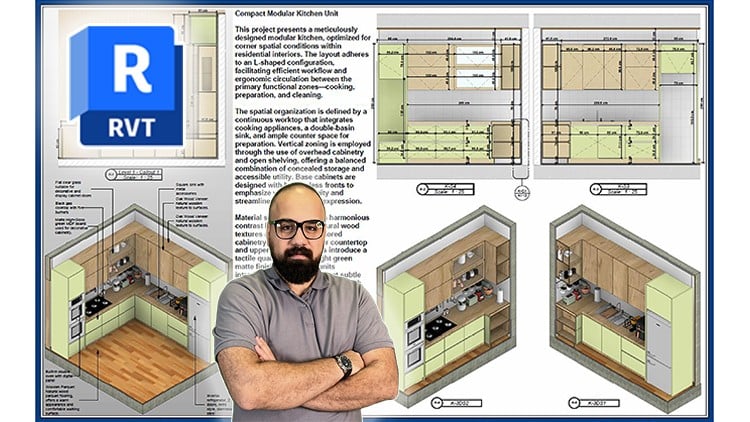
Shop Drawing & Details - Autodesk Revit 2025 - Dành cho BIM Modelers
Danial Bagherzadeh
4.8
(269)
4,633
79.000đ
399.000đ
-80%

Thiết kế HVAC nâng cao với Revit MEP (PHẦN 2)
United Engineering
4.5
(478)
3,827
50.000đ
1.649.000đ
-97%

BIM Thông Minh với AI - ChatGPT và Claude cho Tự động hóa BIM
Ghasem Ariyani • BIM Manager
4.8
(109)
1,526
50.000đ
399.000đ
-87%
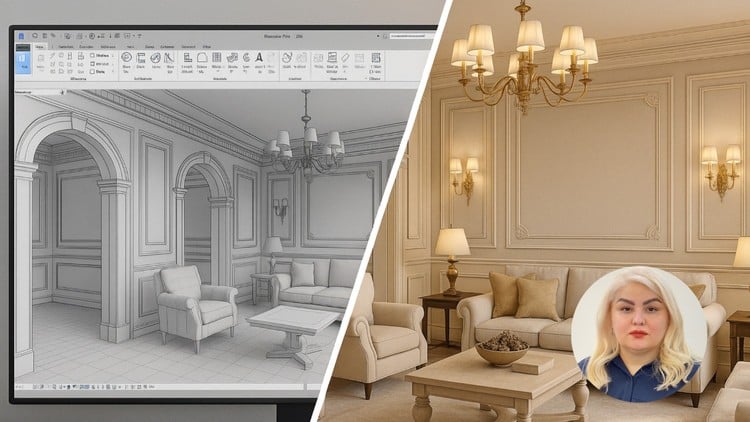
Revit 2025 cho Nội thất Chuyên sâu + Dựng Hình Nâng Cao
Farimah Ghavanlou
4.9
(115)
1,421
50.000đ
399.000đ
-87%
BIM - Revit Architecture 2026 - Từ Cơ Bản Đến Nâng Cao
Amir Karami • BIM
4.5
(1564)
16,992
79.000đ
1.259.000đ
-94%

Khóa học BIM - Revit Structure đầy đủ: Từ Cơ bản đến Nâng cao
Ghasem Ariyani • BIM Manager
4.3
(1059)
16,911
79.000đ
1.439.000đ
-95%

Chứng chỉ Chuyên môn về BIM và Quản lý Dự án Chuyên nghiệp (PMP)
Chartered Engineers
4.2
(927)
14,863
50.000đ
1.249.000đ
-96%

Revit MEP Complete - Điện, Cấp thoát nước và HVAC - AulaGEO
AulaGEO Academy
4.2
(299)
13,986
50.000đ
1.249.000đ
-96%
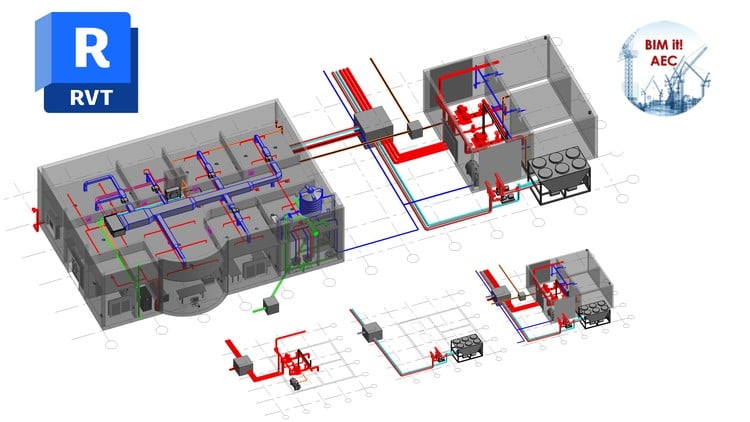
Revit MEP từ Cơ bản đến Nâng cao (Dành cho Dịch vụ Nhà thầu)
BIM it! AEC
4.6
(1741)
10,672
50.000đ
2.499.000đ
-98%

Revit MEP - HVAC - Thiết kế hệ thống ống gió, Mô hình 3D Revit
Amir Karami • BIM
4.7
(366)
10,183
50.000đ
1.269.000đ
-96%

BIM - Autodesk Navisworks Manage 2026 - Từ Cơ Bản Đến Nâng Cao
Amir Karami • BIM
4.5
(387)
9,103
50.000đ
1.569.000đ
-97%
