
PCB design with KiCad - updated for KiCad 9
Thiết kế PCB với KiCad - Cập nhật cho KiCad 9

4.6
(3,152 đánh giá)
17,773 học viên

Giảng viên
Dr. Peter Dalmaris
Phụ đề tiếng Anh
Bán chạy
Đánh giá cao
79.000đ
1.569.000đ
-95%
Bao gồm phụ đề tiếng Việt, tiếng Anh
32.0 giờ video
272 bài giảng
Truy cập vĩnh viễn
Học trên mọi thiết bị
Cập nhật: 17/10/2026
Bạn sẽ học được gì
Yêu cầu
Máy tính chạy Linux, Windows hoặc Mac OS.
Kết nối Internet.
Tư duy cầu tiến.
Sự kiên nhẫn để học đến khi thành thạo.
Đối tượng phù hợp
Nội dung khóa học
18 phần • 272 bài giảng
1
Tại sao chọn KiCad?
2
Khóa học này nói về điều gì?
3
Hướng dẫn học tập
4
Đóng góp cho KiCad
5
Yêu cầu về phần mềm và phần cứng
6
Bài giảng cập nhật KiCad 9
1
Tải xuống tài liệu PDF kèm theo và kho lưu trữ dự án miễn phí
2
PCB là gì?
3
Quy trình thiết kế PCB
4
Gia công sản xuất
5
Hệ điều hành được hỗ trợ và cài đặt
6
Dự án mẫu
1
Giới thiệu (phần này nói về điều gì?)
2
Trình quản lý dự án KiCad 8 (cửa sổ chính)
3
Tổng quan về các ứng dụng riêng lẻ trong KiCad
4
Đường dẫn và Thư viện
5
Tạo dự án mới từ đầu
6
Tạo dự án mới từ mẫu có sẵn
7
KiCad trên macOS, Windows và Linux
1
Giới thiệu về thiết kế sơ đồ nguyên lý và mục tiêu phần này
2
Giới thiệu nhanh về quy trình làm việc thiết kế
3
Dự án KiCad hoàn chỉnh và thư mục
4
Khởi động KiCad và tạo dự án mới
5
1 - Khởi động Eeschema, thiết lập Sheet
6
2 - Thêm ký hiệu (symbols)
7
3 - Sắp xếp, đánh số, liên kết
8
4 - Đấu nối dây
9
5 - Nets
10
6 - Kiểm tra luật điện (ERC)
11
7 - Thêm chú thích bằng văn bản và đồ họa
1
Giới thiệu về thiết kế layout và mục tiêu phần này
2
1 - Khởi động Pcbnew, nhập footprint
3
2 và 3 - Đường bao và ràng buộc (edge cut) và bố trí linh kiện
4
4 - Đi dây (thêm tracks)
5
5 - Tinh chỉnh đường bao
6
6 - Lớp silkscreen (văn bản và đồ họa)
7
7 - Kiểm tra luật thiết kế (DRC)
8
8 - Xuất file Gerber và đặt hàng
9
PCB đã được sản xuất
1
Nguyên tắc thiết kế và khái niệm cơ bản - Giới thiệu
2
Ký hiệu sơ đồ nguyên lý (Schematic symbols)
3
Vật liệu PCB và FR4
4
Đường mạch (Traces)
5
Vùng cấm (Keep-out areas)
6
Pad và lỗ khoan
7
Via
8
Vòng đồng (Annular ring)
9
Lớp phủ chống hàn (Solder mask)
10
Lớp silkscreen
11
Mũi khoan và điểm khoan
12
Linh kiện dán (SMD)
13
Đầu cắm mạ vàng (Gold Fingers)
14
Panel
15
Kem hàn và stencil
16
Máy gắp và đặt linh kiện (Pick-and-place)
1
Giới thiệu về Quy trình Thiết kế Sơ đồ nguyên lý
2
Bước 1 Thiết kế Sơ đồ: Thiết lập
3
Bước 2 Thiết kế Sơ đồ: Ký hiệu (Symbols)
4
Bước 3 Thiết kế Sơ đồ: AAA (Sắp xếp, Đánh số, Liên kết)
5
Bước 4 Thiết kế Sơ đồ: Đấu dây
6
Bước 5 Thiết kế Sơ đồ: Nets
7
Bước 6 Thiết kế Sơ đồ: Kiểm tra luật điện (ERC)
8
Bước 7 Thiết kế Sơ đồ: Chú thích và Đồ họa
9
Giới thiệu về Quy trình Bố trí Layout PCB
10
Bước 1 Thiết kế Layout: Thiết lập
11
Bước 2 Thiết kế Layout: Đường bao và ràng buộc
12
Bước 3 Thiết kế Layout: Đặt footprint
13
Bước 4 Thiết kế Layout: Đi dây
14
Bước 5 Thiết kế Layout: Silkscreen
15
Bước 6 Thiết kế Layout: Kiểm tra luật thiết kế (DRC)
16
Bước 7 Thiết kế Layout: Xuất file & Gia công
17
Hình dạng và kích thước
18
Các lớp (Layers)
19
Đường mạch (Traces)
1
Giới thiệu về phần này
2
Tổng quan thanh menu bên trái
3
Tổng quan thanh menu trên cùng
4
Tổng quan thanh menu bên phải
5
Tùy chỉnh trình soạn thảo sơ đồ nguyên lý
6
Cách tìm symbol bằng công cụ Chooser
7
Cách tìm ký hiệu sơ đồ nguyên lý trên Internet
8
Cách cài đặt hàng loạt thư viện symbol
9
Cách tạo symbol tùy chỉnh
10
Cách liên kết symbol với footprint
11
Nhãn net (Net labels)
12
Lưu ý: Giao diện thiết lập netclass đã thay đổi trong các phiên bản KiCad mới hơn
13
Các lớp net (Net classes)
14
Cách thiết lập netclasses trong KiCad 8 và 9
15
Sơ đồ phân cấp (Hierarchical sheets)
16
Nhãn toàn cục (Global labels)
17
Nhãn phân cấp và nhập chân sheet
18
Quy tắc điện và tùy chỉnh
19
Chỉnh sửa hàng loạt các phần tử trong sơ đồ nguyên lý
1
Giới thiệu về phần này
2
Tổng quan thanh menu bên trái
3
Tổng quan thanh menu trên cùng Phần 1
4
Tổng quan thanh menu trên cùng Phần 2
5
Tổng quan thanh menu bên phải
6
Tổng quan thanh menu bên phải - Giao diện hiển thị
7
Tùy chỉnh trình soạn thảo layout (Cửa sổ Preferences, PCB Editor)
8
Thiết lập Board - Cấu trúc lớp board (Board Stackup)
9
Thiết lập Board - Văn bản & Đồ họa
10
Thiết lập Board - Quy tắc Thiết kế - Ràng buộc, kích thước, lớp
11
Thiết lập Board - Quy tắc Thiết kế - Quy tắc Tùy chỉnh và mức độ nghiêm trọng lỗi
12
Cách tìm và sử dụng footprint
13
Nguồn footprint trên Internet
14
Cách cài đặt thư viện footprint
15
Vùng phủ đồng (Filled zones)
16
Vùng cấm (Keep-out zones)
17
Công cụ đi dây tương tác (Interactive router)
18
Công cụ đo chiều dài
19
Chỉnh sửa hàng loạt
20
Tạo footprint tùy chỉnh, phần giới thiệu
21
Tạo footprint tùy chỉnh, 1, Lớp gia công (Fabrication layer)
22
Tạo footprint tùy chỉnh, 2, Pads
23
Tạo footprint tùy chỉnh, 3, Lớp courtyard
24
Tạo footprint tùy chỉnh, 4, Lớp silkscreen
25
Tìm và sử dụng hình dạng 3D cho footprint
26
Cách xuất và kiểm tra file Gerber
1
Dự án - Giới thiệu
2
Sơ đồ 1 - Thiết lập
3
Sơ đồ 2 - Ký hiệu (Symbols)
4
Chỉnh sửa giá trị linh kiện
5
Sơ đồ 3 - Sắp xếp, Đánh số
6
Sơ đồ 3 - Liên kết
7
Sơ đồ 4 - Đấu dây
8
Sơ đồ 5 & 6 - Nets và Kiểm tra luật điện (ERC)
9
Sơ đồ 7 - Chú thích
10
Giới thiệu về chỉnh sửa layout
11
Layout 1 - Thiết lập
12
Layout 2 - Đường bao và ràng buộc
13
Layout 3 - Đặt linh kiện
14
Layout 2 bổ sung - Tinh chỉnh đường bao
15
Layout 4 - Đi dây
16
Layout 5 - Vùng phủ đồng (Copper fills)
17
Layout 6 - Silkscreen
18
Layout 7 - Kiểm tra luật thiết kế (DRC)
19
Layout 8 - Xuất file và Gia công
20
Tìm và sửa lỗi thiết kế
21
Sửa sơ đồ nguyên lý
22
Sửa layout
1
Giới thiệu về dự án Bộ nguồn năng lượng mặt trời siêu nhỏ
2
Tải xuống file PDF mạch điện từ Elektor
3
1 - Thiết lập sơ đồ nguyên lý
4
2 - Ký hiệu sơ đồ nguyên lý
5
2 - Chỉnh sửa giá trị linh kiện
6
3 - Sắp xếp, đánh số, liên kết
7
4 - Đấu dây
8
5 & 6 - Đấu dây và kiểm tra luật điện
9
7 - Chú thích
10
Layout
11
1 - Thiết lập
12
2 & 3 – Bố trí linh kiện và đường bao
13
4 - Đi dây
14
2 (lặp lại) - Tinh chỉnh đường bao
15
6 - Silkscreen
16
Mô hình 3D
17
8 - Xuất file và gia công
1
Dự án - Giới thiệu
2
Tạo dự án mới và tạo kho lưu trữ Git mới
3
Sơ đồ 1 - Thiết lập
4
Sơ đồ 2 - Ký hiệu (Symbols)
5
Sơ đồ 2 - Tạo sheet thứ hai cho các đầu nối (connectors)
6
Sơ đồ 3 - Sắp xếp, Đánh số
7
Chỉnh sửa giá trị linh kiện
8
Sơ đồ 3 - Liên kết
9
Sơ đồ 4 - Đấu dây cho sheet 1
10
Sơ đồ 4 - Đấu nối trang 2
11
Sơ đồ 5 - Mạng lưới mạch
12
Sơ đồ 6 - Kiểm tra quy tắc điện
13
Sơ đồ 7 - Ghi chú
14
Git, thiết lập trong nhánh PCB 2 lớp
15
Bố trí 1 - Thiết lập
16
Bố trí 2 - Đường viền và ràng buộc
17
Bố trí 3 - Xếp linh kiện
18
Bố trí 4 - Đi dây
19
Bố trí 4 - Phủ đồng
20
Bố trí 4 - Cải thiện việc đi dây
21
Bố trí 5 - Lớp silkscreen
22
Bố trí 4 - Sửa lỗi vi phạm đi dây mới
23
Bố trí 6 - Kiểm tra quy tắc thiết kế
24
Bố trí 7 - Gia công
25
Hình dạng 3D
26
Gộp nhánh 2 lớp vào main
27
Phương án đi dây thay thế: PCB 4 lớp trong nhánh Git mới
28
Đi dây cho PCB 4 lớp
29
Gia công PCB 4 lớp
30
Cập nhật layout từ thay đổi trong sơ đồ mạch với Git
31
Tìm và sửa lỗi thiết kế
32
Sửa lỗi trong sơ đồ mạch
33
Sửa lỗi trong PCB 2 lớp
34
Sửa lỗi trong PCB 4 lớp
1
Cách tạo đồ họa tùy chỉnh
2
Cách thay đổi footprint hàng loạt trong Pcbnew
3
Biến văn bản
4
Cách nhập symbols, footprints và hình 3D từ Snapeda
5
Cách tạo kích thước tùy chỉnh cho track và via
6
Quản lý dự án KiCad với Git
7
Bắt đầu với Git trong KiCad
8
Chia sẻ dự án KiCad trên GitHub
9
Mẫu tên trường
10
Chế độ router: đánh dấu va chạm - đẩy - đi vòng
11
Trình hướng dẫn tạo footprint
12
Menu Inspection trong Pcbnew
13
Công cụ đánh dấu chân và dây
14
Autorouting Phần 1: Bộ autorouter Freerouting
15
Autorouting Phần 2: Cài đặt và vận hành plugin Freerouting
16
Autorouting Phần 3: Sử dụng Freerouting
17
Autorouting Phần 4: Quy trình và tùy chỉnh autorouting
18
Bảng vật liệu Phần 1: Giới thiệu
19
Bảng vật liệu Phần 2: BOM tích hợp trong trình chỉnh sửa PCB
20
Bảng vật liệu Phần 3: BOM tích hợp trong trình chỉnh sửa sơ đồ
21
Bảng vật liệu Phần 4: Plugin cho BOM
22
Ghi đè lưới - Trình chỉnh sửa sơ đồ
23
Ghi đè lưới - Trình chỉnh sửa PCB
24
Teardrops
25
Simulator phần 1: Bộ mô phỏng mạch KiCad
26
Simulator phần 2: Chuẩn bị mạch để mô phỏng
27
Simulator phần 3: Cấu hình bộ mô phỏng
28
Simulator phần 4: Chạy mô phỏng
1
Giới thiệu phần này
2
Jobsets
3
Công cụ đường cong Bezier trong tất cả trình chỉnh sửa
4
Trình quản lý vùng
5
Khối thiết kế
6
Hoàn tất thử nghiệm autorouter
7
Kéo nhiều track cùng lúc
8
Pad stacks với hình dạng đồng khác nhau
9
Cải tiến xuất mô hình 3D
10
Công cụ định vị chính xác
11
Bảng
12
Bộ lọc lựa chọn trong trình chỉnh sửa sơ đồ
13
Lớp linh kiện
1
Giới thiệu bộ autorouter Freerouting
2
Cài đặt và chạy FreeRouting trên MacOS
3
Cài đặt và chạy FreeRouting trên Linux Kubuntu
4
Cài đặt và chạy FreeRouting trên Windows
5
Cách dùng autorouter Freerouting - ví dụ 2 lớp
6
Cách dùng autorouter Freerouting - ví dụ 4 lớp
1
Font tùy chỉnh, hộp văn bản, siêu liên kết
2
Dây ở góc 45 độ
3
Nguyên thủy vẽ mới
4
Đối tượng văn bản đảo ngược trong PCB
5
Trình quản lý plugin và nội dung
6
Kéo theo phương vuông góc
7
Kéo và thả
8
Cải tiến PDF
9
Bảng tìm kiếm
10
Bảng thuộc tính
11
Phủ vùng tự động
12
Cải tiến công cụ bố trí PCB - Hủy route đã chọn
13
Cải tiến công cụ bố trí PCB - Tự động hoàn thành route
14
Cải tiến Pack & Move footprints
15
Giao diện dòng lệnh
16
Trình chỉnh sửa mô hình mô phỏng
17
Cảnh báo ERC ngoài lưới
18
Tính nhất quán footprint trong trình chỉnh sửa PCB và các bài kiểm tra DRC bị bỏ qua
19
Giao diện gán lớp net mới
1
KiCad 7 trên Mac OS, Linux, Windows
2
(Phiên bản cũ) Trình quản lý dự án KiCad 7 (cửa sổ chính)
3
(Phiên bản cũ) KiCad 6 trên Mac OS, Linux, Windows
4
(Phiên bản cũ) Khác biệt chính giữa KiCad 6.0 và 5.0
5
So sánh giao diện: KiCad 7 vs KiCad 6 - Trình chỉnh sửa sơ đồ
6
So sánh giao diện: KiCad 7 vs KiCad 6 - Trình chỉnh sửa symbol
7
So sánh giao diện: KiCad 7 vs KiCad 6 - Trình chỉnh sửa PCB
8
So sánh giao diện: KiCad 7 vs KiCad 6 - Trình chỉnh sửa footprint
9
So sánh giao diện: KiCad 7 vs KiCad 6 - Trình xem Gerber
10
So sánh giao diện: KiCad 7 vs KiCad 6 - Công cụ chuyển đổi hình ảnh
11
So sánh giao diện: KiCad 7 vs KiCad 6 - Công cụ máy tính
12
So sánh giao diện: KiCad 7 vs KiCad 6 - Trình chỉnh sửa trang vẽ
13
So sánh giao diện: KiCad 7 vs KiCad 6 - Trình quản lý plugin và nội dung
1
Bài học bổ sung
Giới thiệu khóa học
This course is updated for KiCad 9
I have recorded several new lectures in Section 13 to explain the most important new features and improvements in KiCad 9.
The lectures in this section cover a range of topics, including the introduction of Jobsets for structured project management, the Bezier curve tool in all editors, and the Zone Manager for improved control over copper pours. Other lectures discuss the use of Design Blocks for reusing schematic and layout sections, updates to the Autorouter, and the Multiple Track Drag feature for modifying routed traces more efficiently. Additionally, the section includes coverage of Pad Stacks with different copper shapes, 3D model export improvements, the Precision Positioning Tool for accurate placement, and the Tables feature for showing structured information in the schematic and the layout. The Selection Filterin the schematic editor and Component Classes are also explored, highlighting their role in refining schematic organization and circuit design.
Also... New project and recipes! I’ve added a brand-new hands-on project to this course: the Tiny Solar Power Supply.
This project walks you through the complete design of a compact solar-powered regulator circuit, from schematic to PCB layout and preparation for manufacturing.
I’ve also expanded the Recipes section with new content that shows you how to use KiCad’s integrated circuit simulator. You’ll learn how to simulate basic analog circuits directly in the schematic editor — a powerful tool for validating your design before layout.
This course is updated for KiCad 8
This update contains many new and updated lectures to teach you the new features in KiCad 8. For those lectures that I created replacements for, I have moved them to new sections titled "Legacy" so you can still access them. Most new and updated content is in sections 1, 2, 3, 4, 5, and 12 (Recipes).
Welcome to KiCad Like a Pro.
This course will help you learn how to design Printed Circuit Boards using KiCad.
KiCad is an open-source, free-to-use, and unrestricted tool for PCB design. It is the world's most popular open-source PCB tool for electronics engineers and hobbyists.
KiCad is supported by a dedicated team of volunteer developers and a growing community of users and contributors.
To create this edition of KiCad Like a Pro, I have used KiCad 7 and KiCad 8.
This course will teach you KiCad so that you can use it in your commercial or hobby projects. It takes a practical approach to learning that combines "how-to" content with complete start-to-finish PCB projects.
If you are new to PCB design, this course will help you start from the ground level. If you are an experienced PCB designer, this course will help you transition to KiCad from another tool or an earlier version of KiCad.
Please read the course description and watch the free lectures in the first section to get more information about this course.
I look forward to learning with you!
79.000đ
1.569.000đ
-95%
Bao gồm phụ đề tiếng Việt, tiếng Anh
32.0 giờ video
272 bài giảng
Truy cập vĩnh viễn
Học trên mọi thiết bị
Cập nhật mới nhất: 17/10/2026
Khóa học liên quan
Khám phá thêm các khoá học cùng chủ đề

Khóa Học Điện Tử Toàn Diện: Thiết Kế Phần Cứng Analog
Hardware Academy
4.6
(4538)
53,561
50.000đ
1.559.000đ
-97%

Lý Thuyết Điện Tử Cơ Bản - Hướng Dẫn Cho Người Mới Bắt Đầu
Idan Gabrieli
4.5
(1241)
15,936
50.000đ
349.000đ
-86%

Điện tử học - Dành cho người mới bắt đầu hoàn toàn
Gene L. Warner
4.6
(2297)
12,275
50.000đ
1.399.000đ
-96%

Thiết kế PCB bằng Cadence OrCAD/Allegro: Từ Cơ bản đến Chuyên gia
Pradeep Raj
4.5
(1258)
6,574
79.000đ
349.000đ
-77%

Giới thiệu Lý thuyết và Nguyên lý Thiết kế RF - RAHRF201
Rahsoft RF Certificate - Orange County, California
4.5
(657)
5,683
50.000đ
699.000đ
-93%

PCB/Điện tử: Quản lý nhiệt, Làm mát và Giảm định mức
Marco CATANOSSI
4.5
(1336)
5,600
10.000đ
349.000đ
-97%

Học Thiết Kế PCB Toàn Diện: Từ Ý Tưởng Đến Sản Phẩm Hoàn Chỉnh
Shubham Tiwari
4.6
(488)
5,087
50.000đ
399.000đ
-87%

Verilog HDL: Khóa Học Toàn Diện Về Thiết Kế Phần Cứng VLSI
Shepherd Tutorials
4.3
(4505)
19,755
50.000đ
349.000đ
-86%

Loạt bài Kiểm chứng Phần 1: Những điều cốt lõi về SystemVerilog
Kumar Khandagle
4.6
(3943)
17,037
50.000đ
349.000đ
-86%

Verilog cho Kỹ sư FPGA với Xilinx Vivado Design Suite
Kumar Khandagle
4.6
(1990)
12,488
50.000đ
349.000đ
-86%


Loạt bài Kiểm chứng Phần 3: Những điều cốt lõi về UVM
Kumar Khandagle
4.7
(1716)
9,515
50.000đ
349.000đ
-86%


Khóa học Chuyên sâu Thiết kế Phần cứng và PCB 2022 - EsteemPCB
Aviral Mishra
4.4
(413)
5,401
50.000đ
349.000đ
-86%

Khóa học Thiết kế Board mạch Tốc độ Cao – Module trên Hệ thống (EsteemPCB)
Aviral Mishra
4.3
(971)
7,548
50.000đ
1.809.000đ
-97%

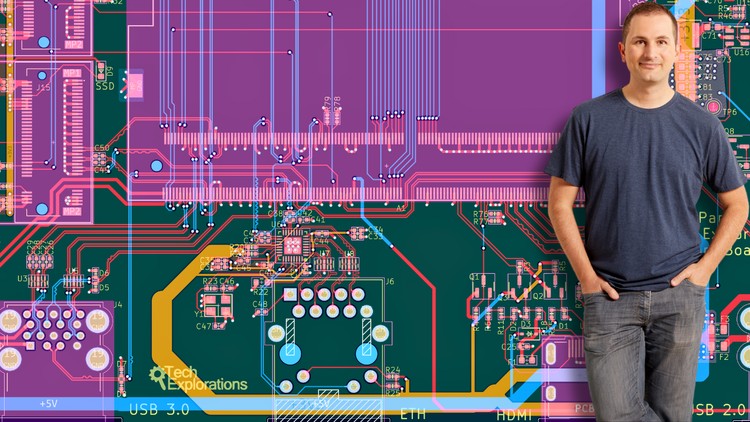

Thiết kế PCB với KiCad từ Cơ bản đến Nâng cao
Muhammad Zeeshan khan
4.3
(158)
861
50.000đ
399.000đ
-87%
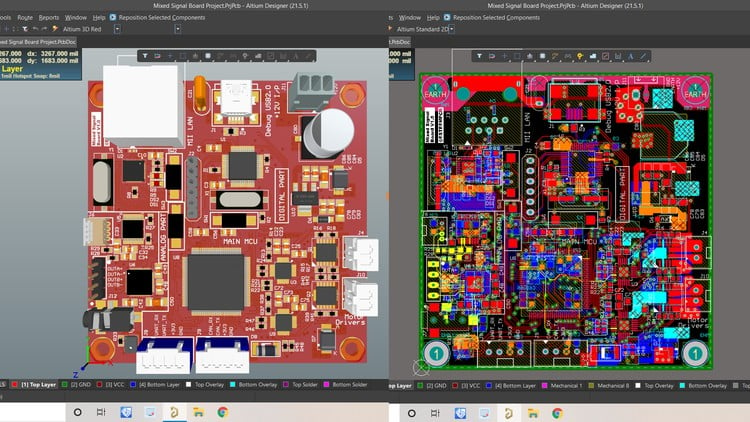
Khóa học Thiết kế Phần cứng Điện tử Hoàn chỉnh 2025 - EsteemPCB
Aviral Mishra
4.3
(1434)
9,949
50.000đ
1.549.000đ
-97%

Khóa học Thiết kế Board mạch Tốc độ Cao – Module trên Hệ thống (EsteemPCB)
Aviral Mishra
4.3
(971)
7,548
50.000đ
1.809.000đ
-97%
Thiết kế PCB bằng Cadence OrCAD/Allegro: Từ Cơ bản đến Chuyên gia
Pradeep Raj
4.5
(1258)
6,574
79.000đ
349.000đ
-77%
PCB/Điện tử: Quản lý nhiệt, Làm mát và Giảm định mức
Marco CATANOSSI
4.5
(1336)
5,600
10.000đ
349.000đ
-97%
Khóa học Chuyên sâu Thiết kế Phần cứng và PCB 2022 - EsteemPCB
Aviral Mishra
4.4
(413)
5,401
50.000đ
349.000đ
-86%
Học Thiết Kế PCB Toàn Diện: Từ Ý Tưởng Đến Sản Phẩm Hoàn Chỉnh
Shubham Tiwari
4.6
(488)
5,087
50.000đ
399.000đ
-87%
