Ưu đãi trong tuần: Nhập mã UD50 giảm 50k cho đơn từ 300k!
Trang chủ
Menu

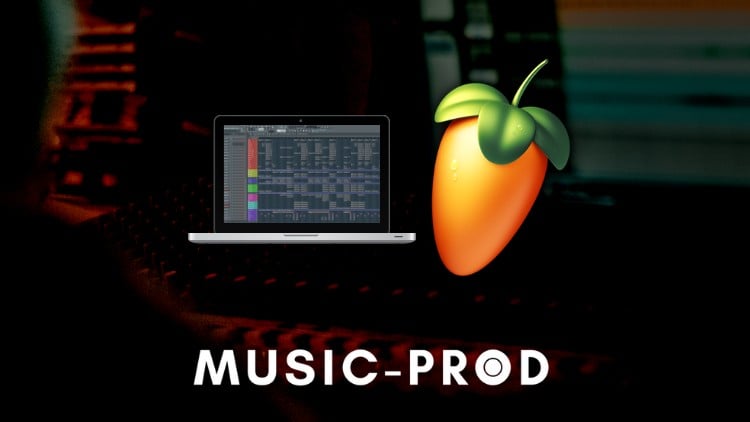
FL Studio Complete Course - Music Production for Mac & PC

Khóa học FL Studio toàn diện - Sản xuất nhạc trên Mac & PC

Khóa học FL Studio toàn diện - Sản xuất nhạc trên Mac & PC

Sản xuất nhạc trên Mac và PC với FL Studio - Tạo 6 bài hát hoàn chỉnh trong FL Studio + Mixing, Mastering + Bộ Sample miễn phí

4.7
(8,431 đánh giá)
41,850 học viên
Giảng viên
Martin Raay
Phụ đề Việt chất lượng cao Phụ đề tiếng Anh Bán chạy Đánh giá cao
79.000đ 2.119.000đ -96%
✓ Xem giỏ hàng và thanh toán
Bao gồm phụ đề tiếng Việt, tiếng Anh
30.0 giờ video
230 bài giảng
Truy cập vĩnh viễn
Học trên mọi thiết bị
Cập nhật: 06/09/2026

Bạn sẽ học được gì

Cách cài đặt FL Studio cho cả Mac và PC, bao gồm tải về và chọn phiên bản phù hợp.
Hướng dẫn chi tiết giao diện FL Studio, bao gồm các phím tắt, thanh công cụ và bố cục.
Cách tạo project template và lập trình trống (drum tracks), bao gồm nhóm các track trong mixer.
Các kỹ thuật cần thiết để tạo sidechain, thiết lập đàn MIDI và sử dụng automation clips.
Quy trình sản xuất nhạc hoàn chỉnh từ đầu đến cuối: thu âm, sắp xếp (arranging), mixing và mastering bài hát.
Mẹo sản xuất nhạc nâng cao như cân bằng âm thanh (audio equalization), kỹ thuật mixdown và sử dụng compression cho mastering.
Cách tạo và sắp xếp bài hát, sử dụng track markers, time markers và thêm các yếu tố mới.
Tối ưu hóa workflow: lưu bản sao lưu (backups), sắp xếp sample, sử dụng plugin và thành thạo Piano Roll.
Cập nhật thông tin về các plugin và tính năng mới như FLEX, Newtime và Video Visualizer.

Yêu cầu

Có quyền truy cập vào FL Studio (phiên bản Mac hoặc PC).
Máy tính cơ bản với kết nối internet ổn định.
Không cần kinh nghiệm sản xuất nhạc trước đó—khóa học phù hợp cho người mới bắt đầu.
Tùy chọn: Bàn phím MIDI để cải thiện workflow (có hướng dẫn thiết lập).
Tai nghe hoặc loa kiểm âm phòng thu (studio monitors) để sản xuất âm thanh chính xác.
Sẵn sàng thử nghiệm với các yếu tố và công cụ âm nhạc khác nhau.
Dùng thử miễn phí FL Studio là đủ để bắt đầu nếu bạn chưa có bản đầy đủ.
Hiểu biết cơ bản về quản lý file trên máy tính để lưu và sắp xếp các project.
Động lực để hoàn thành toàn bộ quy trình sản xuất track, từ ý tưởng đến bản mixdown cuối cùng.

Đối tượng phù hợp

Nhà sản xuất nhạc mới bắt đầu, chưa quen FL Studio và muốn thành thạo nhanh chóng.
Người dùng FL Studio muốn hiểu sâu hơn về các tính năng và giao diện của phần mềm.
Nhạc sĩ chuyển từ DAW khác sang FL Studio cần hướng dẫn từng bước.
Nhà sản xuất tương lai muốn hiểu quy trình sản xuất nhạc đầy đủ, từ sắp xếp đến mastering.
Cá nhân quan tâm đến việc học cách sử dụng bộ điều khiển MIDI như Akai Fire Controller.
Người yêu nhạc muốn khám phá việc tạo các bản nhạc của riêng mình, dù chưa có kinh nghiệm.
Nhà sản xuất muốn tinh gọn workflow và nâng cao hiệu quả trong FL Studio.
Những ai muốn nâng cao kiến thức lý thuyết âm nhạc song song với kỹ năng FL Studio.
Bất kỳ ai thích học theo một định dạng có cấu trúc, chi tiết và dễ theo dõi.

Nội dung khóa học

20 phần • 230 bài giảng
1 Những gì bạn sẽ học trong khóa học này
2 Trước khi bắt đầu
3 Bài học thiết lập - Thiết lập khuyên dùng & Bộ Sample miễn phí - Cập nhật: Tháng 5 năm 2026
1 Cách dùng thử FL Studio miễn phí
2 Chọn phiên bản FL Studio phù hợp nhất với nhu cầu của bạn
3 Các bước đầu tiên cần thiết trong FL Studio
4 Các phím tắt để có workflow hiệu quả
5 Tổng quan giao diện FL Studio – Phần 1
6 Tổng quan giao diện FL Studio – Phần 2
7 Tổng quan chuyên sâu về FL Studio - Phần 1
8 Tổng quan chuyên sâu về FL Studio - Phần 2
9 Tổng quan chuyên sâu về FL Studio - Phần 3
10 Tổng quan chuyên sâu về FL Studio - Phần 4
11 Tổng quan chuyên sâu về FL Studio - Phần 5
12 Tổng quan chuyên sâu về FL Studio - Phần 6
1 Channel Rack - Phần 1
2 Channel Rack - Phần 2
3 Mixer - Phần 1
4 Mixer - Phần 2
5 Playlist - Phần 1
6 Playlist - Phần 2
7 Playlist - Phần 3
1 Tạo project template - Phần 1
2 Tạo project template - Phần 2
3 Tạo project template - Phần 3
4 Chỉnh sửa âm thanh: Lập trình trống - Phần 1
5 Chỉnh sửa âm thanh: Lập trình trống - Phần 2
6 Nhóm các track trong mixer - Phần 1
7 Nhóm các track trong mixer - Phần 2
8 Tạo Sidechain trong FL Studio
9 Thiết lập bàn phím MIDI của bạn
10 Automation Clips
11 Các phím tắt bạn cần biết
12 Tất cả các phím tắt khác bạn cần biết
13 Plugin và Plugin Manager
1 Tải các preset đi kèm
2 Bảng hợp âm (Chord Progression Table)
3 Thu âm nhạc: Tạo một track hoàn chỉnh - Phần 1
4 Thu âm nhạc: Tạo một track hoàn chỉnh - Phần 2
5 Thu âm nhạc: Tạo một track hoàn chỉnh - Phần 3
6 Thu âm nhạc: Tạo một track hoàn chỉnh - Phần 4
7 Thu âm nhạc: Tạo một track hoàn chỉnh - Phần 5
8 Thu âm nhạc: Tạo một track hoàn chỉnh - Phần 6
9 Thu âm nhạc: Tạo một track hoàn chỉnh - Phần 7
1 Tổng quan FL Studio
2 Cài đặt trong FL Studio
3 Tổng quan Plugin và Menu
4 Piano Roll và Cách bắt đầu project của bạn
5 Tạo giai điệu (Melody) và hợp âm (Chords)
6 Làm việc trong Piano Roll
7 Tạo âm thanh - Phần 1
8 Tạo âm thanh - Phần 2
9 Sử dụng Mixer Plugins
10 Tạo một track ngắn - Phần 1
11 Tạo một track ngắn - Phần 2
1 Instrument Tracks - Chuyên sâu
2 Các cách thu âm
3 Thu âm MIDI
4 Lượng tử hóa bản thu (Record Quantization)
5 Thêm về lượng tử hóa - Phần 1
6 Thêm về lượng tử hóa - Phần 2
7 Loop Recording
8 Automation nâng cao
9 Multilink Controls
1 Sản xuất nhạc từ đầu đến cuối: Bài hát 1
2 File Project
3 Nơi tải các plugin đã sử dụng
4 Giới thiệu Sản xuất nhạc trong FL Studio và xem trước track
5 Cách bắt đầu - Quá trình hình thành ý tưởng
6 Sản xuất nhạc: Tạo âm thanh - Phần 1
7 Sản xuất nhạc: Tạo âm thanh - Phần 2
8 Sản xuất nhạc: Track Markers
9 Nhạc điện tử: Sắp xếp - Phần 1
10 Nhạc điện tử: Sắp xếp - Phần 2
11 Nhạc điện tử: Sắp xếp - Phần 3
12 Sản xuất âm thanh: Thêm âm thanh và sắp xếp - Phần 1
13 Sản xuất âm thanh: Thêm âm thanh và sắp xếp - Phần 2
14 Sản xuất âm thanh: Thêm âm thanh và sắp xếp - Phần 3
15 Sản xuất âm thanh: Thêm âm thanh và sắp xếp - Phần 4
16 Cân bằng âm thanh: Quy trình Mixdown
17 Cân bằng âm thanh: Kiểm tra bản mix trên xe hơi
18 Nén âm thanh: Giai đoạn Mastering - Phần 1
19 Nén âm thanh: Giai đoạn Mastering - Phần 2
1 Sản xuất nhạc từ đầu đến cuối: Bài hát 2
2 File Project
3 Ý tưởng và Track tham khảo - Phần 1
4 Ý tưởng và Track tham khảo - Phần 2
5 Ý tưởng và Track tham khảo - Phần 3
6 Time Markers
7 Sắp xếp - Phần 1
8 Sắp xếp - Phần 2
9 Sắp xếp - Phần 3
10 Sắp xếp - Phần 4
11 Sắp xếp - Phần 5
12 Sắp xếp - Phần 6
13 Sắp xếp và tạo yếu tố mới - Phần 1
14 Sắp xếp và tạo yếu tố mới - Phần 2
15 Sắp xếp và tạo yếu tố mới - Phần 3
16 Sắp xếp và tạo yếu tố mới - Phần 4
17 Hoàn thiện phần sắp xếp
18 Âm thanh kỹ thuật số: Hiệu ứng và chuẩn bị cho Mixdown - Phần 1
19 Âm thanh kỹ thuật số: Hiệu ứng và chuẩn bị cho Mixdown - Phần 2
20 Âm thanh kỹ thuật số: Hiệu ứng và chuẩn bị cho Mixdown - Phần 3
21 Âm thanh kỹ thuật số: Hiệu ứng và chuẩn bị cho Mixdown - Phần 4
22 Âm thanh kỹ thuật số: Hiệu ứng và chuẩn bị cho Mixdown - Phần 5
23 Âm thanh kỹ thuật số: Hiệu ứng và chuẩn bị cho Mixdown - Phần 6
24 Âm thanh kỹ thuật số: Xuất file để nghe tham khảo
25 Âm thanh kỹ thuật số: Kiểm tra bản mix trên xe hơi
26 Quy trình Mixdown
27 Thêm Sidechain
28 Mastering - Phần 1
29 Mastering - Phần 2
30 Mastering - Phần 3
31 Mastering - Phần 4
32 Mastering - Phần 5
33 Mastering - Phần 6
34 Mastering - Phần 7
35 Kiểm tra và sửa lỗi sau Mixdown
1 Sidechain trong FL Studio không cần Plugin
2 Tạo và quản lý bản sao lưu trong FL Studio - Phần 1
3 Tạo và quản lý bản sao lưu trong FL Studio - Phần 2
4 Tự động lưu trong FL Studio - Cứu tinh
5 Sắp xếp Sample trong Browser
6 Tạo Preset cho Plugin trong FL Studio
7 Tối đa Velocity qua bàn phím MIDI
8 Mẹo Workflow trong Piano Roll
9 Sao lưu âm thanh, project và file máy tính của bạn
10 Thêm nhiều mẹo hơn - Phần 1
11 Thêm nhiều mẹo hơn - Phần 2
12 Thêm nhiều mẹo hơn - Phần 3
13 Thêm nhiều mẹo hơn - Phần 4
14 Thêm nhiều mẹo hơn - Phần 5
15 Thêm nhiều mẹo hơn - Phần 6
16 Thêm nhiều mẹo hơn - Phần 7
17 Thêm nhiều mẹo hơn - Phần 8
1 Giới thiệu FL Studio 20.1
2 Tải về và cấp phép phiên bản mới
3 Các cách làm việc mới trong bản cập nhật 20.1
4 Audio Tracks
5 Thu âm thanh
6 Thu âm thanh với hiệu ứng trực tiếp
7 Channel Rack
8 Mẹo Workflow mới
1 Giới thiệu FL Studio 20.5
2 Chỉnh sửa âm thanh: Plugin FLEX
3 Plugin Performance Monitor
4 Nhạc điện tử: Default Template
5 Các cải tiến nhỏ trong 20.5
6 Sử dụng FL Studio trong các DAW khác (Như Logic Pro X)
1 Nhạc điện tử: Plugin Distructor
2 Advanced Fill
3 Phương pháp xuất file mới
4 Burn To MIDI
5 Default Colors
6 General Settings
7 Smart Disable Per Plugin
1 Video Visualizer
2 Plugin Newtime
1 Bộ điều khiển AKAI cho FL Studio - Phần 1
2 Bộ điều khiển AKAI cho FL Studio - Phần 2
3 Bộ điều khiển AKAI cho FL Studio - Phần 3
4 Bộ điều khiển AKAI cho FL Studio - Phần 4
5 Bộ điều khiển AKAI cho FL Studio - Phần 5
6 Bộ điều khiển AKAI cho FL Studio - Phần 6
7 Bộ điều khiển AKAI cho FL Studio - Phần 7
8 Bộ điều khiển AKAI cho FL Studio - Phần 8
9 Bộ điều khiển AKAI cho FL Studio - Phần 9
1 Buổi làm việc tại Studio 1 - Phần 1
2 Buổi làm việc tại Studio 1 - Phần 2
3 Buổi làm việc tại Studio 2
4 Buổi làm việc tại Studio 3 - Phần 1
5 Buổi làm việc tại Studio 3 - Phần 2
6 Buổi làm việc tại Studio 3 - Phần 3
7 Buổi làm việc tại Studio 3 - Phần 4
8 Buổi làm việc tại Studio 3 - Phần 5
9 Buổi làm việc tại Studio 3 - Phần 6
10 Buổi làm việc tại Studio 3 - Phần 7
11 Buổi làm việc tại Studio 3 - Phần 8
12 Buổi làm việc tại Studio 3 - Phần 9
13 Buổi làm việc tại Studio 3 - Phần 10
14 Buổi làm việc tại Studio 3 - Phần 11
15 Buổi làm việc tại Studio 3 - Phần 12
16 Buổi làm việc tại Studio 3 - Phần 13
17 Buổi làm việc tại Studio 3 - Phần 14
18 Buổi làm việc tại Studio 3 - Phần 15
19 Buổi làm việc tại Studio 3 - Phần 16
20 Buổi làm việc tại Studio 4
21 Buổi làm việc tại Studio 5 - Phần 1
22 Buổi làm việc tại Studio 5 - Phần 2
23 Buổi làm việc tại Studio 6
24 Buổi làm việc tại Studio 7
1 Phần Hỏi & Đáp - Giới thiệu
2 Buổi Hỏi & Đáp
3 Hỏi & Đáp - Splice
4 Hỏi & Đáp - Native Instruments
1 Sylenth - Bài 1
2 Sylenth - Bài 2
3 Sylenth - Bài 3
4 Sylenth - Bài 4
5 Sylenth - Bài 5
6 Sylenth - Bài 6
7 Sylenth - Bài 7
8 Sylenth - Bài 8
9 Sylenth - Bài 9
10 Sylenth - Bài 10
11 Sylenth - Bài 11
12 Sylenth - Bài 12
13 Sylenth - Bài 13
14 Sylenth - Bài 14
15 Sylenth - Bài 15
16 Sylenth - Bài 16
17 Sylenth - Bài 17
1 Lý thuyết âm nhạc - Phần 1
2 Lý thuyết âm nhạc - Phần 2
3 Lý thuyết âm nhạc - Phần 3
4 Lý thuyết âm nhạc - Phần 4
5 Lý thuyết âm nhạc - Phần 5
6 Lý thuyết âm nhạc - Phần 6
7 Lý thuyết âm nhạc - Phần 7
8 Lý thuyết âm nhạc - Phần 8
9 Lý thuyết âm nhạc - Phần 9
10 Lý thuyết âm nhạc - Phần 10
11 Lý thuyết âm nhạc - Phần 11
12 Lý thuyết âm nhạc - Phần 12
13 Lý thuyết âm nhạc - Phần 13
14 Lý thuyết âm nhạc - Phần 14
15 Lý thuyết âm nhạc - Phần 15
16 Lý thuyết âm nhạc - Phần 16
17 Lý thuyết âm nhạc - Phần 17
1 Bonus: Tiếp theo là gì?

Giới thiệu khóa học

Welcome to the FL Studio - Music Production course, designed for producers of all levels, whether you’re just starting out or looking to deepen your mastery of this versatile DAW. This course is your all-in-one guide to creating professional-grade music using FL Studio, available for both Mac and PC.


With its user-friendly interface, powerful tools, and a vast library of sounds and effects, FL Studio 2025 is one of the most popular digital audio workstations (DAWs) used by producers worldwide. In this course, you will unlock its full potential to produce music that stands out.


Why Take This Course?


There’s a lot to discover in FL Studio, and navigating the software on your own can sometimes feel overwhelming. Whether you want to make electronic music, hip-hop, house, or pop, this course will equip you with everything you need to start producing music right away.


You’ll gain hands-on experience, learning the key techniques professionals use to create polished tracks. By the end of this course, you’ll be fully equipped to create, arrange, mix, and master your music with confidence.


What You’ll Learn:


• Understanding FL Studio: Whether you’re a new or experienced user, the course will provide a deep dive into all the essential tools and features. You’ll get a clear overview of the interface, and quickly learn to navigate like a pro.

• Setup for Success: Get started on the right foot by setting up your workspace in FL Studio. From optimizing your audio interface to organizing your workflow, these early steps will ensure your sessions are smooth and productive.

• The Channel Rack, Mixer, and Playlist: These core components are the backbone of FL Studio’s workflow. Learn how to master these tools to build your tracks, arrange patterns, and shape your sounds with precision.

• Programming Drums & Creating Templates: FL Studio’s drum programming capabilities are exceptional, and this course will show you how to craft hard-hitting drum patterns that drive your tracks. Plus, learn how to set up templates that save time in future projects.

• Creating a Full Track: Dive into the creative process from start to finish. You’ll learn how to structure songs, create compelling chord progressions, layer melodies, and polish your tracks. By the end, you’ll have a complete, professional-sounding track to share.

• Mixing & Mastering: The art of mixing and mastering is what turns good ideas into professional-grade productions. You’ll learn techniques to balance your mix, use effects like EQ and compression, and finalize your track with mastering tools so that it sounds amazing on all speakers.

• Automation & Advanced Techniques: Automation adds movement and life to your tracks. Whether you’re automating volume, effects, or filters, these advanced techniques will make your productions stand out.

• FL Studio Workflow Hacks: Efficiency is key in music production, and FL Studio 21 offers plenty of tools to speed up your workflow. From keyboard shortcuts to automation clips, you’ll learn how to work smarter, not harder, to create music faster without sacrificing quality.

• Plugins & Sound Design: FL Studio comes with a wide array of stock plugins that you’ll learn to master for sound design, synth creation, and sample manipulation. From crafting killer basslines to creating lush soundscapes, you’ll have the tools to make your music shine.

• Sidechaining, Automation, and MIDI Setup: Whether you want to add dynamic movement with sidechaining or control the subtleties of your track with MIDI, this course covers the important production techniques that professionals use to enhance their sound.


Why FL Studio?


FL Studio has long been a favorite among both new and experienced producers, and the release of FL Studio 21 brings exciting new features and improvements. With a highly customizable interface, improved workflow options, and a fresh set of effects and tools, FL Studio allows you to be more creative and productive than ever before.


Key updates include enhanced audio recording options, new ways to automate your production, and flexible tools that allow you to shape your sound exactly the way you want. The new FLEX plugin expands your sound design capabilities, while the improved audio recording features make working with vocals or live instruments smoother than ever.


Perfect for All Skill Levels


Whether you’ve never opened a DAW before or you’re looking to take your music production skills to the next level, this course is structured to meet your needs. Each topic is broken down step by step, with clear explanations and practical demonstrations. If you’re new to FL Studio, you’ll get comfortable with the interface and tools quickly, while more experienced users will find plenty of advanced techniques to refine their skills.


Fully Hands-On and Practical


Theory is important, but practice is essential. This course is structured around hands-on projects that will help you apply everything you learn in real-world situations. By working through these projects, you’ll see immediate results and leave the course with completed tracks that demonstrate your new skills.


You’ll also have access to exclusive sample packs and project files to help kickstart your productions, and you’ll learn how to develop your own unique sounds using FL Studio’s powerful plugins and synthesis tools.


Lifetime Access & Ongoing Support


When you enroll in this course, you gain lifetime access to all course materials, including any future updates. As FL Studio continues to evolve, this course will be updated to ensure that you’re always learning the latest tools and techniques. Plus, you’ll be able to come back and review lessons anytime you want, ensuring that you can work at your own pace.


Additionally, you’ll have access to a Q&A section where you can ask questions and get personalized feedback from me directly. I’m here to support you every step of the way.


Additional Course Content:


• Free Sample Packs: To help you get started, I’m providing free downloadable sample packs exclusive to this course. These will give you a head start on creating your own tracks, with high-quality sounds ready to use right away.

• Access to All Future Updates: As FL Studio 2025 evolves, so will this course. I’ll be continuously updating the course material to keep up with new features and advancements, ensuring that you’re always up to date with the latest tools in the industry.

• Private Help & Guidance: You won’t be alone in your journey. Throughout the course, you’ll have the opportunity to reach out with questions and receive guidance, ensuring that you’re making steady progress toward becoming the producer you want to be.


Take the First Step Toward Professional Music Production


By the end of this course, you will have mastered FL Studio 2025, creating your own professional-sounding tracks from scratch. With in-depth lessons, practical tips, and real-world projects, you’ll leave this course with the skills and confidence to bring your musical ideas to life.


Whether you want to produce chart-topping hits, score films, or simply express yourself through music, this course will give you the tools you need to succeed. Enroll now, and start producing music that stands out today!


Why Learning Music Production with FL Studio 21 Is a Game Changer


Learning to produce music with FL Studio 21 is not just about mastering software—it’s about unlocking your creative potential and turning your musical ideas into reality. The beauty of this course lies in its ability to guide you step by step, providing you with a structured yet flexible approach to learning.


Here’s why FL Studio 2025 stands out and why mastering it will change the way you think about music production:


• Industry Standard Tools at Your Fingertips: FL Studio is used by top-tier music producers around the world, including names like Martin Garrix, Avicii, Porter Robinson, and Deadmau5. By learning to use FL Studio 21, you’re gaining access to a toolset that’s been behind some of the biggest hits in electronic music. Mastering this software opens doors to professional production standards.


Khóa học liên quan

Khám phá thêm các khoá học cùng chủ đề

Hiển thị tất cả khoá học Digital Audio Workstation
Hiển thị tất cả khoá học Fl Studio
Hiển thị tất cả khoá học Music Production
Hiển thị tất cả khoá học Sound Design
Zalo
Tôi có thể tư vấn khoá học cho bạn 😊