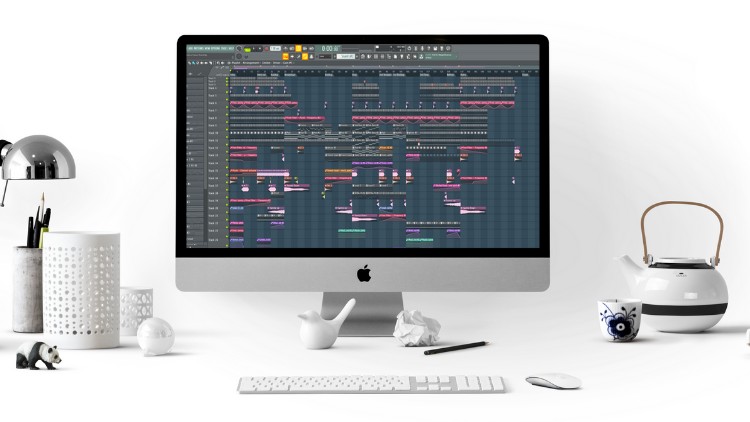
Do you feel like you’re spending too much time trying to get organized in FL Studio, but not enough time making music?
Getting stuck in the workflow is a common frustration for both beginner and advanced FL Studio users. It’s easy to feel overwhelmed by the tools, menus, and options available—making it hard to know how to speed up your production process.
That’s why I’ve created this FL Studio Workflow Course, specifically designed to help you work faster, smarter, and more efficiently, so you can focus on making music instead of getting bogged down by technicalities.
Get Faster and More Productive in FL Studio!
This course is structured to take you from a slow and scattered workflow to a streamlined, efficient music production process. Whether you’re a complete beginner or a seasoned producer looking to boost your productivity, this course will help you unlock the full potential of FL Studio.
I’ll show you step-by-step how to organize your workspace, use time-saving shortcuts, and set up templates that will help you produce music more quickly without compromising quality.
What is this FL Studio Workflow Course all about?
In this course, we’ll cover everything you need to improve your workflow in FL Studio. Here’s a quick look at what you’ll learn:
• Setting up project templates: Learn how to create and use custom templates that will save you time every time you start a new track.
• Organizing your samples and plugins: Discover how to organize your Browser in FL Studio for fast and easy access to your samples and presets.
• Grouping tracks in the Mixer: We’ll show you how to group and route tracks in the Mixer for a cleaner, more manageable session.
• Setting up sidechain quickly: Learn the fast way to set up sidechain in FL Studio to give your tracks the polished, professional sound they need.
• Essential shortcuts: Master the keyboard shortcuts that will help you navigate FL Studio much faster and speed up every stage of the production process.
• Working with the Piano Roll: Discover how to efficiently compose and edit MIDI data in the Piano Roll to bring your musical ideas to life.
• Maximizing MIDI keyboard use: Find out how to take full advantage of your MIDI controller to work faster and get more creative in the studio.
• Managing backups: Learn how to back up your projects, sounds, and even computer files to avoid losing valuable work.
Why take this course?
FL Studio is a powerful DAW, but it’s only as fast as the person using it. If you feel like you’re spending too much time on the technical aspects and not enough time creating, this course is for you. You’ll gain a deeper understanding of FL Studio’s tools and workflow, and with my guidance, you’ll be finishing tracks faster than ever before.
Whether you’re making electronic music, hip hop, or any other genre, this course will change the way you produce music. I’ll show you how to streamline your process so you can spend more time creating and less time dealing with menus, setup, or technical issues.
What makes me qualified to teach you?
My name is Martin Svensson, and I’ve been producing music since 2005. Since 2016, I’ve been teaching music production to thousands of students worldwide, helping them improve their production techniques and workflow. With over 80,000 students on Udemy, I’m one of the top instructors in music production, and I’ve worked with many talented producers from all around the world. Now, I’m excited to share everything I’ve learned about FL Studio workflow with you.
What will you get out of this course?
By the end of this course, you’ll be able to:
• Work faster in FL Studio and improve your music production workflow.
• Finish more tracks and improve your productivity as a producer.
• Understand and use essential FL Studio features like the Mixer, Piano Roll, and Browser.
• Create and use project templates that save you time and effort on every new project.
• Master essential shortcuts to navigate FL Studio with ease.
• Feel confident about organizing your samples and plugins for quick access.
• Avoid losing your work by learning how to manage backups and autosaving features.
Our Promise to You
If you ever have any questions about the course material or music production in general, I’m here to help! I’m available to answer any questions you have, and I always encourage students to reach out through Udemy if they need further assistance.
This course is suitable for all FL Studio users, from beginner to advanced. Even if you’ve never used FL Studio before, I’ll guide you through the basics and show you how to work quickly and efficiently.
Don’t waste any more time stuck in a slow workflow! I’ll see you in Lesson 1!