
Adobe Audition CC: The Beginner's Guide to Adobe Audition
Adobe Audition CC: Hướng dẫn Adobe Audition cho người mới bắt đầu
4.6
(1,951 đánh giá)
113,408 học viên

Giảng viên
Video School
Phụ đề tiếng Anh
Bán chạy
Đánh giá cao
50.000đ
989.000đ
-95%
Bao gồm phụ đề tiếng Việt, tiếng Anh
2.5 giờ video
41 bài giảng
Truy cập vĩnh viễn
Học trên mọi thiết bị
Cập nhật: 31/05/2026
Bạn sẽ học được gì
Yêu cầu
Bạn nên cài sẵn Adobe Audition trên máy tính (Mac hay PC đều được). Chúng tôi sẽ dùng phiên bản CC của Audition và khuyên bạn dùng bản này để dễ theo dõi.
Không yêu cầu kinh nghiệm trước về sản xuất hay chỉnh sửa âm thanh.
Đối tượng phù hợp
Nội dung khóa học
11 phần • 40 bài giảng
1
Chào mừng bạn đến với khóa học | Khóa học Adobe Audition
2
Tải file dự án | Khóa học Adobe Audition
1
Hiểu giao diện | Khóa học Adobe Audition
2
Tạo dự án mới | Khóa học Adobe Audition
3
Thiết lập đầu vào và đầu ra | Khóa học Adobe Audition
4
Cách nhập file âm thanh | Khóa học Adobe Audition
5
Cách thu âm | Khóa học Adobe Audition
6
Cách đặt tên track | Khóa học Adobe Audition
1
Điều chỉnh âm lượng | Khóa học Adobe Audition
2
Làm mờ âm thanh (Fade) | Khóa học Adobe Audition
3
Tách và ghép âm thanh | Khóa học Adobe Audition
4
Sao chép, cắt và dán âm thanh | Khóa học Adobe Audition
5
Thêm nhạc nền và file đa phương tiện khác | Khóa học Adobe Audition
1
Cách sử dụng hiệu ứng âm thanh | Khóa học Adobe Audition
2
Làm việc với Effects Rack | Khóa học Adobe Audition
3
Biên độ (Amplitude) | Khóa học Adobe Audition
4
Nén (Compression) | Khóa học Adobe Audition
5
Kéo giãn thời gian (Time Stretching) | Khóa học Adobe Audition
6
Dịch giọng (Pitch Shifting) | Khóa học Adobe Audition
7
Delay và Echo | Khóa học Adobe Audition
1
Loại bỏ tiếng thở, tiếng tách và tiếng bật | Khóa học Adobe Audition
2
Làm giọng hát hay hơn với EQ | Khóa học Adobe Audition
3
Giảm tiếng ồn nền | Khóa học Adobe Audition
4
Chỉnh sửa phổ (Spectral Editing) | Khóa học Adobe Audition
1
Loại bỏ giọng hát trong Adobe Audition | Khóa học Adobe Audition
2
Đảo ngược âm thanh | Khóa học Adobe Audition
1
Thiết lập dự án nhạc | Khóa học Adobe Audition
2
BPM (Nhịp mỗi phút) | Khóa học Adobe Audition
3
Cách chỉnh sửa giọng hát | Khóa học Adobe Audition
4
Mix giọng hát với nhạc | Khóa học Adobe Audition
5
Cách tạo bài hát lặp (Looping Song) | Khóa học Adobe Audition
6
Cách tạo DJ Drop | Khóa học Adobe Audition
1
Tạo template | Khóa học Adobe Audition
2
Làm cho âm thanh nghe tốt cho podcast | Khóa học Adobe Audition
1
Sử dụng Multitrack Mixer | Khóa học Adobe Audition
2
Master âm thanh cho Internet | Khóa học Adobe Audition
1
Lưu dự án | Khóa học Adobe Audition
2
Xuất âm thanh | Khóa học Adobe Audition
1
Cảm ơn bạn! | Khóa học Adobe Audition
2
Bài giảng thưởng: Học thêm từ Phil + Video School
Giới thiệu khóa học
Make your audio sound amazing with Adobe Audition CC!
If you are looking for an audio editing application that will allow you to record, edit and mix audio like the pros, Adobe Audition is the best answer.
Audio Audition is used by musicians, podcasters, video creators, editors, audio engineers, and professionals around the world!
This complete course is the best way to jump right in and start editing your own audio.
WHAT WILL YOU LEARN?
- Get comfortable with the Audition CC interface
- Start new projects
- Record audio with Audition
- Adjust volume
- Edit audio tracks together
- Add background music
- Apply and adjust effects
- Remove background noise
- Make audio better with EQ, amplitude, and compression
- Stretch time and shift audio pitch
- Add delay and echo effects
- Make vocals sound better
- Remove vocals from audio
- Edit music in Audition
- Add and adjust singing vocals
- Create a looping song
- Make a DJ Drop
- Edit a podcast in Audition
- Mix and master your audio
- Save and export high quality files
- and so much more!
Practice recording and editing while you learn. This course includes practice audio files so you can follow along and actually learn by doing.
We'll be teaching the course using the creative cloud (CC) version of Adobe Audition, but if you have a previous version (CS6, CS5, CS4, CS3 - Mac or PC), you can still learn to edit like a pro.
What makes us qualified to teach you?
Nader Nadernejad, the lead instructor, is a professional multimedia producer and DJ with years of experience using Adobe Audition. Phil Ebiner, the course producer has created dozens of best-selling courses with over 500,000 happy students around the world.
We promise to help you become a better audio engineer with this course!
We'll be here for you every step of the way. If you have any questions about the course content or anything related to this topic, you can always post a question in the course or send me a direct message.
Go ahead and click the enroll button, and I'll see you in lesson 1!
Cheers,
Phil
50.000đ
989.000đ
-95%
Bao gồm phụ đề tiếng Việt, tiếng Anh
2.5 giờ video
41 bài giảng
Truy cập vĩnh viễn
Học trên mọi thiết bị
Cập nhật mới nhất: 31/05/2026
Khóa học liên quan
Khám phá thêm các khoá học cùng chủ đề
Adobe Audition trong 1 Ngày: 10 Cách Nhanh Cải Thiện Âm Thanh
Tony Ross
4.5
(80)
452
50.000đ
399.000đ
-87%

Khóa học Sản xuất Âm nhạc trong Logic Pro - Trọn bộ!
Tomas George
4.7
(14822)
79,275
79.000đ
1.439.000đ
-95%

FL Studio - Khóa học Sản xuất Nhạc + Phối Nhạc Toàn Diện
Tomas George
4.5
(5819)
35,982
50.000đ
1.589.000đ
-97%
Lớp Cao học GarageBand: GarageBand cho Sản xuất Âm nhạc
Jeremy Deighan - 300,000+ Students
4.6
(1485)
33,731
50.000đ
929.000đ
-95%

Cách Trở Thành DJ - Học Cách Làm DJ Online Ngay Hôm Nay
Ross Palmer
4.6
(5173)
24,811
50.000đ
1.829.000đ
-97%

Ultimate Ableton Live 9 COMPLETE: Phần 1, 2 & 3
J. Anthony Allen
4.7
(3465)
14,691
50.000đ
419.000đ
-88%
Ultimate Ableton Live 10 COMPLETE: Phần 1, 2 và 3
J. Anthony Allen
4.5
(3507)
14,524
50.000đ
419.000đ
-88%


Khóa học Logic Pro toàn diện - Học sản xuất nhạc với Logic Pro
Martin Raay
4.7
(1745)
12,398
79.000đ
1.879.000đ
-96%

Giáo trình Nhạc lý Toàn diện Hoàn chỉnh! (Phần 1, 2 & 3)
J. Anthony Allen
4.7
(23528)
129,733
50.000đ
2.059.000đ
-98%

Khóa học Guitar Căn bản Toàn diện cho Người Mới
Henry Olsen
4.7
(8035)
95,707
50.000đ
1.989.000đ
-97%
Khóa học Sản xuất Âm nhạc trong Logic Pro - Trọn bộ!
Tomas George
4.7
(14822)
79,275
79.000đ
1.439.000đ
-95%

Music + Audio Production in Logic Pro X - The Complete Guide
Make Pro Music
4.4
(12917)
54,602
79.000đ
1.649.000đ
-95%

Khóa học FL Studio toàn diện - Sản xuất nhạc trên Mac & PC
Martin Raay
4.7
(8431)
41,850
79.000đ
2.119.000đ
-96%
FL Studio - Khóa học Sản xuất Nhạc + Phối Nhạc Toàn Diện
Tomas George
4.5
(5819)
35,982
50.000đ
1.589.000đ
-97%
Lớp Cao học GarageBand: GarageBand cho Sản xuất Âm nhạc
Jeremy Deighan - 300,000+ Students
4.6
(1485)
33,731
50.000đ
929.000đ
-95%
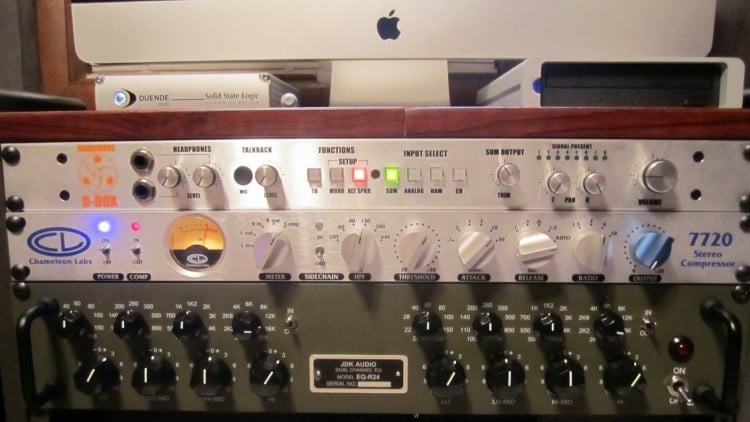
Kỹ thuật âm thanh: EQ và Compressor cho người mới bắt đầu
Christopher "Czar" Smith
4.4
(2492)
33,445
50.000đ

Podcast Masterclass: Hướng dẫn Toàn diện về Podcast
Phil Ebiner
4.3
(3705)
115,995
50.000đ
359.000đ
-86%

Pineapple Podcast Academy: Học cách làm Podcast
Samantha Lee Wright
4.8
(111)
979
79.000đ
399.000đ
-80%

Chỉnh Sửa Âm Thanh Cho Người Mới Bắt Đầu - Sử Dụng Audacity (Phần Mềm Miễn Phí)
Kush Sharma
4.6
(74)
641
50.000đ
399.000đ
-87%
