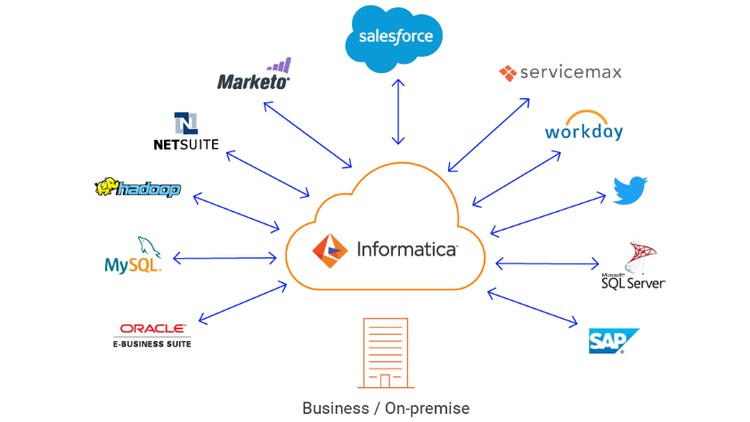
Informatica is a widely used ETL tool which is used to extract the raw data and load it into the target data after making some transformations. ETL stands for Extract Transform Load which refers to the processes performed when transforming raw data to a data warehouse or data mart or relational databases. Informatica is an easy to use tool and it also has a simple visual interface like forms. Through this training, you shall be equipped with skills needed for Informatica development, architecture and various transformations. Through this training, you shall be equipped with advanced skills needed for Informatica development, architecture and various transformations. Informatica is the leader of ETL. The components within Informatica PowerCenter aid in extracting data from its source, transforming it as per business requirements and loading it into a target data warehouse. The main components of Informatica PowerCenter are its client tools, server, repository server and repository. The PowerCenter server and repository server make up the ETL layer, which completes the ETL processing. Informatica Power Center is an easy to use GUI based tool. Components are used by a simple drag and drop features for objects like source, mappings, worklets etc. The training will cover the followings:
Course Overview
Section 1: Introduction
In this introductory section, participants will delve into the fundamental aspects of Informatica, establishing a solid foundation for the course. The focus is on providing a comprehensive overview of Informatica, including its history, key features, and significance in the data integration landscape. Learners will gain insights into the core concepts that underpin Informatica's functionality, setting the stage for more in-depth exploration in subsequent sections.
Key Topics:
Overview of Informatica: Understanding the purpose and significance of Informatica in data integration.
Course Structure: An outline of the course content, modules, and the learning path participants will follow.
Foundational Concepts: Introduction to basic terminologies, tools, and principles essential for Informatica users.
Section 2: Getting Started
This section serves as an immersive introduction to practical aspects, focusing on data warehousing concepts, ETL diagrams, and real-world examples within the context of Informatica. Participants will not only grasp theoretical knowledge but also witness how these concepts manifest in practical scenarios. The section lays the groundwork for understanding the intricate workflows involved in processing data within the Informatica environment.
Key Topics:
Data Warehousing Concepts: Exploring the fundamentals of data warehousing and its relevance in modern data processing.
ETL Diagrams: Understanding the Extract, Transform, Load (ETL) process through informative diagrams.
Practical Examples: Applying learned concepts to real-world examples, ensuring a practical understanding of data processing workflows.
Section 3: Power Center Designer
This section is dedicated to the exploration of the Power Center Designer tool, a pivotal component in the Informatica ecosystem. Participants will gain hands-on experience with the tool's functionalities, interface, and its role in designing data integration processes. The goal is to empower learners to navigate and utilize the Power Center Designer effectively for creating robust data integration solutions.
Key Topics:
Power Center Designer Overview: Understanding the interface, components, and capabilities of the Power Center Designer.
Functionalities: Exploring the various functionalities within the tool, including data mapping, transformation design, and workflow creation.
Interface Navigation: Learning to navigate the user-friendly interface for seamless interaction with the Power Center Designer.
Section 4: Download and Install Informatica
In this practical section, participants will be guided through the step-by-step process of downloading and installing essential components required for using Informatica. The focus is on ensuring that learners have a fully functional environment, including Informatica, Java, Oracle, and SQL Developer, setting the stage for hands-on application of concepts covered in subsequent sections.
Key Topics:
Downloading Essential Components: Step-by-step instructions for downloading Informatica, Java, Oracle, and SQL Developer.
Installation Procedures: Detailed guidance on installing each component to create a fully operational Informatica environment.
Preparing for Hands-on Practice: Ensuring participants have the necessary tools and resources for practical application of learned concepts.
Section 5: Client and Server Installation
This section is designed to provide participants with a detailed understanding of the server installation process in Informatica. Delving into the specifics of server installation, learners will explore the pre-installation steps required to set up the server effectively. The emphasis is on comprehending the architecture of the software, ensuring that participants gain insights into the intricacies of Informatica's server-side operations.
Key Topics:
Server Installation Overview: Understanding the purpose and significance of server installation in Informatica.
Pre-installation Steps: Exploring the crucial preparatory steps required before initiating the server installation process.
Server Setup: Guiding participants through the actual installation process, ensuring a seamless setup of the server environment.
Section 6: Example Solved
Building upon the foundational knowledge acquired in previous sections, this segment focuses on the practical application of learned concepts. Participants will engage in hands-on examples, gaining valuable experience in loading data, creating workflows, and solving real-world scenarios. The goal is to reinforce theoretical understanding through practical implementation, fostering a deeper comprehension of data processing workflows within the Informatica environment.
Key Topics:
Practical Examples: Applying learned concepts to real-world scenarios, including loading data and creating workflows.
Problem-solving: Engaging participants in solving practical challenges, enhancing their ability to apply theoretical knowledge to actual data integration tasks.
Real-world Scenarios: Simulating scenarios that professionals might encounter, ensuring participants are well-prepared for practical applications in data processing.
Sections 7-12: Transformation Techniques
This segment provides an in-depth exploration of various transformation techniques crucial in the data processing landscape. Covering transformations such as Router, Filter, Aggregator, Joiner, Rank, and Lookup, participants will learn how to manipulate and optimize data effectively. The focus is on imparting practical skills in using these transformations to address diverse data processing requirements.
Key Topics:
Router Transformation: Understanding how to route and filter data based on specified conditions.
Filter Transformation: Exploring techniques for filtering and refining datasets according to defined criteria.
Aggregator Transformation: Mastering the art of aggregating and summarizing data for meaningful insights.
Joiner Transformation: Learning how to join data from multiple sources for comprehensive analysis.
Rank and Lookup Transformations: Exploring ranking methodologies and efficiently looking up data for enhanced data processing.
Sections 13-14: Advanced Techniques
Participants will embark on a deeper exploration of advanced data processing techniques. This section delves into topics such as normalization, update strategies, stored procedures, and slowly changing dimensions. Learners will gain a nuanced understanding of complex data processing scenarios, equipping them with advanced skills for handling intricate tasks within the Informatica environment.
Key Topics:
Normalization: Understanding techniques for organizing data to eliminate redundancy and enhance efficiency.
Update Strategies: Exploring strategies for efficiently updating data based on various criteria.
Stored Procedures: Learning how to leverage stored procedures for enhanced data processing.
Slowly Changing Dimensions: Mastering techniques for handling evolving data dimensions over time.
Section 15: Advanced Concepts
This section provides an in-depth exploration of advanced concepts, including mapplets, normalization transformation, and update strategy transformation. Participants will gain advanced skills for handling intricate data integration tasks, preparing them for complex scenarios in professional settings.
Key Topics:
Mapplets: Understanding the concept of mapplets and their applications in data processing workflows.
Normalization Transformation: Exploring advanced normalization techniques for optimal data organization.
Update Strategy Transformation: Delving into advanced strategies for updating data efficiently.
These sections collectively empower participants with a comprehensive skill set, ranging from fundamental server installation to advanced data processing techniques within the Informatica PowerCenter environment. The hands-on approach ensures that learners are not only well-versed in theoretical concepts but also proficient in applying them to real-world scenarios.
Section-wise Outcomes:
Understanding the foundational concepts of Informatica PowerCenter.
Proficiency in using Power Center Designer and other essential tools.
Successful installation and configuration of Informatica and related software.
Mastery in various transformation techniques for efficient data manipulation.
Exploration of advanced concepts, providing a comprehensive skill set for handling complex data integration challenges.
Who Should Enroll: This course is designed for aspiring data engineers, ETL developers, and professionals seeking to enhance their skills in Informatica PowerCenter. It is also suitable for students pursuing courses related to data warehousing and ETL processes.
Prerequisites: Participants are recommended to have a basic understanding of databases, data processing concepts, and familiarity with SQL and relational databases.
Outcome: Upon completion, participants will possess practical skills in Informatica PowerCenter, enabling them to design, implement, and optimize ETL processes effectively. Enroll now to embark on a journey towards mastering Informatica PowerCenter 9.6.1 for robust data integration and analysis!