
IT Help Desk Professional
Chuyên viên Bàn trợ giúp CNTT

4.5
(10,198 đánh giá)
31,794 học viên

Giảng viên
Paul Hill
Phụ đề tiếng Anh
Bán chạy
Đánh giá cao
10.000đ
349.000đ
-97%
Bao gồm phụ đề tiếng Việt, tiếng Anh
1.5 giờ video
23 bài giảng
Truy cập vĩnh viễn
Học trên mọi thiết bị
Cập nhật: 18/03/2026
Bạn sẽ học được gì
Yêu cầu
Chúng tôi sẽ giải thích mọi thứ từ cơ bản, nhưng có kiến thức tổng quan về CNTT là một lợi thế
Nên có máy tính thử nghiệm để thực hành nội dung khóa học
Đối tượng phù hợp
Nội dung khóa học
8 phần • 20 bài giảng
1
Giới thiệu giảng viên - Paul Hill
2
Tổng quan và mục tiêu khóa học
1
Cấu hình & Tạo USB Boot để cài Windows
2
Thực hành cài đặt Windows 10
3
Đặt tên máy, Workgroup & Tham gia Domain
1
DHCP là gì?
2
Cấu hình DHCP và Địa chỉ IP tĩnh
1
Hiểu các loại máy in khác nhau
2
Cách cài đặt Driver máy in
3
Thuật ngữ về máy in & Điều cần lưu ý khi mua máy mới
4
Xử lý sự cố máy in thường gặp
1
Kiến thức cơ bản về Active Directory
2
Quản lý Người dùng AD
1
Cách tải ứng dụng cần thiết - Nhanh, Dễ và Phiên bản mới nhất
2
Quản lý Kết nối Remote Desktop
1
Cấu trúc bên trong một máy tính
2
Xử lý sự cố phần cứng thường gặp
3
Nâng cấp máy tính
1
Cách nhận Chứng chỉ hoàn thành khóa học
2
Bài học bổ sung
Giới thiệu khóa học
Do you want to start your career in the IT world? Do you want to start building your IT career path from a solid ground? You are in the right place! Wondering why? Let’s see
Because when you want to become an IT specialist, you have to start from the basics, you need to master computers & everything related to that, how they work, how to install operating systems like Windows on machines, how they communicate, how to manage them, and of course troubleshooting all that, that's from a hardware point of view, while taking into consideration the need to learn how users are managed through network, how you can manage users accounts permissions, passwords, access, all through Active Directory.
These are part of the stuff that we will discuss here in our course, we will discuss printers, networks, and some other important stuff, where we will guarantee that the information & examples provided here will maximize your learning experience to the max., so in the next time you are in an interview for a help desk position, you will be more confident about your technical background as you will have a solid understanding from applying what you will learn here.
The instructors' experiences sum up to more than 15 years in total in this field, so you will not get theoretical information, but a practical one!
We structured the course from the most basic knowledge required, Installing, and see how we can install Windows on a machine, as most operating systems follow the same steps, we will use Windows 10 as a standard, and once we complete installation, we will prepare the machine for the user.
The second section talks about networking, we will discuss DHCP & DNS, troubleshoot some network related issues, and master the most useful & needed commands in CMD that help you troubleshoot connectivity problems.
After that, we will move to discuss hardware, and mainly printers; types, terminologies, drivers’ installation, and of course basic troubleshooting to see how you can solve some problems when they occur.
The forth section will be a quick but very important one, which covers Active Directory, how to manage users there, and settings folder permissions based on Active Directory users.
Next, we will see two tools and two websites that will help you a lot in doing some tasks faster, easier, and more professionally
The last section will be about hardware as well, the first hardware section was about printers, and this one will be about PC, we will we will uncover the PC from inside and see how it works, what parts are there, some troubleshooting basics that you must know, and we will also talk about hardware upgrade.
As more than 90% of the course contents are practical demonstration, and in order to maximize your learning experience outcomes, we highly encourage you to have a test PC in order to apply and practice everything we will see here.
Are you ready to get into this world? Do you want to land your next IT job? Here is your key for that, enroll now in this course, and let’s begin the journey.
10.000đ
349.000đ
-97%
Bao gồm phụ đề tiếng Việt, tiếng Anh
1.5 giờ video
23 bài giảng
Truy cập vĩnh viễn
Học trên mọi thiết bị
Cập nhật mới nhất: 18/03/2026
Khóa học liên quan
Khám phá thêm các khoá học cùng chủ đề
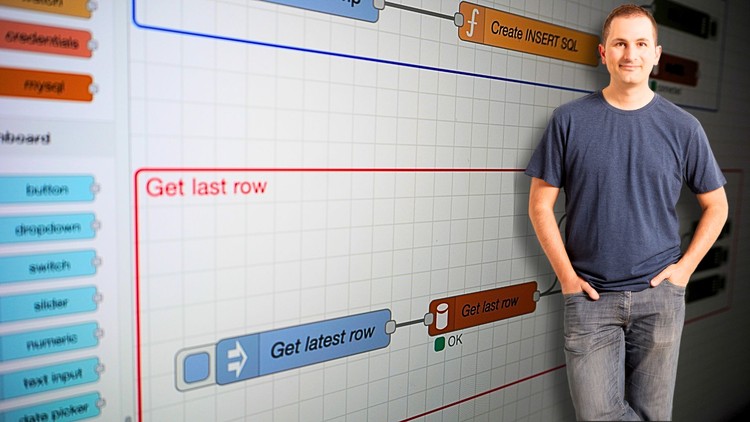
Node-RED and Raspberry Pi Pico W Getting Started
Dr. Peter Dalmaris
4.6
(136)
1,281
50.000đ
1.609.000đ
-97%
Embedded Bootloader Development from Ground Up™
BHM Engineering Academy
4.6
(99)
998
50.000đ
399.000đ
-87%
Phát triển Firmware Nhúng cho Mạng Di Động (GSM)
BHM Engineering Academy
4.8
(19)
422
50.000đ
399.000đ
-87%


Khóa học Thực hành CompTIA A+ 220-1202 Core 2 - Đào tạo Toàn diện
TIA Education, Andrew Ramdayal
4.8
(4681)
17,091
50.000đ
349.000đ
-86%


Hỗ trợ IT Desktop Cấp 1 & 2 trong thực tế (Xử lý sự cố)
Tareq Tech
4.4
(2334)
8,851
50.000đ
919.000đ
-95%

Kiến Thức Cơ Bản về Hỗ Trợ IT/Bàn Trợ Giúp - 9 Chủ đề trong một khóa học!
Arun Krishnan
4.5
(2756)
8,838
50.000đ
349.000đ
-86%

Học Kỹ Năng Bàn Trợ Giúp CNTT Cho Người Mới Bắt Đầu
Emilio Aguero
4.6
(2297)
8,757
50.000đ
399.000đ
-87%

Công cụ quản lý phiếu hỗ trợ (Ticketing Tool) cho Bộ phận Hỗ trợ Cấp 1 (L1)
Ilanchezhian - COMET Compuserve Pvt Ltd
4.5
(526)
7,864
50.000đ
349.000đ
-86%

Cisco CCNA 200-301 – Hướng Dẫn Toàn Diện Để Đạt Chứng Chỉ
Neil Anderson
4.8
(85279)
306,647
79.000đ
809.000đ
-90%

Khóa học đầy đủ & Bài thi thực hành CompTIA Network+ (N10-009)
Jason Dion • 2.8 Million+ Enrollments Worldwide
4.7
(38007)
195,154
79.000đ
349.000đ
-77%

Linux dành cho Kỹ sư Mạng: Linux Thực hành với GNS3
David Bombal
4.5
(4850)
192,903
50.000đ
399.000đ
-87%

Khóa Học Đầy Đủ & Bài Thi Thực Hành CompTIA A+ Core 1 (220-1201)
Jason Dion • 2.8 Million+ Enrollments Worldwide
4.7
(41665)
164,695
50.000đ
379.000đ
-87%

TRỌN BỘ: Khóa học CompTIA A+ Core 2 (220-1202) + Bài thi thực hành
Total Seminars Over 1 Million Enrollments
4.6
(24882)
145,439
50.000đ
349.000đ
-86%

TỔNG QUAN: CompTIA Network+ (N10-009) + Bài thi thực hành
Total Seminars Over 1 Million Enrollments
4.6
(34283)
137,508
50.000đ
1.239.000đ
-96%

Phòng lab tối thượng Cisco CCNA Packet Tracer: Các bài lab CCNA 200-301
David Bombal
4.7
(8900)
102,911
50.000đ
609.000đ
-92%
![[MỚI] Chứng chỉ AWS Certified Advanced Networking Specialty 2026](https://studyvn.academy/assets/uploads/course_699fafce539cd.jpg)
[MỚI] Chứng chỉ AWS Certified Advanced Networking Specialty 2026
Stephane Maarek | AWS Certified Cloud Practitioner,Solutions Architect,Developer
4.7
(8674)
61,605
79.000đ
349.000đ
-77%

Khóa học đầy đủ & Bài thi thực hành CompTIA A+ Core 2 (220-1202)
Jason Dion • 2.8 Million+ Enrollments Worldwide
4.7
(12025)
96,657
79.000đ
349.000đ
-77%

Khóa Học Toàn Diện Về Cracking Mật Khẩu Windows | Hướng Dẫn Thực Hành
Hassan Shafiq
4.3
(616)
56,748
10.000đ
349.000đ
-97%

Kỹ thuật dịch ngược, can thiệp bộ nhớ và bảo vệ phần mềm
Paul Chin, PhD
4.6
(153)
38,118
50.000đ
349.000đ
-86%

Kỹ Năng Máy Tính Cơ Bản: Đào Tạo Thực Hành Cho Người Mới Bắt Đầu
Todd McLeod
4.6
(5572)
19,930
50.000đ
429.000đ
-88%

PowerShell - Khóa học cơ bản kèm bài tập thực hành
Ralph Mobilo
4.5
(2755)
19,281
50.000đ
349.000đ
-86%

Phần cứng máy tính, Hệ điều hành và Mạng máy tính
Ilanchezhian - COMET Compuserve Pvt Ltd
4.2
(484)
19,279
50.000đ
429.000đ
-88%

Học Microsoft Windows 10 Dễ Dàng Cho Người Mới Bắt Đầu
Simon Sez IT
4.7
(2548)
9,560
50.000đ
419.000đ
-88%
