
Designing for Laser Cutting with Fusion 360
Thiết kế cho Cắt Laser với Fusion 360

4.6
(353 đánh giá)
2,312 học viên

Giảng viên
Larno Visser
Phụ đề tiếng Anh
Bán chạy
Đánh giá cao
50.000đ
1.079.000đ
-95%
Bao gồm phụ đề tiếng Việt, tiếng Anh
4.0 giờ video
19 bài giảng
Truy cập vĩnh viễn
Học trên mọi thiết bị
Cập nhật: 31/05/2026
Bạn sẽ học được gì
Yêu cầu
Không yêu cầu kiến thức nền tảng
Đối tượng phù hợp
Nội dung khóa học
6 phần • 19 bài giảng
1
Giới thiệu
2
Tải và cài đặt Fusion 360
3
Giao diện người dùng
4
Giới thiệu về Cắt Laser
5
Trước khi bắt đầu
1
Hộp Cắt Laser
2
Phương pháp 3D: Hộp Cắt Laser
3
So sánh phương pháp 2D và 3D
4
Khối bát diện
5
Đèn treo
6
Tổng kết Đèn, Ràng buộc và Tính năng bổ sung
1
Mô hình Sản phẩm Tham số
2
Giá đỡ điện thoại
1
Xe đồ chơi
2
Bản lề sống
1
Nâng cấp hộp: Nhập SVG
2
Giá đỡ laptop
3
File DXF
1
Kết luận
Giới thiệu khóa học
Summary of what you will learn:
3D modeling in Fusion 360 (skills can be applied to other CAD-CAM programs as well)
Create your own unique laser cut designs in a 3d environment
Convert a 3d model to a laser cut file
Incorporate movement in your design
Create Living Hinges
model parametrically to increase workflow and efficiency (e.g. one click material thickness update)
Design for foldable materials (e.g. cardboard) using the sheet metal workspace within Fusion
Import SVG or DXF files from Illustrator or Inkscape and use them in your design
Render beautiful images of your designs
Full description:
In this course I will teach you how to design and model for Laser Cutting using the free and powerful Autodesk Fusion 360 software. Most of the lessons are easy to follow practical examples where I take you through the design of a product step by step.
Typically people model for laser cutting using 2D softwares like Illustrator or Inkscape. These work fine for simple designs, but If you really want to create interesting or more complex designs they often fall short. That is where 3D modeling comes in. I have learned and developed methods and techniques to design for laser cutting using 3d modeling, and in this course I want to share them with you!
By the end of the course you will be able to create designs that are quite simply impossible to design using 2d softwares, and you will do it effortlessly and while having fun doing so. Some of the topics I cover are: the fundamentals of 3d modeling and working with Fusion 360, parametric product modeling, incorporating movement into your design and how to design for foldable materials like cardboard. You also learn how to Render your designs
Each lesson builds upon the knowledge gained in the previous lessons, and by the end you will have enough experience and confidence to start creating your own designs for Laser Cutting in 3d.
This course is perfect for you if you are interested in laser cutting. The specific factors you need to take into account for laser cutting are thoroughly discussed, and you will also build your 3d modeling skills needed to realize your ideas.
50.000đ
1.079.000đ
-95%
Bao gồm phụ đề tiếng Việt, tiếng Anh
4.0 giờ video
19 bài giảng
Truy cập vĩnh viễn
Học trên mọi thiết bị
Cập nhật mới nhất: 31/05/2026
Khóa học liên quan
Khám phá thêm các khoá học cùng chủ đề


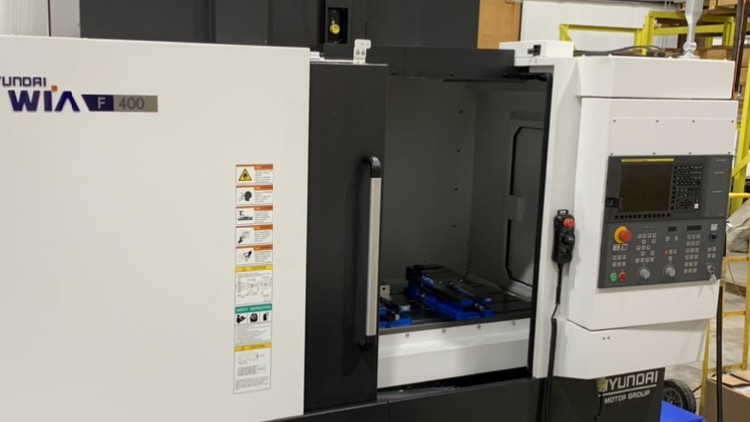

Chuyên gia Lập trình Mastercam CAD/CAM và Phay CNC
TechSchool Institute
4.1
(248)
2,220
79.000đ
399.000đ
-80%

Fusion 360 cho CNC – Hướng dẫn tốt nhất cho người mới bắt đầu
Mathieu Dorion
4.6
(393)
2,157
50.000đ
399.000đ
-87%

Lập trình CNC cho người mới bắt đầu: Tiện, Phay, Mã G
J Aatish Rao
4.2
(70)
2,059
50.000đ
399.000đ
-87%

Khóa học Hoàn chỉnh về Dung sai Kích thước Hình học (GD&T)
United Engineering
4.3
(412)
1,756
50.000đ
399.000đ
-87%


Khóa học Blender toàn diện: Từ Cơ bản đến Chuyên gia
Skillademia Academy
4.5
(10365)
69,512
99.000đ
1.779.000đ
-94%

Unreal Engine 4: Hướng dẫn phát triển hai tựa game đầu tay
Christopher Murphy
4.6
(11119)
64,223
50.000đ
449.000đ
-89%



Blender Environment Artist: Tạo Thế Giới 3D
GameDev.tv Team
4.8
(4381)
46,275
50.000đ
1.969.000đ
-97%


Kiến thức cơ bản về thiết kế tấm kim loại cho kỹ sư thiết kế cơ khí
Mufaddal Rasheed
4.4
(2022)
8,178
50.000đ
349.000đ
-86%


Fusion 360 cho In 3D - Thiết kế Fidget Spinner
Vladimir Mariano
4.7
(657)
3,507
50.000đ
349.000đ
-86%


Robotics & Mechatronics 2: Thiết kế 3D & Thiết kế Máy móc
Mouhammad Hamsho
4.6
(214)
2,370
50.000đ
1.469.000đ
-97%

LightBurn: Tự Tay Cắt Khắc Laser Chuyên Nghiệp Năm 2025
Marcin Gontarz
4.2
(172)
1,146
50.000đ
399.000đ
-87%
