Ưu đãi trong tuần: Nhập mã UD50 giảm 50k cho đơn từ 300k!
Trang chủ
Menu

Archviz with Blender and Stable Diffusion

Archviz với Blender và Stable Diffusion

Archviz với Blender và Stable Diffusion

Tạo ảnh kiến trúc ngoại thất/nội thất bằng Blender và Stable Diffusion

4.9
(29 đánh giá)
1,273 học viên
Giảng viên
Alvaro Celis
Phụ đề Việt chất lượng cao Phụ đề tiếng Anh Bán chạy Đánh giá cao
50.000đ 399.000đ -87%
✓ Xem giỏ hàng và thanh toán
Bao gồm phụ đề tiếng Việt, tiếng Anh
9.5 giờ video
26 bài giảng
Truy cập vĩnh viễn
Học trên mọi thiết bị
Cập nhật: 31/05/2026

Bạn sẽ học được gì

Dùng dự án Blender để tạo ảnh đầu vào cơ bản cho quá trình render AI
Học cách cài đặt Krita và plugin AI-Diffusion
Học cách cài đặt và sử dụng giao diện Webui Forge cùng ComfyUI của Stable Diffusion
Hiểu và dùng các mô hình Controlnet khác nhau để tạo ảnh Archviz
Render các biến thể ảnh trực tiếp từ Blender bằng plugin AI-render

Yêu cầu

Hệ điều hành Windows/Linux, card đồ họa Nvidia có tối thiểu 8GB VRam, ưu tiên dòng RTX
Kiến thức cơ bản về hệ điều hành và cài đặt chương trình
Biết dùng terminal/command prompt ở mức cơ bản
Nên có kiến thức nền về Blender
Cần card đồ họa Nvidia có tối thiểu 8GB VRam vì hầu hết thư viện đều tối ưu cho CUDA

Đối tượng phù hợp

Nhà thiết kế, kiến trúc sư, người đam mê 3D và bất kỳ ai yêu thích tạo ảnh AI muốn khám phá ứng dụng AI trong kiến trúc

Nội dung khóa học

24 phần • 26 bài giảng
1 Giới thiệu
1 Cài đặt phần mềm
1 Cài đặt Extension trong Blender 4.2
1 Blender - Nạp scene thực hành
1 Cài đặt Krita - Plugin AI Diffusion
1 Cài đặt WebUI Forge trên Windows
1 Cài đặt WebUI Forge trên Linux
1 Cài đặt ComfyUI trên Windows
1 Cài đặt ComfyUI trên Linux
1 Render ảnh Archviz với WebUI Forge và Controlnet
1 Render ảnh Archviz với ComfyUI và Controlnet
1 Render ảnh Archviz trong Blender bằng plugin AI-Render
1 Kết luận - Ý tưởng cuối cùng, ứng dụng khác
1 Tạo render pass trong Blender dùng cho Controlnet/Stable Diffusion
1 Một công cụ thống trị tất cả!
1 Cập nhật và bảo trì phần mềm
1 Flux - Controlnet
1 Bảo trì phần mềm Phần 2 - Giao diện mới ComfyUI - Krita AI Diffusion
1 Bảo trì phần mềm Phần 2 Linux - Giao diện mới ComfyUI - Krita AI Diffusion
1 Inpainting
1 ComfyUI Workflows và mô hình video Wan2.1
1 Tổng kết Controlnet, WD14 Tagger và Gemini 2.0 Flash
1 Một năm sau - Phần 1
2 Một năm sau - Phần 2
3 Một năm sau - Phần 3
1 Lưu ý về Krita

Giới thiệu khóa học

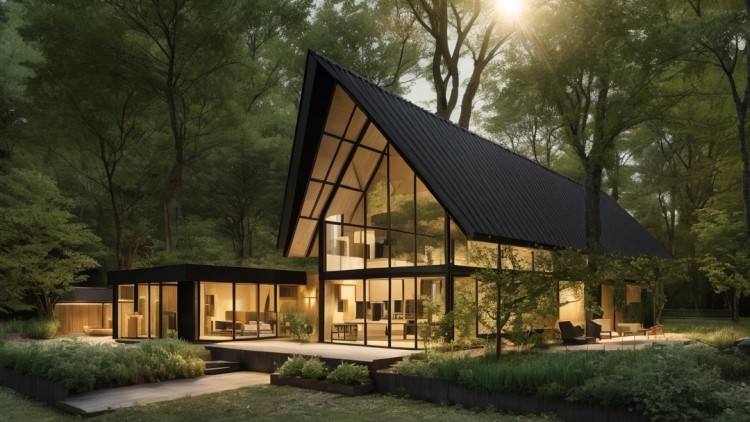
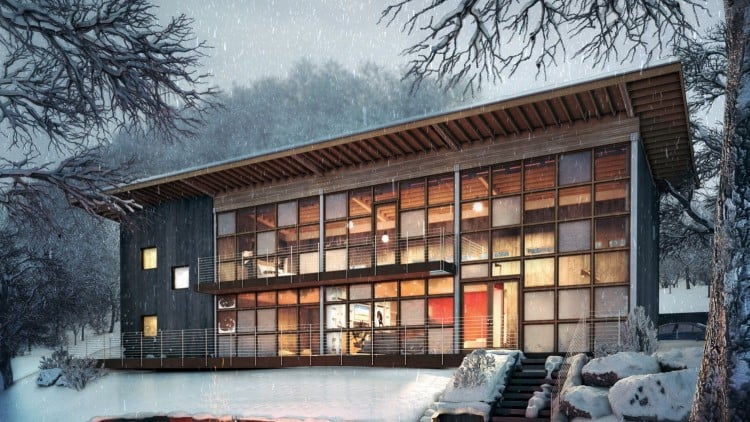
Using blender to load a project scene, we will learn how to prototype a basic image and enhance it generating different variants through the use of StableDiffusion AI.

First we will install basic software requirements like Python and GIT to be able to clone the projects' repositories and compile them automatically

Next we will install Blender and practice with an existing project to become familiar with the workflow and generate a basic image to work with AI.

After that, we will install Krita and the plugin krita_ai_diffusion to load the image generated in Blender and start creating AI images based on our render.

Once we are familiar with the basic concepts we will dive a little deeper and install Webui Forge and ComfyUI, two of the most renown and versatile StableDiffusion interfaces.

We will install the required controlnet models to take advantage of them in Archviz.

We will learn how to render images both in Webui Forge and ComfyUI and compare the results between both interfaces.

Workflows for ComfyUI will be provided to help rendering the images with the different models.

Finally, we will install the AI-Render plugin for Blender to learn how to render directly from the 3d program

No advanced skills or knowledge required, the basic usage of each program will be explained and demonstrated in the course.

Khóa học liên quan

Khám phá thêm các khoá học cùng chủ đề

Hiển thị tất cả khoá học Architectural Visualization
Hiển thị tất cả khoá học Blender
Hiển thị tất cả khoá học D Modeling
Hiển thị tất cả khoá học Stable Diffusion
Zalo
Tôi có thể tư vấn khoá học cho bạn 😊