Ưu đãi trong tuần: Nhập mã UD50 giảm 50k cho đơn từ 300k!
Trang chủ
Menu

Ableton Live: Music Production Masterclass in Ableton Live

Ableton Live: Khóa học sáng tác nhạc chuyên sâu với Ableton Live

Ableton Live: Khóa học sáng tác nhạc chuyên sâu với Ableton Live

Tự tạo nhạc với Ableton Live: Sản xuất âm nhạc cho người mới bắt đầu — bao gồm thu âm, chỉnh sửa, phối khí +

4.6
(167 đánh giá)
1,806 học viên
Giảng viên
Video School
Phụ đề Việt chất lượng cao Phụ đề tiếng Anh Bán chạy Đánh giá cao
50.000đ 1.299.000đ -96%
✓ Xem giỏ hàng và thanh toán
Bao gồm phụ đề tiếng Việt, tiếng Anh
13.0 giờ video
84 bài giảng
Truy cập vĩnh viễn
Học trên mọi thiết bị
Cập nhật: 02/06/2026

Bạn sẽ học được gì

Bạn sẽ tự tin sử dụng Ableton Live để tạo ra những bản nhạc chuyên nghiệp của riêng mình
Học cách thu âm audio với Ableton Live
Học cách phối khí với Ableton Live
Học cách thiết lập audio interface trong Ableton Live
Học cách xuất file nhạc chất lượng cao từ Ableton Live
Học cách giữ sự ngăn nắp và có quy trình sản xuất chuyên nghiệp
Học cách tạo nhạc hay hơn với kỹ năng sản xuất âm nhạc nâng cao
Học cách thêm và chỉnh sửa các nhạc cụ như trống, guitar, piano, synth, v.v. trong Ableton Live
Khóa học này sẽ đưa bạn từ người mới hoàn toàn thành người dùng Ableton Live trình độ cao

Yêu cầu

Cần có PC hoặc Mac cài sẵn Ableton Live (để thực hành theo)
Không cần kiến thức nền về nhạc hay sản xuất âm nhạc — nhưng có sẽ hỗ trợ rất tốt

Đối tượng phù hợp

Dành cho bất kỳ ai muốn tự sản xuất nhạc
Nhạc sĩ muốn sáng tác bài hát của riêng mình trong Ableton Live
Người chuyển từ DAW khác sang (như Logic Pro hoặc Garage Band)
Bất kỳ ai muốn làm việc trong ngành công nghiệp âm nhạc với Ableton Live

Nội dung khóa học

14 phần • 84 bài giảng
1 Chào mừng bạn đến với khóa học về Ableton Live
2 Tải về Ableton Live. Phiên bản nào phù hợp với bạn?
3 Tài liệu khóa học: Project File, Template, File nhạc và nhiều hơn nữa
4 Lưu ý nhanh về cách sử dụng Project Files của chúng tôi
5 Tôi phân tích cách một bài hát được tạo ra trong Ableton Live
6 Cách lấy các âm thanh/nhạc cụ miễn phí & cao cấp cho nhạc của bạn
1 Hiểu về không gian làm việc và bố cục của Ableton Live
2 Session View vs. Arrangement View trong Ableton Live
3 Track Controls trong Ableton Live
4 Transport Controls trong Ableton Live
5 Metronome trong Ableton Live
6 Các tùy chọn quan trọng của Ableton Live và hơn thế nữa
7 Tạo một Project Template trong Ableton Live
1 Danh sách kiểm tra cơ bản khi thu âm MIDI & Audio
2 Chuẩn bị thu âm trong Ableton Live
3 Thu âm MIDI trong Session View
4 Chọn nhạc cụ MIDI của bạn
5 Kết nối nhạc cụ ngoài để thu âm (Guitar, Micro, v.v.)
6 Thu âm Audio trong Session View
7 Chỉnh sửa MIDI trong Session View
8 Chỉnh sửa Audio trong Session View
9 Thu âm MIDI trong Arrangement View
10 Thu âm Audio trong Session View
1 Drum Racks
2 Synth Bass
3 Synth Keys
4 Piano
5 Bass DI
6 Guitar
7 Vocal Chain
8 Kết luận phần này
1 Giới thiệu về phần Beat
2 Kick Snare Beat
3 Thêm bộ gõ và top loops
4 Groove Pools
5 Thay đổi Drum Kits
6 Kết luận phần này
1 Chọn âm thanh Bass
2 Thêm hợp âm — Phần I
3 Thêm hợp âm — Phần II
4 Tạo một câu hook giai điệu
5 Thêm nhiều biến tấu nhạc
6 Đưa bài hát từ trình diễn sang Arrangement View
1 Sự đối lập và giải tỏa căng thẳng
2 Quy tắc 8–15 giây
3 Automation trong Ableton Live
4 Nhịp điệu vs. Cảm xúc
1 Giới thiệu về phần Effects
2 EQ — Cân bằng tần số
3 Compression
4 Drive & Color
5 Modulators
6 Cao độ và Biến điệu
7 Utilities
8 Reverb
9 Delay
10 MIDI Effects và Synth phần cứng
11 MIDI Effects — Phần II
12 Plugin bên thứ ba — Phần I
13 Plugin bên thứ ba — Phần II
1 Giới thiệu về phần Giọng hát
2 Nhập và sắp xếp giọng hát
3 Ghép các take giọng hát
4 Sản xuất và sắp xếp giọng hát
5 Sản xuất giọng hát sáng tạo
1 Giới thiệu về phối khí
2 Gain Staging
3 Cân bằng và kiểm soát
4 Cân bằng giọng hát
5 Volume Automation
6 Phối khí sáng tạo và hiệu ứng sản xuất
7 Hoàn thiện — Sản xuất và phối khí bổ sung
8 Tổng quan quy trình phối khí và kết luận phần
1 Mastering bài hát của bạn
1 Xuất/Lưu bài hát dưới dạng bản Master
2 Xuất Stems
1 Tải về bảng bài tập lý thuyết nhạc
2 Từ vựng nhạc quan trọng bạn nên biết
3 Hợp âm ba và hợp âm diatonic
4 Vòng tròn quãng 5
5 Hợp âm 7
6 Giọng thứ song song và phân tích bài hát của chúng ta
1 Cảm ơn và bước tiếp theo?
2 Bài học bổ sung: Học thêm kỹ năng từ chúng tôi

Giới thiệu khóa học

Do you want to make your own music? And do you want to make music using a professional industry-standard tool?

Perfect, this is the best course for beginners to learn music production in Ableton Live - one of the most popular applications professionals use to make music.

By the end of this Ableton Live course, you'll be confident creating your own songs from scratch. Even if you've never recording, mixed or edited a song before - you can start today with this class.

You can even start learning and using Ableton Live for free with their free trial. There's nothing holding you back from learning music production right now.


The only Ableton Live course you'll need...

What's this course all about?

In a nutshell, this course will show you how to create music. You'll learn how to properly record audio from different instruments (drums, guitar, piano, digital instruments, and more) and vocals too. You'll learn how to add all of these instruments together into one song. You'll learn how to mix the instruments together and change their sounds to make them blend together beautifully.

You'll even learn how to make music if you don't play an instrument - all right within Ableton Live!


Ableton Live is a powerful, professional tool. But learning it can be fun and easy!

This course is practical, structured around real world projects that you can follow along with. We provide all of the resources and downloadable files so you can start making music while you take the course.

No prior experience is necessary!

This IS NOT a course where we simply show you the application and teach you what all of the buttons do. You will learn Ableton Live practically, by understanding how to use Ableton to actually make music.


Core concepts you'll learn in this Ableton Live course.

In this course, you'll master so many aspects of music production, including:

  • Opening & organizing Ableton Live

  • Recording audio

  • Editing audio

  • Adding tracks

  • Creating beats

  • Mixing music

  • Audio effects such as Compression & EQ

  • Mixing instruments together

  • Adding vocal tracks

  • Music theory tips to make your songs sound better

  • Exporting/saving high quality audio files

  • and so much more


Who should enroll in this course now?

You should take this course if you want to quickly & easily start making your own music in Ableton Live. Whether you're an aspiring musician yourself who wants self-produce an album, or you're someone who wants to become a DJ or music producer, this is a great course for you.


Who teaches this course?

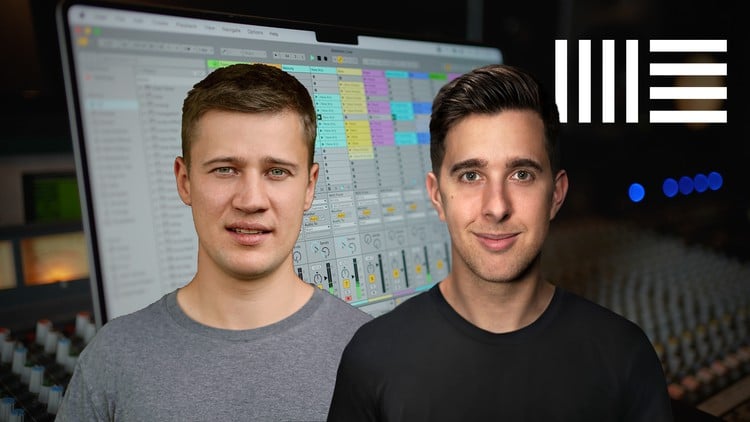
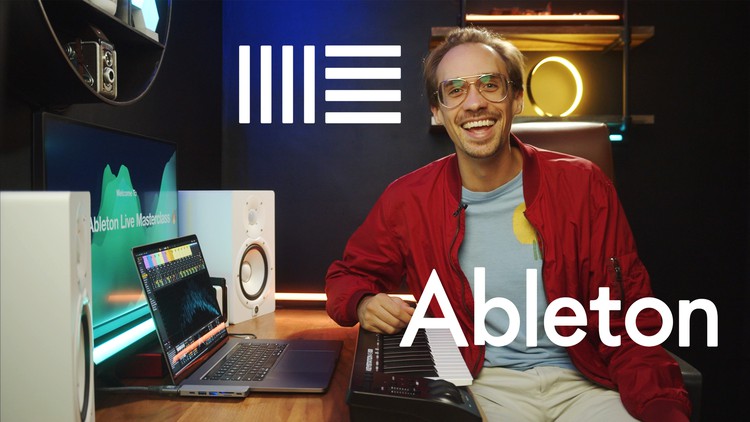
This is a Video School course, with your lead instructor Matt Kass. Matt is an award winning producer, songwriter, mixer and multi-instrumentalist with over 15 years of professional experience. His music can be heard everywhere from Spotify to HBO. His teaching style is practical, down-to-earth, friendly and professional.

Video School has created many of the top-rated and most popular online courses that teach creative skills to millions of students around the world.

Our goal is to make this the very best Ableton Live course out there. If you aren't completely satisfied, we will do whatever we can to improve this course based on your feedback!


Enroll now to start making your own music with Ableton Live today!

We can't wait to see you in class!

Cheers,

Phil & Matt
Khóa học liên quan

Khám phá thêm các khoá học cùng chủ đề

Hiển thị tất cả khoá học Ableton Live
Hiển thị tất cả khoá học Audio Editing
Hiển thị tất cả khoá học Digital Audio Workstation
Hiển thị tất cả khoá học Music Production
Zalo
Tôi có thể tư vấn khoá học cho bạn 😊