Ưu đãi trong tuần: Nhập mã UD50 giảm 50k cho đơn từ 300k!
Trang chủ
Menu

Ableton Live Lite & Ableton Live Intro Complete Guide

Hướng dẫn toàn diện về Ableton Live Lite & Ableton Live Intro

Hướng dẫn toàn diện về Ableton Live Lite & Ableton Live Intro

Học cách làm chủ Ableton Live Lite và Ableton Live Intro qua khóa học ngắn gọn, vui nhộn và thú vị này.

4.5
(107 đánh giá)
515 học viên
Giảng viên
J. Anthony Allen
Phụ đề Việt chất lượng cao Phụ đề tiếng Anh Bán chạy Đánh giá cao
50.000đ 399.000đ -87%
✓ Xem giỏ hàng và thanh toán
Bao gồm phụ đề tiếng Việt, tiếng Anh
3.5 giờ video
44 bài giảng
Truy cập vĩnh viễn
Học trên mọi thiết bị
Cập nhật: 31/05/2026

Bạn sẽ học được gì

Sau khóa học, học viên sẽ có thể sản xuất nhạc với Ableton Live Lite và Live Intro, đồng thời bắt đầu hành trình trở thành nhà sản xuất chuyên nghiệp.
Cách thiết lập Live Lite và Live Intro
Ghi âm audio và MIDI trong Live Lite và Live Intro
Lưu, chia sẻ và cộng tác trong Ableton Live Intro và Live Lite
Sản xuất nhạc trong Live Intro và Live Lite
Thiết kế âm thanh trong Ableton Live Lite và Ableton Live Intro
Tạo nhạc với Ableton Live Intro và Ableton Live Lite

Yêu cầu

Học viên nên sẵn sàng sản xuất nhạc, nhưng không cần phải là nhạc sĩ có kinh nghiệm. Không yêu cầu kinh nghiệm sản xuất trước đó.
Cần có quyền truy cập vào Ableton Live Lite hoặc Intro. Sử dụng bản dùng thử (miễn phí 30 ngày) là cách tuyệt vời để bắt đầu.

Đối tượng phù hợp

Bất kỳ ai ở bất kỳ quốc gia nào sẵn sàng bắt đầu sản xuất âm nhạc bằng cách học tất cả những gì cần biết về cách tạo nhạc với Ableton Live Lite 11.
Người mới bắt đầu: Nếu bạn chưa biết nhiều về sản xuất âm nhạc, đây là khóa học tốt nhất để bắt đầu.
Trung cấp: Nếu bạn đã thử nghiệm với Ableton Live nhưng thiếu kiến thức nền tảng về phần mềm, hãy bắt đầu từ đây.
Bất kỳ ai nhận được bản sao Live Intro hoặc Live Lite qua chương trình khuyến mãi sản phẩm khác: Khóa học này được thiết kế để giúp bạn nhanh chóng làm quen và sử dụng phần mềm đó.

Nội dung khóa học

9 phần • 44 bài giảng
1 Giới thiệu
2 Ableton Live là gì?
3 Huấn luyện viên được chứng nhận Ableton là gì?
4 Cài đặt
5 Cách Ableton Live hoạt động (bất kể phiên bản nào)
6 Sự khác biệt giữa Live Lite, Intro, Standard và Suite
1 Tùy chọn (Preferences)
2 Cài đặt âm thanh
3 Cài đặt MIDI
4 Thư viện Live
5 Lưu: Collect All and Save
1 Trình duyệt (Browser)
2 Thanh điều khiển (Transport)
3 Giao diện Arrangement View
4 Giao diện Session View
5 Bộ trộn (Mixer)
6 Khu vực thiết bị và hiệu ứng
7 Mọi thứ khác
1 "Clip" là gì?
2 Clip âm thanh
3 Clip MIDI
4 Chuyển đổi clip
1 Thiết bị là gì?
2 Nhạc cụ (Bộ tổng hợp)
3 Hiệu ứng âm thanh
4 Hiệu ứng MIDI
5 Racks
1 Hãy tạo một beat
2 Tạo trống
3 Import mẫu âm thanh (Samples)
4 Warping
5 Thêm bassline
6 Thêm đàn phím và synth
7 Lưu và xuất
1 Ghi clip MIDI
2 Thiết lập để ghi âm thanh
3 Giám sát âm thanh (Audio Monitoring)
4 Ghi clip âm thanh
5 Nhiều bản thu (Comping)
1 MIDI Mapping
2 Key Mapping
1 Bước tiếp theo là gì?
2 Cảm ơn đã theo dõi!
3 Bài giảng thưởng

Giới thiệu khóa học

100% Answer Rate! Every single question posted to this class is answered within 24 hours by the instructor.

Are you a music maker, aspiring producer, or professional producer looking to up your game? This is the place to start.

Ableton Live can be a little intimidating. It's a powerful program, and it has some oddities that you have to get used to. But don't worry - that's what I'm here for.

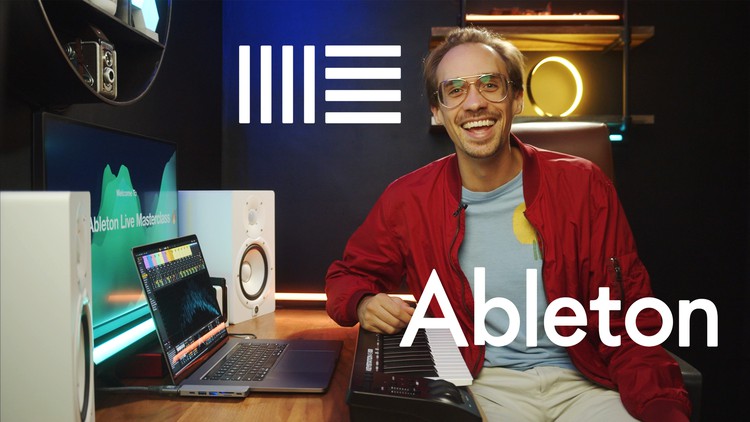
Hi - my name is Jason, and I am one of only a handful of Ableton Certified Trainers. That means I've proven myself both as an expert and as an educator to the Ableton corporation, and they have given me their stamp of approval. I am the only Ableton Certified Trainer who also has a Ph.D. in music and a university professor as well.


Years ago I made my first Ableton class - a six-part class focused on Ableton Live 9. I learned from that and improved it in my top-rated Ableton Live 10 class, and a top-rated Ableton Live 11 class. Now I'm bringing that experience to the Live Lite and Live Intro users.


What is this Ableton Live Intro and Lite Course all about?

In this class, we are going to learn Ableton Live Lite and Intro, and every aspect of the program. We will focus on how to do everything possible in Ableton Live, and you will finish this course as an expert in Live Lite and Intro. Whether you have experience in music production already or not, this is the ultimate class to learn how to use the Ableton Live software for any genre of music.

This is a relatively short class - about 3.5 hours, but we are going to cover a lot of content.

  • The different Live versions (Intro, Lite, Standard, and Suite)

  • Installation

  • How Live Works

  • Preferences

  • Audio Settings

  • MIDI Settings

  • Saving and Collaborating

  • Producing in Arrangement View

  • Producing in Session view

  • Using Effects on the Mixer

  • Using Audio Clips

  • Using MIDI Clips

  • Converting Clips

  • Using Live's Instruments

  • Using Live's Audio Effects

  • Using Live's MIDI Effects

  • Using Racks - one of the most powerful things in Live!

  • Warping

  • Importing Samples

  • Recording MIDI 

  • Recording Audio

  • Controlling Live with MIDI Mapping

  • Controlling Live with Key Mapping

  • Making Beats: We are going to work on a short track together in this class.

  • And Much, Much, More!


My Promise to You:

I am a full-time Music Producer and Educator. If you have any questions please post them in the class or send me a direct message. I will respond within 24 hours. And if you find this class isn't for you, I am more than happy for you to take advantage of the 30-day money-back guarantee. No questions asked.


What makes me qualified to teach you?

I've already told you that I am one of only a few Ableton Certified Trainers. I also have a Ph.D. in music, I am a university music professor, and have a long list of awards for teaching.

But more importantly: I use Ableton Live 11 every day. I produce music professionally, and I stay on top of all the latest producing techniques, workflows, and styles. As you will see in this class, I just love this stuff. And I love teaching it.

Let's get started! 

See you in lesson 1.

All best,

Jason (but call me Jay...)
Khóa học liên quan

Khám phá thêm các khoá học cùng chủ đề

Hiển thị tất cả khoá học Ableton Live
Hiển thị tất cả khoá học Digital Audio Workstation
Hiển thị tất cả khoá học Music Production
Zalo
Tôi có thể tư vấn khoá học cho bạn 😊