Ưu đãi trong tuần: Nhập mã UD50 giảm 50k cho đơn từ 300k!
Trang chủ
Menu

Ableton Live 12 for Music Production: Quick Start Guide

Ableton Live 12 cho Sản xuất Âm nhạc: Hướng dẫn Khởi động Nhanh

Ableton Live 12 cho Sản xuất Âm nhạc: Hướng dẫn Khởi động Nhanh

Học cách thu âm, chỉnh sửa, sắp xếp và xuất nhạc trong Ableton Live — hoàn hảo cho người mới bắt đầu

4.8
(28 đánh giá)
319 học viên
Giảng viên
Tomas George
Phụ đề Việt chất lượng cao Phụ đề tiếng Anh Bán chạy Đánh giá cao
50.000đ 399.000đ -87%
✓ Xem giỏ hàng và thanh toán
Bao gồm phụ đề tiếng Việt, tiếng Anh
1.0 giờ video
17 bài giảng
1 bài quiz
Truy cập vĩnh viễn
Học trên mọi thiết bị
Cập nhật: 31/05/2026

Bạn sẽ học được gì

Hiểu sự khác biệt giữa Giao diện Session và Giao diện Arrangement trong Ableton Live
Thiết lập và thu âm cả clip MIDI lẫn audio
Chỉnh sửa nốt MIDI và bản thu âm hiệu quả
Thêm nhạc cụ ảo, sử dụng Drum Rack, và áp dụng các hiệu ứng cơ bản
Sắp xếp ý tưởng và xuất bản bài hát đầu tiên trong Ableton Live

Yêu cầu

Không yêu cầu kinh nghiệm trước với Ableton Live hay sản xuất âm nhạc
Bạn chỉ cần một máy tính đã cài Ableton Live (lý tưởng nhất là Ableton Live 12, nhưng Live 11 cũng được)
Tai nghe hoặc loa ngoài được khuyến nghị để nghe rõ âm thanh hơn
Bàn phím MIDI hoặc giao diện âm thanh là tùy chọn, nhưng hữu ích để thực hành

Đối tượng phù hợp

Người mới bắt đầu muốn nhanh chóng học những kiến thức cơ bản về Ableton Live
Ai mới bước chân vào sản xuất âm nhạc và muốn bắt đầu tạo các bản nhạc
Ai muốn một bài giới thiệu đơn giản, thực hành trước khi tham gia Khóa học Ableton Live Toàn diện
Nhạc sĩ và nhà sản xuất muốn hiểu quy trình làm việc và các tính năng chính của Ableton Live

Nội dung khóa học

4 phần • 16 bài giảng
1 Tổng quan về Ableton Live: Giao diện Session và Giao diện Arrangement
2 Trước Khi Bắt Đầu
3 Thu âm và Chỉnh sửa MIDI
4 Thiết lập, Thu âm, và Chỉnh sửa Audio
5 Drum Rack và Chỉnh sửa MIDI Nâng Cao
1 Xây dựng Một Bản Sắp xếp Cơ bản trong Giao diện Session
2 Tiếp tục Sắp xếp Nhanh trong Giao diện Session
3 Thu âm vào Giao diện Arrangement
4 Kiến thức Cơ bản về Giao diện Arrangement – Phần 1: Âm lượng và Panning
5 Kiến thức Cơ bản về Giao diện Arrangement – Phần 2: Tự động hóa
1 Giới thiệu về Hiệu ứng và Giới thiệu về EQ 8
2 Hiệu ứng Reverb và Delay dạng Return/Send
3 Kiến thức Cơ bản về Hiệu ứng MIDI Arpeggiator
1 Bouncing và Xuất File
2 Cảm ơn và Tạm biệt
3 Bài giảng Thưởng

Giới thiệu khóa học

Learn Ableton Live 12 Fast with this Quick Start Music Production Course!

This course will teach you the essential tools and techniques to start producing music in Ableton Live quickly and confidently.

You’ll learn how to record MIDI and audio, use instruments and effects, build beats, and export your first finished track all in one concise, hands-on course.


What is this Ableton Live Course all about?

In this Ableton Live Quick Start Course, you’ll learn the fundamental skills every new producer needs to know to get up and running fast. We’ll explore the difference between the Session View and Arrangement View, how to record and edit both MIDI and audio, use virtual instruments and the Drum Rack, and even add EQ, reverb, and delay effects to enhance your mix.

By the end of this course, you’ll understand Ableton Live’s workflow, know how to record and arrange your own ideas, and be ready to start producing full songs.

This course is taught in Ableton Live 12 Suite, but you can easily follow along if you’re using Ableton Live 12 Standard. You’ll also be able to follow along with the vast majority of lessons if you’re using Ableton Live 12 Intro or Lite, and most of the course will still apply if you’re using Ableton Live 11.


Who is Your Instructor for this Course?

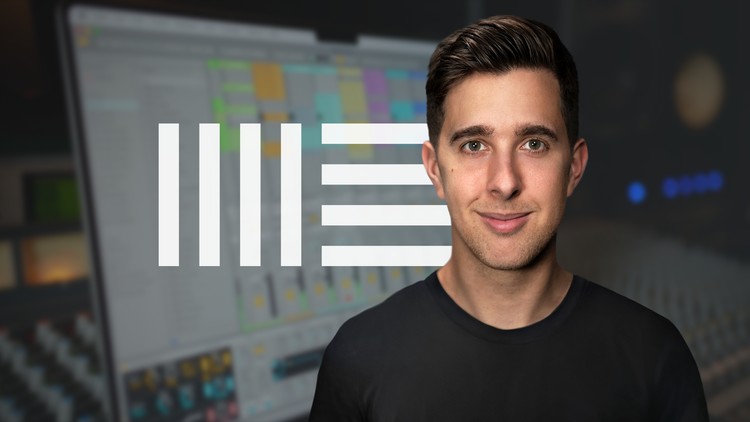
Tomas George is a music producer, composer, and educator with a Master’s Degree in Music Production (MMus) and a BA(Hons) in Music Composition. He’s also the creator of some of the most popular music production and audio courses online with over 395,000 students worldwide.


Here’s What You’ll Learn in This Course:

• The difference between the Session View and Arrangement View

• How to record and edit both MIDI and audio clips

• Setting up virtual instruments and using the Drum Rack for beats

• Adding effects such as EQ, reverb, and delay

• Recording automation and arranging your ideas into a song

• Exporting your finished track from Ableton Live


Click the Enroll Now button and start learning Ableton Live 12 Fast today!

Cheers,

Tomas

Khóa học liên quan

Khám phá thêm các khoá học cùng chủ đề

Hiển thị tất cả khoá học Ableton Live
Hiển thị tất cả khoá học Audio Engineering
Hiển thị tất cả khoá học Mixing Mastering
Hiển thị tất cả khoá học Music Production
Zalo
Tôi có thể tư vấn khoá học cho bạn 😊