Ưu đãi trong tuần: Nhập mã UD50 giảm 50k cho đơn từ 300k!
Trang chủ
Menu

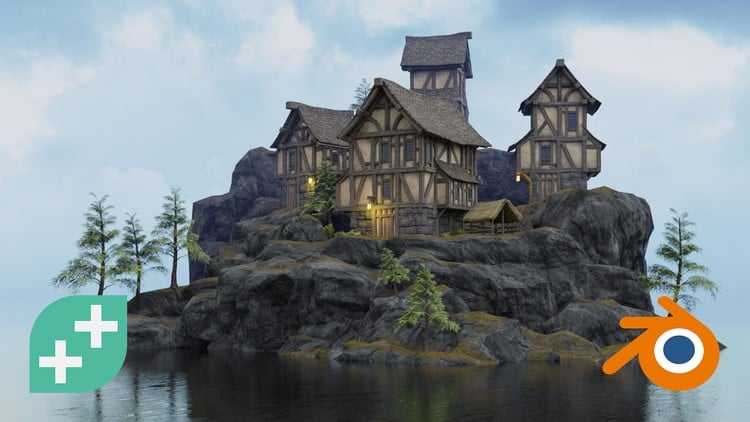
Master Viral 3D Short Form Content in Blender

Làm chủ nội dung 3D dạng ngắn lan truyền trong Blender

Làm chủ nội dung 3D dạng ngắn lan truyền trong Blender

Tạo video 3D ngắn lan truyền nhanh trong Blender — không cần thiết lập phức tạp, kể cả khi bạn là người mới bắt đầu

4.6
(29 đánh giá)
2,903 học viên
Giảng viên
Vlad Sateev
Phụ đề Việt chất lượng cao Phụ đề tiếng Anh Bán chạy Đánh giá cao
50.000đ 399.000đ -87%
✓ Xem giỏ hàng và thanh toán
Bao gồm phụ đề tiếng Việt, tiếng Anh
5.0 giờ video
31 bài giảng
Truy cập vĩnh viễn
Học trên mọi thiết bị
Cập nhật: 31/05/2026

Bạn sẽ học được gì

LÀM CHỦ BLENDER 4.5 MÀ KHÔNG QUÁ TẢI — Chỉ học những công cụ cần thiết để tạo video ngắn lan truyền, kèm danh sách tính năng có thể in & bảng tắt phím tắt (Bài giảng 4-6)
THEO QUY TRÌNH TỪ Ý TƯỞNG → ĐĂNG BÀI — Lên ý tưởng trong ChatGPT, dựng hình, tạo chuyển động, render, chỉnh sửa, thêm phụ đề và xuất bản video ngắn đầu tay (Bài giảng 16-21)
TẠO NHÂN VẬT TRONG VÀI PHÚT — Dùng Human Generator Ultimate để thiết kế, trang phục và chuẩn bị nhân vật cho hoạt ảnh — không cần đau đầu về rigging (Bài giảng 7, 8, 19)
TẠO CHUYỂN ĐỘNG NHANH VỚI MIXAMO — Áp dụng các clip chuyển động có sẵn lên nhân vật và tinh chỉnh thời gian với tối thiểu keyframe (Bài giảng 8, 19)
DỰNG CẢNH ĐIỆN ẢNH NHANH CHÓNG — Lấy nguồn tài nguyên từ BlenderKit và Sketchfab, ráp chúng thành môi trường ấn tượng (Bài giảng 9, 10, 18)
LÀM CẢNH NỔI BẬT TRÊN ĐIỆN THOẠI — Dùng rig máy quay điện ảnh, hiệu ứng cầm tay và ánh sáng thông minh để video đẹp mắt trên màn hình điện thoại (Bài giảng 11, 12)
XUẤT VIDEO ĐẸP TRÊN ĐIỆN THOẠI — Thiết lập render & export tối ưu để tải lên TikTok/IG/Shorts sắc nét, không bị vỡ ảnh (Bài giảng 13)
CHỈNH SỬA VÀ THÊM PHỤ ĐỀ ĐỂ TẠO LAN TRUYỀN — Phối trộn nhạc, hiệu ứng âm thanh và lời thoại mượt mà, tạo phụ đề chính xác và có kiểu dáng trong Premiere Pro (Bài giảng 14)
TỰ ĐỘNG HÓA TIÊU ĐỀ VÀ MỞ ĐẦU VỚI GPT RIÊNG — Thiết lập trợ lý dựa trên prompt để đưa ra các câu mở đầu và cốt truyện phù hợp với từng lĩnh vực trong vài giây (Bài giảng 16-17)
HOÀN THIỆN VỚI SỰ TỰ TIN — Hoàn thành một video chỉn chu, sẵn sàng cho portfolio và một danh sách kiểm tra có thể tái sử dụng (Bài giảng 22)
TRUY CẬP CHATGPT RIÊNG CHO Ý TƯỞNG LAN TRUYỀN — Tạo câu mở đầu, tiêu đề, kịch bản và hướng dẫn dựa trên các khung kể chuyện + công thức lan truyền đã được kiểm chứng (Bài giảng 17)
THÊM VÀO GIỎ HÀNG NGAY!

Yêu cầu

Cần có máy tính xách tay/máy tính có thể chạy Blender

Đối tượng phù hợp

Những người mới học thiết kế chuyển động muốn gia nhập ngành sáng tạo
Biên tập viên video tự do muốn thêm dịch vụ video 3D trong Blender
Người sáng tạo nội dung mạng xã hội muốn tăng tương tác bằng hoạt ảnh
YouTuber, TikToker và người sáng tạo trên Instagram đang xây dựng thương hiệu cá nhân
Sinh viên hoặc chuyên gia marketing muốn thêm hoạt ảnh vào bộ kỹ năng
Bất kỳ ai muốn học After Effects từ đầu và áp dụng vào dự án thực tế

Nội dung khóa học

13 phần • 31 bài giảng
1 Chào mừng! Bắt đầu từ đây
1 Cấu trúc của một short lan truyền: Câu mở đầu, nhịp cốt truyện và nhịp chuyển động
2 Tổng quan về công cụ Blender 4.5 (Human Generator, Mixamo, BlenderKit, Sketchfab)
1 Khởi đầu nhanh: Điều hướng Blender 4.5 cho người mới
2 Bảng tóm tắt tính năng & phím tắt Blender 4.5 (Tài liệu tham khảo nhanh có thể in)
3 Cài đặt và kích hoạt các add-on thiết yếu: BlenderKit, Human Generator, Mixamo
1 Human Generator trong Blender: Tạo nhân vật nhanh cho 3D short
2 Tạo chuyển động nhanh hơn với Mixamo trong Blender: Áp dụng & tinh chỉnh chuyển động (Tối thiểu keyframe)
1 BlenderKit cho môi trường tức thì: Tìm kiếm, nhập và sắp xếp tài nguyên
2 Từ Sketchfab sang Blender: Lấy nguồn, bản quyền và nhập cho cảnh short
1 Hoạt hình máy quay trong Blender: Chuyển động tạo tác động lan truyền
2 Ánh sáng trong Blender: HDR điện ảnh và thiết lập 3 đèn cho 3D short
1 Eevee so với Cycles trong Blender: Thiết lập render nhanh và preset export mạng xã hội
1 Quy trình chỉnh sửa, âm thanh và phụ đề: Premiere Pro cho TikTok/IG/YouTube Shorts
1 Chúc mừng!
2 Lên kế hoạch cho Blender Shorts: Khái niệm, câu mở đầu và storyboard siêu nhỏ
3 Xây dựng ChatGPT riêng cho ý tưởng lan truyền: Câu mở đầu, kịch bản và hướng dẫn hình ảnh
4 Dựng môi trường: Lắp ráp BlenderKit/Sketchfab, ánh sáng và bố trí máy quay
5 Tạo nhân vật và hoạt ảnh: Human Generator + tinh chỉnh thời gian Mixamo
6 Hoạt hình máy quay và Render/Export: Tinh chỉnh trong Blender, xuất cho Shorts/Reels
7 Chỉnh sửa và âm thanh cuối cùng: Nhạc, hiệu ứng âm thanh, phụ đề và quy trình đăng bài
1 Tạo và lấy nguồn nhân vật cho hoạt ảnh Blender
2 Tải nhân vật lên Mixamo và áp dụng hoạt ảnh trong Blender
3 Sử dụng trực tiếp nhân vật Mixamo trong Blender (Quy trình hoạt ảnh nhanh)
1 Tinh chỉnh hoạt ảnh Mixamo trong Blender (Action Editor và NLA Editor)
2 Xây dựng hoạt ảnh nhân vật dài hơn trong Blender (Kết hợp hành động mượt mà)
1 Mẹo máy quay điện ảnh trong Blender cho short lan truyền
2 Hoạt hình máy quay Blender (Keyframes, Motion Blur, Depth of Field)
3 Xem trước nhanh và thiết lập export trong Blender (Workbench và Eevee)
1 Capstone: Kế hoạch dự án cuối cùng và Portfolio cho Blender 3D Shorts
2 Bước cuối cùng!

Giới thiệu khóa học

Create viral short-form 3D videos in Blender fast — from scratch and without complex setups.


This works even if you’re brand-new to 3D, not “technical,” or you’ve tried a Blender course before and felt overwhelmed.


Open Blender and it hits you: endless panels, hidden menus, a thousand buttons you “should” learn before you make anything.

You try a tutorial, then another… and somehow you still don’t have a finished video.

Meanwhile, your ideas pile up in Notes while your feed fills with creators posting cinematic 3D shorts that you could have made.


The truth? Most tutorials teach Blender like a spaceship manual. You don’t need a manual — you need a creator-first pipeline that takes you from idea → build → animate → render → edit → publish without detours.


Meet the course built for modern creators.

Proof it works:
I learned Blender in under 7 days, and my first Blender YouTube Shorts upload hit 26,563 views in 24 hours. It was built using the exact workflow you’ll follow — Human Generator, Mixamo, BlenderKit & Sketchfab. Results will vary.


By the end of this online Blender course, you’ll have full clarity and control over a simple, repeatable workflow to produce viral short-form 3D — and your first finished, portfolio-ready post.


Specifically, you will learn…


BLENDER 4.5 WITHOUT OVERWHELM — The essential navigation, creator-focused shortcuts, and a printable menu & shortcut cheat sheet (Lectures 4-6)


FOLLOW A COMPLETE IDEA→POST WORKFLOW — Brainstorm in ChatGPT, build, animate, render, edit, caption & publish a finished short (Lectures 16-21)


CREATE CHARACTERS IN MINUTES — Human Generator Ultimate for instant humans (style, clothing, hair), prepped for animation (Lecture 7, 8, 19)


ANIMATE IN MINUTES WITH MIXAMO — Apply curated motion clips, then refine timing with minimal keyframing (Lecture 8, 19)


BUILD CINEMATIC SCENES QUICKLY — BlenderKit & Sketchfab sourcing, licensing, and assembling for striking environments (Lectures 9, 10, 18)


MAKE SHOTS POP ON MOBILE — Camera rigs and lighting tricks that read beautifully on phones (Lectures 11, 12)


EXPORT THAT LOOKS GREAT ON PHONE — Clear Eevee vs Cycles choices (speed vs quality) and export settings for TikTok/IG/Shorts (Lecture 13)


EDIT & CAPTION FOR VIRAL IMPACT — Clean music/SFX/dialogue mix and styled captions in Adobe Premiere Pro (Lecture 14)


AUTOMATE TITLES & HOOKS WITH A CUSTOM GPT — Set up a prompt-driven assistant that delivers niche-specific hooks, story beats & captions in seconds (Lecture 16-17)


FINISH WITH CONFIDENCE — A polished, portfolio-ready short (Lectures 22)


ACCESS A CUSTOM CHATGPT FOR VIRAL IDEAS — Generates hooks, titles, scripts & guides using proven virality + storytelling frameworks (Lecture 17)


Why trust this Blender course?

It’s updated for Blender 4.5 and built from the ground up for creators, editors, designers, and marketers who want results — not theory. You’ll learn 3D modeling in Blender the smart way, 3D animation in Blender with practical shortcuts, and a workflow using Human Generator, Mixamo, BlenderKit & Sketchfab so you go from idea to finished short fast — without complex setups.


What makes me (Vlad) credible to teach this topic?


With over 10 years of experience editing videos for YouTube, Instagram, and TikTok—and managing two of the biggest channels in their niches—I know what it takes to create content that performs. I’ve spent years fine-tuning a creative system that works across platforms and formats, including Shorts video editing, TikTok video editing, and video editing for Reels. The strategies and tools I’m about to share aren’t theory—they’re exactly what I’ve used to help creators go viral, build audiences, and grow real results.


Don't believe me? Just read some of the raving student reviews for yourself:

"I really enjoyed the Master Viral 3D Short Form Content in Blender course! Right from the start, it provides useful materials, like a cheat sheet for Blender 4.5 menus and shortcuts, as well as guidance on installing essential add-ons such as BlenderKit and Sketchfab. This makes the workflow much faster from the beginning. I especially liked the dedicated lessons on creating characters with Human Generator, animating them in Mixamo, and quickly building environments using BlenderKit and Sketchfab. Everything is explained clearly, and even during the course, you can already create complete videos ready to share on social media" - Udemy User

"
He is a good teacher, he explains in a very understandable and CALM way" - Opasina Abiodun

"
Very nice and made me feel that making shorts in Blender can be easy." - Ambika A


100% Money-Back Guarantee: If this course doesn’t completely surpass your expectations, Udemy will refund you within 30 days of enrolling.


You have ideas worth publishing.


Enroll now and turn them into viral 3D shorts in Blender — fast, from scratch, and without complex setups.
Khóa học liên quan

Khám phá thêm các khoá học cùng chủ đề

Hiển thị tất cả khoá học Animation
Hiển thị tất cả khoá học Blender
Hiển thị tất cả khoá học D Modeling
Hiển thị tất cả khoá học Motion Graphics
Zalo
Tôi có thể tư vấn khoá học cho bạn 😊