
The Perfect Nginx Server - Ubuntu (24.04) Edition

4.8
(101 đánh giá)
877 học viên

Giảng viên
Andrew Eaton
Phụ đề tiếng Anh
Bán chạy
Đánh giá cao
50.000đ
949.000đ
-95%
Bao gồm phụ đề tiếng Việt, tiếng Anh
22.0 giờ video
96 bài giảng
Truy cập vĩnh viễn
Học trên mọi thiết bị
Cập nhật: 28/05/2026
Bạn sẽ học được gì
Yêu cầu
Students should be familiar using WordPress
Student should have a working knowledge of their local operating system, i.e. Windows, MACOS
No knowledge of Linux required, I will teach you everything from scratch
No knowledge of the command line is required, I will teach you everything from scratch
No knowledge server administration is required, I will teach you everything from scratch
Đối tượng phù hợp
Nội dung khóa học
21 phần • 96 bài giảng
1
Introduction
1
Linux Essential Skills - Part 1
2
Linux Essential Skills - Part 2
3
Linux Essential Skills - Part 3
4
Linux Essential Skills - Part 4
1
Free Software Required to Complete the Course
1
Web Hosts, Server Requirements and Creating a Server Instance
1
First Login as the ROOT - Administrative - User - Part 1
2
First Login as the ROOT - Administrative - User - Part 2
3
First Login as a NON-ROOT User - Part 1
4
First Login as a NON-ROOT User - Part 2
5
First Login as a NON-ROOT User - Part 3
6
First Login as a NON-ROOT User - Part 4
1
Harden and Optimize the Server Distro - 1
2
Harden and Optimize the Serevr Distro - 2
3
Harden and Optimize the Server Distro - 3
1
Pointing a Domain Name to your server
1
Installing Nginx MariaDB AND PHP8.3
1
Configuring the server to send your WordPress site's mail
1
Understanding Nginx Configuration Files
1
Harden and Optimize Nginx - 1
2
Harden and Optimize Nginx - 2
3
Harden and Optimize Nginx - 3
4
Harden and Optimize MariaDB - 1
5
Harden and Optimize MariaDB - 2
6
Harden and Optimize MariaDB - 3
7
Harden and Optimize PHP8.3 - 1
8
Harden and Optimize PHP8.3 - 2
1
Directory Management and Structure
1
Create your first nginx server context / block - 1
2
Create your first nginx server context / block - 2
1
Install your first WordPress site on your VPS or dedicated server - 1
2
Install your first WordPress site on your VPS or dedicated server - 2
1
Introduction
2
Separating Sites Using PHP Pools - 1
3
Separating Sites Using PHP Pools - 2
4
WordPress Ownership and Permissions
5
Limit File System Access using PHP Open_BaseDir
6
Install and Configure FREE SSL Certificates - A+ Rating - 1
7
Install and Configure FREE SSL Certificates - A+ Rating - 2
8
Install and Configure FREE SSL Certificates - A+ Rating - 3
9
Hardening the HTTP Response Headers
10
Using Nginx Directives to Protect WordPress
11
Nginx DDoS Protection and WordPress
12
Stop Brute force Attacks - Nginx Rate Limiting
13
Using a Web Application Firewall
14
Hot Linking Protection
15
Disallow File Modifications
16
Restricting Database User Privileges
17
Hardening the WP REST API
1
Introduction
2
Post Revisions Policy
3
Setting the Max Memory
4
Replacing the WP CRON with a REAL CRON
5
Introduction to Caching
6
Types of Caching
7
"Static" and "Dynamic" WordPress Sites
8
Implementing a Caching Policy
9
Caching a "Static" WordPress Site using - FastCGI Caching - 1
10
Caching a "Static" WordPress Site using - FastCGI Caching - 2
11
Caching a "Static" WordPress Site using WP Super Cache
12
Caching a "Static" WordPress Site using - W3TC
13
Create a Persistent Object Cache using Redis
14
Caching a "Dynamic" WordPress Site - Introduction
15
Caching a "Dynamic" WordPress Site - WP Super Cache and Redis
16
Caching a "Dynamic" WordPress Site - W3TC and Redis
17
Tuning PHP-FPM
18
Cloudflare
1
Server Updates
2
WordPress Updates
3
Backups, Migration and WPCLI
4
Virus and Malware Scanning
5
Database Tuning
6
PHP FPM Tuning
7
Server and Site Monitoring
8
Administering Disk Space
9
Harden the Default Nginx Server Context
10
Configure the Nginx Backlog
11
Adminster the PHP Opcache
1
PHPmyAdmin
2
FileZilla
3
Content Security Policy
4
Log Rotation
1
DNS and Bash Scripts
2
Create the Directories, Database and Server Context
3
Install WordPress
4
Harden WordPress
5
Optimize WordPress
6
Tune PHP-FPM
7
Opcache
1
DNS, Bash Scripts, Directories, Database, Server Context and Install WordPress
2
Harden WordPress - 1
3
Harden WordPress - 2
4
Optimize WordPress
5
Tune PHP-FPM
1
Course Conclusion - Thank You
Giới thiệu khóa học
Welcome to The Perfect Nginx Server course, based on the latest Ubuntu Server Long Term Support release (24.04).
This beginner-friendly course assumes no prior experience with Linux server configuration, system administration or Nginx. Whether you’re new to Linux or managing servers, this course will teach you from the ground up.
New to Linux or server administration? Included in the course, is an absolute beginners "crash" Linux course. This 1.5 hour "course within a course" will teach you the commands, terminology and procedures as it relates to this course.
Nginx is one of the most popular and powerful web servers in the world, known for its speed and performance. In this course, we start with a blank server and gradually build it up to a fully optimized Nginx server capable of hosting multiple hardened WordPress sites on a VPS or dedicated server.
What You Will Learn:
How to configure and secure your server without relying on hosting provider support—you'll become your own system administrator.
From initial setup to optimization, this course covers the entire process of configuring an Ubuntu-based Nginx server.
You’ll learn to:
Optimize and Harden Your Server: Implement SSH Key authentication, set up firewalls (UFW and cloud firewalls), and protect your server from brute force attacks.
Tuning the Server: Optimize the network layer, adjust swap and shared memory, fine-tune Nginx and MariaDB settings, and control file access and limits.
Hardening Nginx, MariaDB, and PHP 8.3: Spend almost 2 hours configuring these core services to be both optimized and secure, preparing your server for real-world challenges.
Deploy Hardened WordPress Sites: Install, harden, and optimize WordPress sites, going beyond superficial security plugins. Learn to secure your files, protect sensitive areas, and stop hotlinking, DDoS attacks, and more.
New 24.04 Course Additions Based on Student Requests:
PHPPools: Efficiently manage multiple PHP pools for various WordPress sites.
OpenBaseDir: Secure PHP by limiting file access to specific directories.
DisallowFileMods: Prevent unauthorized modifications to WordPress core files and plugins.
Database Privileges: Fine-tune database user privileges for enhanced security.
WP REST API: Manage and secure the WordPress REST API for optimized site performance.
Free Wildcard SSL Certificates: Installation, A+ rating configuration and automatic renewal
Throughout the course, we’ll follow the key principle of only installing what’s necessary, then harden and optimize that component for security and performance. Security is paramount, every step you take will be focused on protecting your server and WordPress sites.
This course has real world application, you’ll gain hands-on experience setting up a secure hosting environment on a VPS or dedicated server, not on a local virtual machine. You'll learn to monitor server logs and observe how your configurations fend off bots and malicious users.
By the end of This course, you will be able to:
Host multiple fast, secure WordPress sites on your own server
Add a new income stream by offering site hosting, optimization, SSL certificate management, and more to clients
Confidently manage your server without relying on external support
Gain practical, real-world experience applicable to any server environment
Designed for anyone eager to take control of their hosting, this course empowers you to step into the role of a systems administrator. By the end, you’ll be ready to manage your own WordPress sites on Nginx, using the latest Ubuntu release.
Sign up today and begin your journey to mastering server management!
50.000đ
949.000đ
-95%
Bao gồm phụ đề tiếng Việt, tiếng Anh
22.0 giờ video
96 bài giảng
Truy cập vĩnh viễn
Học trên mọi thiết bị
Cập nhật mới nhất: 28/05/2026
Khóa học liên quan
Khám phá thêm các khoá học cùng chủ đề

The Complete Ubuntu Linux Server Administration Course 2026.
Prashant Shinde _Join 80,000+ Learners Worldwide
4.3
(566)
26,840
50.000đ
399.000đ
-87%

The Complete MySQL Bootcamp: Go from Zero to Hero in 2026
Kadhiravan Jayachandiran
4.5
(2485)
14,228
50.000đ
399.000đ
-87%

AI-Driven Infrastructure as Code (IaC) and Cloud Automation
Gourav J. Shah
4.6
(98)
11,307
50.000đ
699.000đ
-93%


Quản lý rủi ro bên thứ ba cho An ninh mạng & Tuân thủ
Learnsector LLP
4.7
(32)
3,581
50.000đ
399.000đ
-87%

Lập trình viên Oracle PL/SQL sẵn sàng đi làm: Từ cơ bản đến chuyên sâu
Mayko Silva
4.6
(92)
3,404
50.000đ
399.000đ
-87%


Hướng dẫn toàn diện về SSL và TLS: Từ HTTP đến HTTPS
Bogdan Stashchuk | 300K Students Worldwide | MBA, PhD
4.7
(4407)
54,598
50.000đ
389.000đ
-87%

NGINX Cơ Bản: Xây Dựng Máy Chủ Hiệu Suất Cao Từ Đầu
Ray Viljoen
4.7
(9433)
49,034
50.000đ
369.000đ
-86%


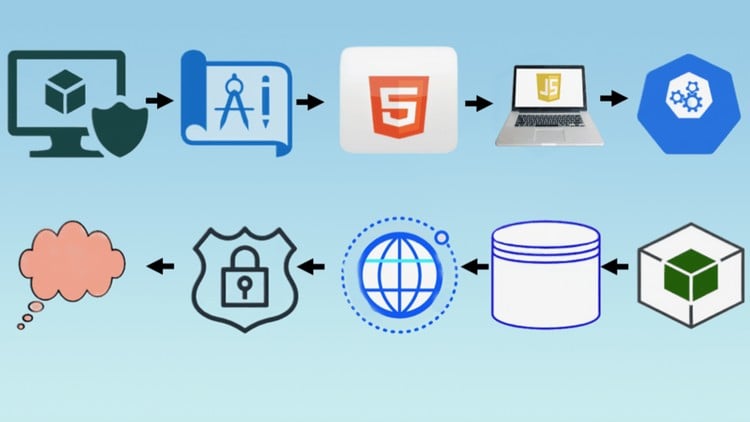
Full Stack Web App DevOps - Từ Ý Tưởng Đến Đám Mây - Tất Cả Trong Một
Hamadi Sy
4.9
(59)
5,746
50.000đ
399.000đ
-87%

Máy Chủ Nginx Hoàn Hảo - Phiên Bản Ubuntu (22.04)
Andrew Eaton
4.8
(297)
2,328
50.000đ
2.159.000đ
-98%

Bảo mật VPS trên Ubuntu 20.04: LetsEncrypt, Cloudflare và hơn thế nữa
JuanD MeGon
4.7
(230)
1,541
50.000đ
379.000đ
-87%

The Complete Ubuntu Linux Server Administration Course 2026.
Prashant Shinde _Join 80,000+ Learners Worldwide
4.3
(566)
26,840
50.000đ
399.000đ
-87%



Automate Windows SysAdmin tasks with Ansible in 50+ examples
Luca Berton
4.2
(38)
438
50.000đ
609.000đ
-92%
