
Secure VPS in Ubuntu 20.04: LetsEncrypt, Cloudflare and more
Bảo mật VPS trên Ubuntu 20.04: LetsEncrypt, Cloudflare và hơn thế nữa

4.7
(230 đánh giá)
1,541 học viên

Giảng viên
JuanD MeGon
Phụ đề tiếng Anh
Bán chạy
Đánh giá cao
50.000đ
379.000đ
-87%
Bao gồm phụ đề tiếng Việt, tiếng Anh
9.0 giờ video
77 bài giảng
1 bài quiz
Truy cập vĩnh viễn
Học trên mọi thiết bị
Cập nhật: 30/05/2026
Bạn sẽ học được gì
Yêu cầu
Có khả năng thanh toán cho một VPS mà bạn sẽ sử dụng trong khóa học (5 đô la mỗi tháng trên DigitalOcean hoặc tùy thuộc vào nhà cung cấp bạn chọn)
Có tên miền riêng hoặc mua một cái. Nên chọn loại thanh toán một lần (.com, .net hoặc tương tự)
Có mong muốn học hỏi, tham gia và sẵn sàng theo học khóa học đến cùng :)
Nên có kiến thức cơ bản như mở và đóng cửa sổ dòng lệnh, sao chép và dán văn bản (Shell, CMD, PowerShell, iCommand hoặc tương tự)
Đối tượng phù hợp
Nội dung khóa học
17 phần • 77 bài giảng
1
Về giảng viên
2
Bạn sẽ làm gì và học được gì
3
Tại sao nên dùng VPS
4
Công cụ được đề xuất
1
Tạo tài khoản tại nhà cung cấp VPS
2
[Tùy chọn] Tạo tài khoản tại nhà cung cấp được sử dụng trong khóa học
3
Đảm bảo bạn có thể sử dụng SSH trên hệ thống
4
Tạo khóa SSH để truy cập VPS an toàn
1
Tạo VPS của bạn với Ubuntu 20.04 LTS
2
Tại sao nên dùng phiên bản LTS?
3
Lưu ý về Ubuntu 22.04
4
Kết nối tới VPS qua SSH
5
Cải thiện luồng kết nối SSH tới VPS
6
Duy trì kết nối hoạt động với máy chủ VPS
7
Phân giải tên miền có sẵn tới máy chủ VPS
1
Cách khám phá và di chuyển đường dẫn trên VPS
2
Quản lý tệp (tạo, xóa, di chuyển, sao chép và đọc)
3
Quản lý thư mục (tạo, xóa, di chuyển, sao chép và đọc)
4
Mẹo để thao tác nhanh trên dòng lệnh với VPS
5
Sử dụng apt để quản lý và nâng cấp gói trên VPS
6
Quản lý dịch vụ VPS với lệnh systemctl
7
Cách khởi động lại máy chủ VPS khi cần thiết
8
Cách thiết lập kết nối SSH từ VPS
9
Thực hiện tác vụ định kỳ trên VPS bằng Cronjobs
1
Cách quản lý tài khoản người dùng trong Ubuntu (tạo và xóa)
2
Cách đăng nhập vào VPS với người dùng mới
3
Gán và sử dụng quyền quản trị trong Ubuntu
1
Ngăn chặn việc sử dụng mật khẩu và root để đăng nhập VPS
2
Thiết lập và sử dụng tường lửa UFW trong Ubuntu
3
Gán quyền đúng cách trong Ubuntu
4
Sử dụng Fail2Ban để ngăn chặn kẻ xâm nhập trên VPS
1
Cài đặt máy chủ web Nginx trên VPS
2
Vị trí Nginx và cấu hình của nó trên VPS
3
Cách Nginx xử lý và phản hồi yêu cầu
4
Thiết lập trang web đầu tiên trong Nginx
5
Cài đặt tên miền phụ trên VPS với Nginx
1
Cài đặt và bảo mật máy chủ MySQL trên VPS
2
Cách tương tác với MySQL từ cửa sổ dòng lệnh VPS
3
Sử dụng SSH tunnels để tương tác với MySQL từ hệ thống của bạn
1
Ngăn chặn truy cập vào tệp .htaccess và .git
2
Ẩn chữ ký Nginx trong phản hồi
3
Phòng tránh các loại tấn công web khác nhau trên trang web Nginx
4
Bật nén trong Nginx với Gzip
5
Giảm thiểu tấn công DoS và DDoS trên Nginx
6
Ngăn chặn trang web Nginx bị "chiếm quyền điều khiển"
1
Về Letsencrypt và Certbot
2
Cài đặt Certbot để lấy chứng chỉ bảo mật với Letsencrypt
3
Lấy chứng chỉ bảo mật Letsencrypt với Certbot
4
Xem xét và hiểu các thay đổi do Certbot thực hiện trên VPS
5
Hiểu cách sử dụng HTTPS trong Nginx và cấu hình của nó với Certbot
6
Kiểm tra bảo mật và cấu hình của các tên miền trên VPS
1
Tìm hiểu Cloudflare và sử dụng nó làm nhà cung cấp DNS
2
Thiết lập Cloudflare và bảo mật dự án của bạn
3
Các bước và chi tiết quan trọng khi sử dụng Cloudflare
4
[Quan trọng] Giải quyết vấn đề có thể xảy ra giữa Certbot và Cloudflare
1
Cách triển khai và bảo mật dự án mới trên VPS
2
Cách thêm và bảo mật tên miền hoàn toàn mới vào VPS
3
Sử dụng lệnh SCP để chuyển tệp và thư mục qua SSH
4
Sử dụng wget để tải tệp trực tuyến lên VPS
5
Sử dụng Git để đồng bộ dự án trên VPS
6
Cách xóa một trang web khỏi Internet và VPS của bạn
1
Cài đặt PHP FPM (Fast Processing Module) trên VPS
2
Các tệp và vị trí PHP quan trọng trong Ubuntu
3
Cài đặt các tiện ích mở rộng PHP phổ biến trên VPS
4
Cài đặt composer trên VPS
5
Tìm hiểu và cài đặt WP-CLI cho dự án WordPress
1
Tạo tên miền phụ và trang web cho dự án PHP trên VPS
2
Thêm cấu trúc trang web PHP thuần trên VPS
1
Triển khai tên miền phụ mới cho WordPress
2
Lấy cấu trúc WordPress và chuẩn bị VPS với WP-CLI
3
Triển khai và cài đặt WordPress trên VPS
1
Thêm trang web mới cho Laravel và chuẩn bị VPS
2
Lấy dự án Laravel trên VPS từ kho lưu trữ trên GitHub
3
Triển khai và cấu hình dự án Laravel trên VPS
1
Nhớ cập nhật VPS thường xuyên
2
Áp dụng những gì đã học vào bất cứ thứ gì bạn cần trên VPS
3
Bài học bổ sung
Giới thiệu khóa học
Create, configure, and secure your own Virtual Private Server (VPS) with a high-security rating while using the best services, security, and speed settings for all your projects.
In this course, you are going to create, configure, and deploy your VPS server from scratch, set it correctly, with high-security measures, and the most recommended mechanisms.
Always use secure protocols such as SSH to connect with your VPS and HTTPS to protect your websites and projects.
Forget the insecure passwords, so you can establish secure connections with your server with the SSH protocol, without problems and achieve anything you need.
Additionally, protect all your services and sites, setting them behind Cloudflare for high protection, speed, and security enhancements.
Deploy all your projects with your proper domain, with infinite possibilities, at no additional cost.
Keep your own space in the cloud for all your jobs, projects, and ideas,
Deploy all types of projects in the same instance, and with the number of domains and sub-domains that you want, without having additional costs.
Now, during the course is recommended to use DigitalOcean, but you are free to create your VPS with the provider you want or need. You can follow the course using any fresh instance of Ubuntu 20.04LTS in your selected VPS provider. Everything will be done from scratch and step by step, without relying on additional features from exclusive services.
Install and deploy a complete system with Linux/Ubuntu 20.04 LTS, Cloudflare, Let's Encrypt, Certbot, Nginx y MySQL; also as an additional bonus, there is additional content on how to deploy and publish popular projects such as WordPress, Laravel and more that will be added over time.
Why take this course?
Because it uses the latest Long Term Support (LTS) version of Ubuntu, which is Ubuntu 20.04LTS. You won't have to worry about switching to another version for at least two long years.
Because there is no other online course that explains with this level of detail each step to be taken, because Let's Encrypt is a novelty, along with the use of Cloudflare as a protection service, and you will not find content that teaches you to use it in the way that It is done in this course (the correct and simple way).
Because you will learn the best standards to obtain the highest security rating (A+) in the sites that you secure while following the course.
Because, nowadays the main browsers are demanding secure HTTPS connections in any online site or service, and by following the course, you will be able to secure all your systems for free through Nginx, Let's Encrypt, Certbot and Cloudflare.
Because you will have the flexibility to deploy any kind of project, and the course already includes specific steps to deploy popular PHP projects like WordPress and Laravel (and more to come).
What will you learn and obtain by following and finishing the course?
At the end of this course, you will be able to deploy your own VPS server and your own services on it, shortly and eadily. All under the best security measures and with the protection of Cloudflare to increase the security and speed of your sites.
You will have your own projects online without additional costs because, no matter how many domains, sub-domains or projects you put in your VPS, the cost will remain the same.
At the end of all the classes, you will have all your projects under a completely secure server, with HTTPS/TLS connections completely free through Letsencrypt and with an A+ rating on the secured sites.
But... What exactly will you learn?
Here you have everything you can get from this course:
Create your own VPS server with DigitalOcean or any provider you choose
Have a safe and friendly system with Linux/Ubuntu using its most recent LTS version (Ubuntu 20.04)
Deploy an Nginx web server in a few minutes and with the best security settings
Deploy a MySQL database server completely secure
Establish secure remote connections to your database with SSH tunnels
Easily configure and use Git to deploy the different projects on your VPS via SSH
Learn alternative tools such as SCP and WGet to synchronize content with your VPS
Obtain external packages and install them globally (Composer, Certbot, WP-CLI)
Create and configure your domain and all sub-domains, without having to pay extra
Point your domain to your VPS server by configuring the DNS entries
Secure your services and projects with the DDoS protection along with security and speed enhancements from Cloudflare
Connect to your VPS remotely, quickly and securely using SSH keys
Manage user accounts and prevent automated and external systems from accessing privileges (root)
Learn to use the essential commands (cd, systemctl, cp, sudo, mv, rm, mkdir, reboot, and many more)
Learn how to manage VPS packages with apt easily
Assign permissions on folders and files in the correct way
Configure secure and mandatory non-password connections with SSH
Forget about insecure passwords for all the users and use SSH keys (more secure and fast)
Create and handle users correctly with administrative permissions (sudo)
Deploy any kind of projects (not only PHP) in secured and protected domains and connections
If you use PHP, deploy different PHP projects like WordPress and Laravel on their own independent sites
It won't be PHP only, use and deploy any type of project you require (more will come later)
Understand and take advantage of the use of SSH to connect to your VPS or external services
Connect with third party service through SSH keys correctly
Easily configure a firewall (UFW) and dramatically increase the security of your VPS
Configure your services (Nginx, PHP, MySQL, and anything you need) to make them more secure
Mitigate DoS and DDoS attacks configuring Nginx along with Cloudflare as a protection service
Prevent automated systems from trying to access your VPS, using Fail2Ban
Enable the Gzip compression system on your web server
Avoid CSS/XSS attacks with Nginx
Get security certificates for HTTPS connections for your projects with Let's Encrypt and Certbot
Install the security certificates in Nginx correctly, to obtain an A+ security rating
Use Certbot to obtain and install the Let's Encrypt security certificates automatically
Create, use, and secure all the domains and sub-domains that you require for any project
Easily deploy any kind of project on your VPS, applying everything you learned
Learn to deploy and synchronize projects with your VPS in the correct and efficient way
And it does not end there! You will have lifetime access to all classes, which includes new upcoming classes and upgrades. You will also have first-hand access to the system of questions, messages, and answers. I will answer all your questions and comments (I always reply). I will be pleased to help with any problem and doubt you have during the course.
Do not wait anymore. Learn all these skills now. Click on "Register" and start feeling the freedom of having your own VPS.
See you in classes :)
50.000đ
379.000đ
-87%
Bao gồm phụ đề tiếng Việt, tiếng Anh
9.0 giờ video
77 bài giảng
1 bài quiz
Truy cập vĩnh viễn
Học trên mọi thiết bị
Cập nhật mới nhất: 30/05/2026
Khóa học liên quan
Khám phá thêm các khoá học cùng chủ đề

Khóa Học Cấp Tốc Quản Trị Linux: Từ Cơ Bản Đến Nâng Cao
Jason Cannon
4.6
(30679)
136,543
50.000đ
709.000đ
-93%


Lập trình Bash Shell Linux toàn diện với ví dụ thực tế
Imran Afzal
4.5
(4791)
35,934
50.000đ
349.000đ
-86%

Bash Mastery: Hướng Dẫn Toàn Diện Về Lập Trình Bash Shell
Ziyad Yehia
4.7
(4607)
31,972
50.000đ
1.799.000đ
-97%


Quản trị Linux: Xây dựng 5 Dự Án Thực Hành Linux cho Công Việc Thực Tế
Andrei Dumitrescu
4.6
(905)
14,313
50.000đ
1.669.000đ
-97%

Hướng dẫn toàn diện về SSL và TLS: Từ HTTP đến HTTPS
Bogdan Stashchuk | 300K Students Worldwide | MBA, PhD
4.7
(4407)
54,598
50.000đ
389.000đ
-87%

NGINX Cơ Bản: Xây Dựng Máy Chủ Hiệu Suất Cao Từ Đầu
Ray Viljoen
4.7
(9433)
49,034
50.000đ
369.000đ
-86%


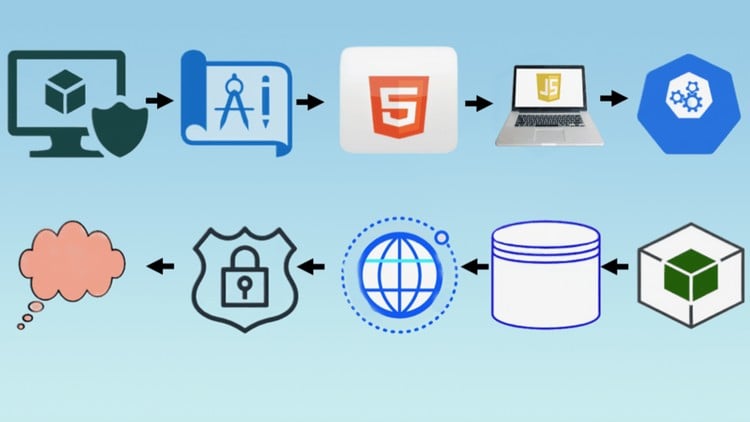
Full Stack Web App DevOps - Từ Ý Tưởng Đến Đám Mây - Tất Cả Trong Một
Hamadi Sy
4.9
(59)
5,746
50.000đ
399.000đ
-87%

Máy Chủ Nginx Hoàn Hảo - Phiên Bản Ubuntu (22.04)
Andrew Eaton
4.8
(297)
2,328
50.000đ
2.159.000đ
-98%


Ubuntu Desktop Cho Người Mới Bắt Đầu: Bắt Đầu Dùng Linux Ngay Hôm Nay!
Cody Ray Miller
4.2
(1340)
7,388
50.000đ
349.000đ
-86%
Nhập môn Ubuntu Linux - Quản trị Máy chủ Linux cơ bản
Ted LeRoy
4.5
(1081)
6,686
50.000đ
1.329.000đ
-96%
Máy Chủ Nginx Hoàn Hảo - Phiên Bản Ubuntu (22.04)
Andrew Eaton
4.8
(297)
2,328
50.000đ
2.159.000đ
-98%

Triển khai Máy chủ Riêng Ảo bảo mật với Ubuntu 20.04
Trevor Sawler
4.7
(350)
2,037
50.000đ
349.000đ
-86%


Học Ubuntu Nhanh Chóng: Học, Thực Hành, và Thăng Tiến Sự Nghiệp
Mike Ghazaleh
4.9
(105)
579
50.000đ
399.000đ
-87%

Ubuntu Server và Desktop cho người mới bắt đầu tuyệt đối
Dan Mill
4.7
(17)
259
50.000đ
399.000đ
-87%
