Ưu đãi trong tuần: Nhập mã UD50 giảm 50k cho đơn từ 300k!
Trang chủ
Menu

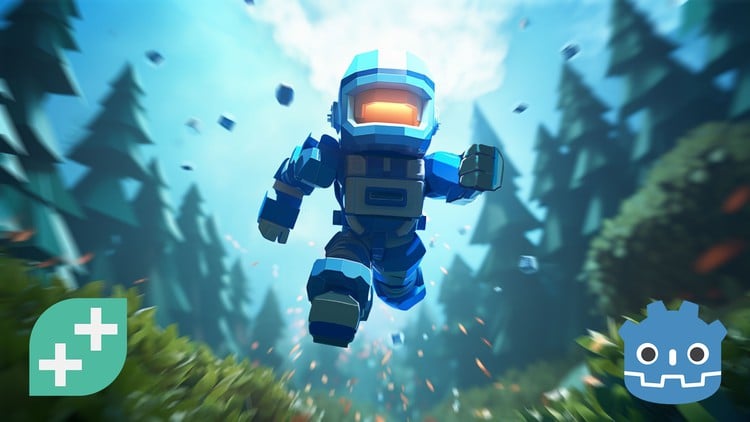
Godot 4 2D Game Dev: Build 3 Games with GDScript

Godot 4 2D Game Dev: Build 3 Games with GDScript

Go from beginner to building real 2D games in Godot 4 - including a shooter, platformer and physics-based game.

4.7
(24 đánh giá)
417 học viên
Giảng viên
Kaan Alpar
Phụ đề Việt chất lượng cao Phụ đề tiếng Anh Bán chạy Đánh giá cao
50.000đ 839.000đ -94%
✓ Xem giỏ hàng và thanh toán
Bao gồm phụ đề tiếng Việt, tiếng Anh
17.5 giờ video
136 bài giảng
Truy cập vĩnh viễn
Học trên mọi thiết bị
Cập nhật: 31/05/2026

Bạn sẽ học được gì

Build three complete 2D games in Godot, including a shooter and a full platformer
Learn GDScript from scratch and use it to create real gameplay systems
Understand nodes, scenes and signals and how they actually fit together
Create movement, combat, enemies and satisfying game feel
Design levels, menus and progression that make your games feel complete
Use animations, particles and effects to bring your games to life
Build systems like enemy spawners, collectibles and multiple levels
Gain the confidence to start your own Godot projects from scratch

Yêu cầu

No prior game development or programming experience needed
A computer capable of running Godot (Windows, macOS or Linux)
Willingness to learn, experiment and have a bit of fun along the way

Đối tượng phù hợp

Perfect if you're a complete beginner and want to make your first 2D games in Godot
Also great if you're a indie dev switching from Unity, Unreal or other engines
Generally awesome for anyone who prefers learning by building real games, not just theory
And ideal if you're a hobbyist who wants to create games you can share with friends!

Nội dung khóa học

4 phần • 136 bài giảng
1 Welcome To The Course!
2 Section Intro - Introduction & Setup
3 Downloading Godot
4 Creating Our First Project
5 Navigating Godot’s Interface
6 Sprite2D & Play Testing
7 Window Size & Game Tab
8 Move, Rotate, Scale!
9 MeshInstance2D & Modulate
10 Let’s Create A Scene!
1 Section Intro - Asteroid Attack
2 Project Setup
3 Nodes & Scenes
4 Physics 101
5 Instancing Scenes
6 The Scene Tree
7 2D Coordinate System
8 Parent & Child Nodes
9 Draw Order & Z Index
10 Scripting 101
11 Printing Strings
12 Variables and Data Types
13 Specifying Data Types
14 Number Operations
15 Operator Precedence
16 Vector2 & apply_impulse
17 Functions 101
18 Function Parameters
19 Function Return Values
20 Random Numbers
21 Process Function
22 If Statements & Comparison Operators
23 Player Movement & Input
24 Variable Scope
25 Camera2D & Physics Material
26 StaticBody2D & Polygons
27 4.6 Signal Tab Update
28 Signals & Area2D
29 Groups & Freeing
30 Sounds & References
31 Particle Systems
32 Planets & UI Label
33 Exporting
34 Wrap Up - Asteroid Attack
1 Section Intro - Galaxy Guardian
2 Project Setup
3 CharacterBody2D
4 Axis Input
5 Limiting Player Position
6 Else If
7 Clamping
8 AnimationPlayer
9 Classes
10 Inheritance
11 Projectile Scene & Movement
12 Delta Time
13 AnimatedSprite2D
14 One-Time Input
15 Custom Signals
16 Instancing Scenes From Code
17 VisibleOnScreenNotifier2D
18 Calling Function From Animation
19 Enemy Scene & Movement
20 Animating Multiple Textures
21 Enemy Spawn Timer
22 Arrays
23 Signal Parameters
24 Adding Difficulty
25 class_name & is operator
26 Enemy Death
27 Projectile Hit State
28 Player Death
29 Respawn Timer
30 Invincibility
31 Score System
32 Score UI
33 Lives UI
34 Game Over Screen
35 Await Keyword
36 Parallax Background
37 Music & Sounds
38 Wrap Up - Galaxy Guardian
1 Section Intro - Cosmic Cadet
2 Project Setup
3 Sprite Sheet Animations
4 Gravity & Jumping
5 Running & Stopping
6 Logical Operators
7 Updating Animations
8 Double Jump
9 Tile Set
10 Tile Map
11 Dust Effect
12 Autoloads
13 Laser Projectile
14 Shooting Once
15 Launch Position & Direction
16 Continuous Shooting
17 Walking Enemy
18 RayCast2D
19 Collision Layers & Masks
20 Hit Box
21 Hurt Box
22 Invincibility
23 Player Hurt State
24 Damage Over Time
25 Hit & Explosion Effects
26 RemoteTransform2D
27 Health Bar
28 Displaying Players HP
29 Flying Enemy
30 Flying Movement
31 Shooting Enemy
32 The Fire Ball
33 Shooting Fire Balls
34 Collectable Items
35 Match Statement
36 Gun & Double Jump Items
37 Item Pickup FX
38 Displaying Items on HUD
39 Respawning Player
40 Hazards
41 One Way Collision
42 Template Level
43 Changing Scenes
44 Win Screen
45 Start Menu
46 Tweens & Fader
47 Awaiting Function Calls
48 Immobilizing The Player
49 Background Music
50 Dictionaries
51 The For Loop
52 Level Design
53 Exporting
54 Wrap Up - Cosmic Cadet

Giới thiệu khóa học

Ever wanted to build your own 2D game and share it with your friends?

Then this is the course for you.

In this course, you’ll learn by making real games.

You’ll follow a clear, structured path that takes you from beginner to building full, playable games step by step. No guesswork. No jumping between random tutorials. But a focused journey that actually gets you to the finish line.

As you build, you’ll create satisfying movement, combat and game feel. You’ll design enemy systems and player abilities, add menus, level transitions and progression, and use animations, particles and effects to bring your games to life.

And you won't just build one project…

You'll create three games:

  • Asteroid Attack - a top-down physics-based game where you control a spaceship, push asteroids into a portal and master the fundamentals of GDScript, nodes and scenes along the way.

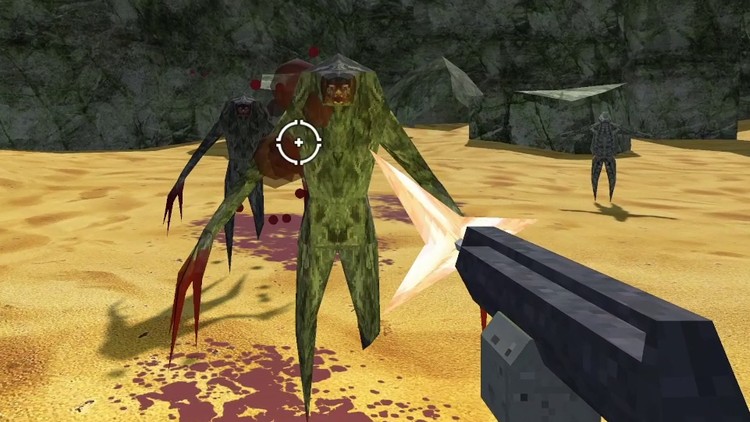
  • Galaxy Guardian - a fast-paced side-scrolling space shooter with a player controller, enemy spawners, a dynamic difficulty system that ramps up as you play and a polished parallax background to tie it all together.

  • Cosmic Cadets - a full 2D platformer with a combat system, multiple enemy types (including a flying enemy and a fireball-shooting enemy), weapons, power-ups, an inventory system, collectibles, tilemapped levels and a complete UI with HUD, menus and screen transitions. It's the big one.

Along the way you'll learn the core building blocks of Godot, nodes, scenes and signals, and how they all connect through GDScript to power real gameplay. You'll finally understand how everything fits together.

By the end you'll have three games you can export, share with the world and show off, plus the skills and confidence to build whatever comes next.

Godot is free, powerful and has one of the most passionate communities in game dev. There's never been a better time to learn it.

Jump in and start building your Godot games today.

Khóa học liên quan

Khám phá thêm các khoá học cùng chủ đề

Hiển thị tất cả khoá học Development
Hiển thị tất cả khoá học Game Development
Hiển thị tất cả khoá học Go
Hiển thị tất cả khoá học Godot
Zalo
Tôi có thể tư vấn khoá học cho bạn 😊