Ưu đãi trong tuần: Nhập mã UD50 giảm 50k cho đơn từ 300k!
Trang chủ
Menu

Digital painting with Krita 5.0 intermediate level

Vẽ kỹ thuật số với Krita 5.0 - trình độ trung cấp

Vẽ kỹ thuật số với Krita 5.0 - trình độ trung cấp

Làm chủ các kỹ thuật vector, vùng chọn, gradient và bộ lọc để tạo minh họa kỹ thuật số nhanh chóng

4.8
(265 đánh giá)
2,359 học viên
Phụ đề Việt chất lượng cao Phụ đề tiếng Anh Bán chạy Đánh giá cao
50.000đ 1.209.000đ -96%
✓ Xem giỏ hàng và thanh toán
Bao gồm phụ đề tiếng Việt, tiếng Anh
7.0 giờ video
67 bài giảng
Truy cập vĩnh viễn
Học trên mọi thiết bị
Cập nhật: 31/05/2026

Bạn sẽ học được gì

Kỹ thuật chọn nâng cao
Tính năng đồ họa vector
Tính năng Bộ lọc và Mặt nạ
Tính năng Gradient
Tạo 2 minh họa bằng các kỹ thuật trên

Yêu cầu

Máy tính (Windows/Linux/Mac) đủ mạnh để chạy Krita
Đã cài đặt Krita
Đã tham gia khóa học cơ bản
Bảng vẽ điện tử

Đối tượng phù hợp

Người yêu thích muốn học tạo minh họa bằng phần mềm mã nguồn mở
Sinh viên thiết kế và nghệ thuật muốn thành thạo kỹ thuật vẽ kỹ thuật số
Họa sĩ hoặc chuyên gia muốn nâng cao hiệu quả công việc nhờ các kỹ thuật nâng cao

Nội dung khóa học

7 phần • 67 bài giảng
1 Giới thiệu
2 Tệp bài tập và thông tin khác
3 Tùy chỉnh giao diện và phím tắt riêng
1 Kỹ thuật chọn cơ bản
2 Thêm và bớt vùng chọn
3 Mặt nạ chọn toàn cục
4 Chọn Raster và Vector
5 Biến đổi vùng chọn
6 Chọn vùng liền kề và tương tự
7 Thay đổi giao diện công cụ chọn (Krita 5.1)
8 Chọn vùng không trong suốt
9 Mặt nạ vùng chọn
10 Các thao tác với vùng chọn
11 Khử răng cưa
1 Raster và Vector
2 Cách triển khai Vector trong Krita
3 Biến đổi Vector
4 Màu sắc trong Vector
5 Kiểu nét vẽ
6 Quản lý đồ họa Vector
7 Hình khối cơ bản
8 Thành phần Vector
9 Các loại thành phần Vector
10 Chỉnh sửa Vector
11 Căn chỉnh, Phân bố và Khoảng cách
12 Phép toán logic
13 Công cụ đường cong Bezier
14 Bài tập vẽ Vector
1 Khái niệm cơ bản về Bộ lọc
2 Lớp Bộ lọc
3 Mặt nạ Bộ lọc
4 Invert, HSV, Cân bằng màu và Dodge
5 Levels và Curve
6 Bộ lọc G'Mic
7 Mặt nạ trong suốt
8 Kênh Alpha trên Bộ lọc
9 Công cụ Transform và Mặt nạ Transform
1 Chuẩn bị dự án ngôi nhà dâu tây
2 Ảnh tham khảo và phác thảo
3 Màu nền cho lớp trung cảnh
4 Màu nền cho Hậu cảnh và Tiền cảnh
5 Tạo các cây nhỏ
6 Cây ở hậu cảnh
7 Cây ở tiền cảnh
8 Bóng chính
9 Bóng của lá
10 Ánh sáng môi trường xung quanh
11 Hoàn thiện hậu cảnh
12 Hoàn thiện tiền cảnh
13 Thêm họa tiết
14 Màu sáng
15 Màu phản chiếu và màu trời
16 Tô vẽ lại và Bộ lọc
1 Công cụ Gradient
2 Gradient đặc biệt
3 Gradient điểm dừng
4 Gradient phân đoạn
5 Bộ lọc Bản đồ Gradient
1 Chuẩn bị dự án chiến binh robot
2 Tạo nét vẽ Vector
3 Trau chuốt nét vẽ
4 Thêm nền và chuẩn bị tô bóng
5 Tô bóng và tô sáng
6 Tô màu bằng Bản đồ Gradient
7 Hiệu ứng ánh sáng
8 Hiệu ứng phản chiếu và phát sáng
9 Tô màu nét vẽ

Giới thiệu khóa học

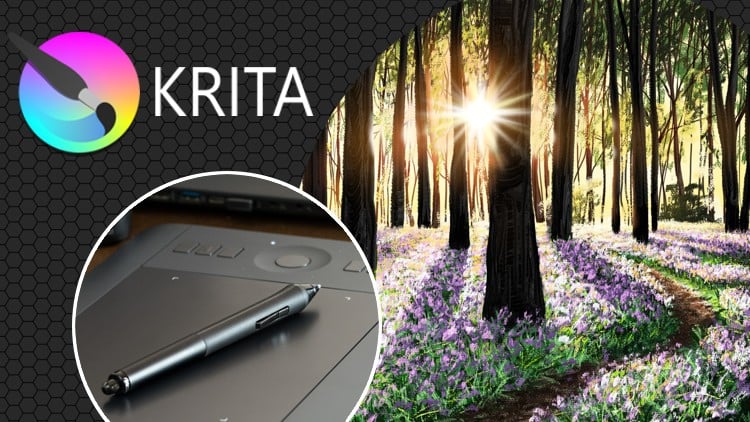
"Krita" is a graphic application comparable to Photoshop. But unlike Photoshop, Krita is free and open-source software. So, you don't need to pay anything to download and use it. Another thing that makes Krita different from Photoshop, is that Krita is more focused on digital painting. That is why in Krita, you can find many features related to digital painting that do not exist in Photoshop. If you need software for drawing or creating illustrations, then Krita will make you feel right at home.


If you want to master Krita quickly and easily, then -in sha Allah- this online course is the best solution for you. Please note that this online course is the continuation of the basic-level course that was released earlier. To ensure you can follow the course without problems, it's recommended that you take the basic-level course first, before taking this one.


What will you learn?


In this course, you will learn advanced selection techniques. Then learn Vector Graphics techniques in Krita. From making basic primitive objects, to being able to create custom complex shapes. You will also learn the ins and outs of “Filter” and “Mask” in Krita. We will discuss various filters such as "HSV", "Levels", "Color Balance", and so on. Including how to access hundreds of different “G'Mic filters”. Then, you will also learn the "Gradient" feature in detail. From the process of creating gradient presets, editing the gradient colors, until applying gradients using various methods.


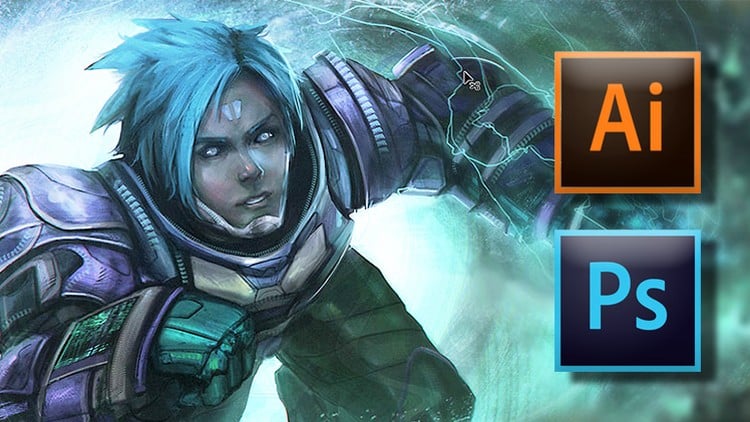
After we learn the techniques, we will put them into practice by creating two different illustrations from start to finish. These two illustrations have something in common, that is, they both use the Vector technique combined with the Raster technique. But the way Vectors are used in each of these illustrations is very different. In the first illustration, where we will create a strawberry-shaped house, vector graphics are used as the base colors. Raster techniques are then used to add shadows, highlights, textures, and so on. Whereas in the second illustration, where we will draw a robot fighter character or "robot warrior", Vector graphics are used to create outline or "line art". For the coloring process, we will explore a different technique. That is, we will start with defining shading and highlight in grayscale. Then we add colors to it using the “gradient map” filter. And after that, we apply various raster techniques to add lighting effects and finalize the illustration.


There are still many things that you will learn from this course. It is impossible to explain all of them in this short text description. Please refer to the curriculum section if you want to learn more.


So, JOIN NOW! And take your skill further to the next level.

Khóa học liên quan

Khám phá thêm các khoá học cùng chủ đề

Hiển thị tất cả khoá học Digital Art
Hiển thị tất cả khoá học Digital Painting
Hiển thị tất cả khoá học Graphic Design
Hiển thị tất cả khoá học Krita
Zalo
Tôi có thể tư vấn khoá học cho bạn 😊