Ưu đãi trong tuần: Nhập mã UD50 giảm 50k cho đơn từ 300k!
Trang chủ
Menu

Raspberry Pi and Arduino - Go to The Next Level

Raspberry Pi và Arduino - Nâng Tầm Kỹ Năng

Raspberry Pi và Arduino - Nâng Tầm Kỹ Năng

Kết nối Raspberry Pi với Arduino - Xây dựng Dự án Hệ thống Liên lạc Hoàn chỉnh - Serial, Telegram Bot, Pi Camera...

4.8
(393 đánh giá)
5,537 học viên
Giảng viên
Edouard Renard
Phụ đề Việt chất lượng cao Phụ đề tiếng Anh Bán chạy Đánh giá cao
50.000đ 349.000đ -86%
✓ Xem giỏ hàng và thanh toán
Bao gồm phụ đề tiếng Việt, tiếng Anh
9.0 giờ video
71 bài giảng
Truy cập vĩnh viễn
Học trên mọi thiết bị
Cập nhật: 30/05/2026

Bạn sẽ học được gì

Giao tiếp giữa Raspberry Pi và Arduino bằng Serial
Xây dựng hệ thống liên lạc nội bộ hoàn chỉnh với Raspberry Pi và Arduino
Sử dụng Raspberry Pi làm "bộ não" và Arduino làm "cơ bắp" cho ứng dụng của bạn
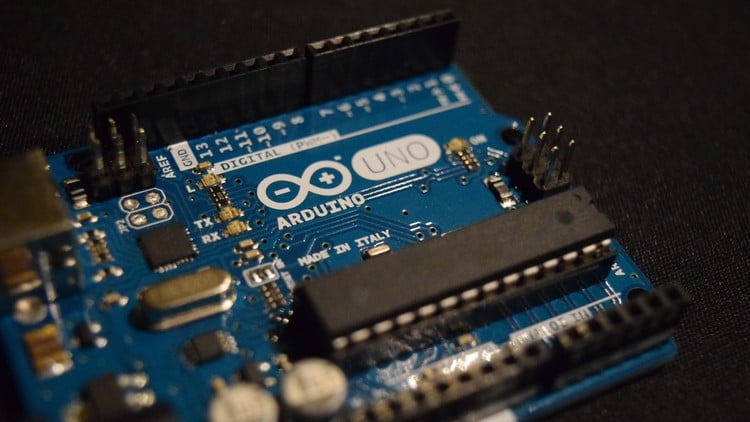
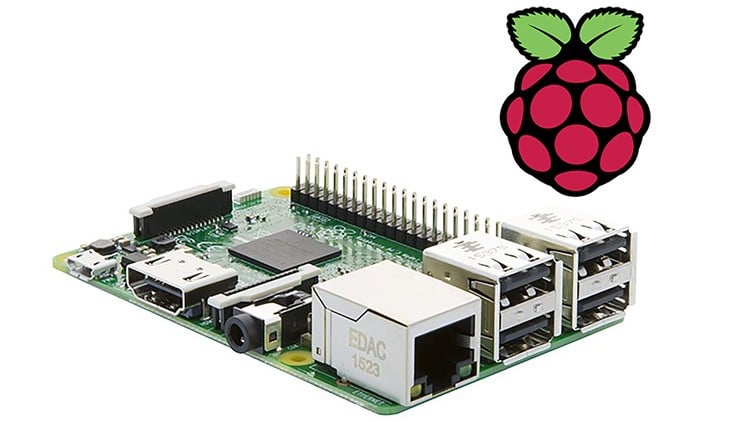
Hiểu rõ sự khác biệt giữa Arduino và Raspberry Pi
Cài đặt và cấu hình Arduino IDE trên Raspberry Pi OS
Tạo giao tiếp Serial hai chiều
Xây dựng giao thức tùy chỉnh để giao tiếp qua Serial
Viết code bằng Python 3 trên Raspberry Pi và C++ trên Arduino
Tạo Telegram Bot bằng Python 3
Gửi thông báo từ Raspberry Pi đến điện thoại của bạn
Điều khiển Arduino từ khung chat Telegram
Thực hành nhiều với 9 hoạt động và một dự án cuối khóa lớn
Bắt đầu ngay với các phương pháp tốt nhất
Phát triển tư duy kỹ sư khi giải quyết vấn đề
Học cách làm việc độc lập hơn trong các dự án tương lai
Hiểu bản chất "tại sao" đằng sau mọi thứ
Học thông qua thực hành, không chỉ xem

Yêu cầu

Kiến thức cơ bản về Arduino với C++ và cách lắp mạch
Kiến thức cơ bản về Raspberry Pi với Python 3
Board Arduino + Board Raspberry Pi + một số linh kiện phần cứng (danh sách linh kiện có trong bài học xem trước miễn phí)
Đây là khóa học trình độ trung cấp, không dành cho người mới bắt đầu hoàn toàn!

Đối tượng phù hợp

Sinh viên, Kỹ sư, Nhà nghiên cứu, Giáo viên, Nhà phát triển, Người có sở thích DIY.
Những người làm Arduino và/hoặc Raspberry Pi muốn kết hợp 2 board để tạo ra các dự án thú vị và phức tạp hơn.
Bất kỳ ai muốn nâng cao kỹ năng với Arduino và Raspberry Pi.
Bất kỳ ai muốn xây dựng các dự án robot hoặc nhà thông minh nghiêm túc.

Nội dung khóa học

10 phần • 71 bài giảng
1 Chào mừng!
2 Raspberry Pi vs Arduino, Raspberry Pi và Arduino?
3 Danh sách Vật liệu cho Khóa học
4 Cách Theo dõi Khóa học
1 Giới thiệu phần
2 Cài đặt Raspberry Pi OS Không cần Màn hình - Tóm tắt
3 Cài đặt và Cấu hình Arduino IDE trên Raspberry Pi OS
1 Giới thiệu
2 Thiết lập Phần cứng và Phần mềm cho Serial
3 Khởi tạo Giao tiếp Serial
4 Gửi Dữ liệu từ Arduino đến Raspberry Pi
5 Gửi Dữ liệu từ Raspberry Pi đến Arduino
6 Tạo Giao tiếp Hai chiều
7 Gỡ lỗi Giao tiếp Serial nếu Không thể Kết nối
8 Thử Kết nối lại bằng Python nếu Thất bại
1 Giới thiệu
2 Hoạt động 01 - Bật/tắt LED Arduino từ Raspberry Pi
3 Hoạt động 01 - Lời giải
4 Hoạt động 02 - Giao tiếp Hai chiều
5 Hoạt động 02 - Lời giải
6 Hoạt động 03 - Giao tiếp Hai chiều Bất đồng bộ
7 Hoạt động 03 - Lời giải
1 Giới thiệu
2 LED RGB - Mạch điện
3 LED RGB - Code
4 Nút nhấn - Mạch điện
5 Nút nhấn - Code (Với Debounce)
6 Buzzer - Mạch điện
7 Buzzer - Code
8 Màn hình LCD - Mạch điện
9 Màn hình LCD - Code
10 Động cơ Servo - Mạch điện
11 Động cơ Servo - Code
1 Giới thiệu
2 Hoạt động 04 - Gỡ lỗi Serial bằng Màn hình LCD
3 Hoạt động 04 - Lời giải
4 Hoạt động 05 - Đặt màu LED RGB từ Raspberry Pi, khi Nhấn Nút
5 Hoạt động 05 - Lời giải
6 Hoạt động 06 - Quét Servo từ Raspberry Pi
7 Hoạt động 06 - Lời giải
1 Giới thiệu
2 Camera - Thiết lập Phần cứng
3 Camera - Thiết lập Phần mềm
4 Camera - Chụp Ảnh với Python
5 Telegram Bot - Thiết lập Tài khoản Telegram
6 Telegram Bot - Tạo Bot và Lưu Token
7 Telegram Bot - Xử lý Lệnh Từ xa
8 Telegram Bot - Gửi Thông báo và Tin nhắn đến Điện thoại của Bạn
9 Telegram Bot - Chương trình Hoàn chỉnh
1 Giới thiệu
2 Hoạt động 07 - Gửi Thông báo đến Telegram khi Board Arduino được Kết nối
3 Hoạt động 07 - Lời giải
4 Hoạt động 08 - Chọn Màu LED RGB và Văn bản LCD Từ Telegram
5 Hoạt động 08 - Lời giải
6 Hoạt động 09 - Chụp Ảnh và Gửi Ảnh Cuối cùng đến Telegram khi Nút được Nhấn
7 Hoạt động 09 - Lời giải
1 Giới thiệu - Tổng quan Dự án
2 Bước 1 (Giao thức) - Định nghĩa Giao thức sẽ Sử dụng (Serial, Telegram)
3 Bước 2 (Arduino) - Khởi tạo Linh kiện Phần cứng
4 Bước 3 (Arduino) - Ghi vào Serial khi Nút được Nhấn
5 Bước 4 (Arduino) - Nhận Lệnh từ Serial và Thực thi
6 Bước 5 (RPi) - Nhận Tin nhắn Nút nhấn từ Serial
7 Bước 6 (RPi) - Chụp Ảnh khi Nút được Nhấn
8 Bước 7 (RPi) - Gửi Tin nhắn và Ảnh đến Telegram
9 Bước 8 (RPi) - Mở Cửa Từ Telegram
10 Bước 9 (RPi) - Từ chối Truy cập Từ Telegram
11 Bước 10 (systemd) - Thiết lập Hệ thống Liên lạc Khởi động cùng Hệ thống
12 Kết luận Dự án - Hướng Phát triển Tiếp theo
1 Xây dựng Ứng dụng với Raspberry Pi và Arduino - Tóm tắt Quy trình Từng bước
2 Bước tiếp theo nên làm gì
3 Bài học Bổ sung

Giới thiệu khóa học

You’re already familiar with Arduino and Raspberry Pi?

You want to go further with those boards, and combine them to create more complex and powerful projects?

Welcome to this Raspberry Pi + Arduino course!

I will take you from an intermediate level on the two boards, to an advanced level, not only on each board, but on the combination of both.

At the end of the course, you will be able to create your own custom projects with Raspberry Pi and Arduino.

Note: his course is not for complete beginners, for example I will not explain to you how to write basic Python or C++ programs. You definitely don’t need to be an expert, but having a good understanding of both Arduino and Raspberry Pi will really help you get started.


→ Why this course?


Working only with Raspberry Pi, or only with Arduino, is already nice: you can do a lot of projects.

But sometimes, this is not enough. You will need to combine the strength of both boards: the power of software with Raspberry Pi (brain), and the closeness to hardware with Arduino (muscles).

When looking for tutorials/courses about this on the Internet, I found that they are all very simplified, and work with a very simplistic setup, and only for that setup. If you add any component, any functionality, you’re going to be stuck.

So in this course, you won’t get a copy/paste example, but a complete (and efficient) step by step process to create any application with Arduino and Raspberry Pi.

I will show you how to start a successful Serial communication between the 2 boards, and how to build an application with new components and features around this bridge.


→ How will you learn, how do I teach?


My method is simple but efficient:

  • WHY: Focus on the “why” so you understand what you’re doing.

  • HANDS-ON lessons to learn in a better way.

  • STEP BY STEP: Every lesson is built on top of previous ones.

  • PRACTICE with many activities and projects.

  • NO COPY AND PASTE!!! I write all the code from scratch.

This teaching method actually works: I have already taught 100 000+ students in 150 countries, with 23 000+ reviews over 4.7/5.


Some reviews from my students - related to Raspberry Pi:

“Edouard is an awesome instructor. The course is easy to follow but he makes you think all along the way. Great first class if you are interested in learning Raspberry Pi.” --- Joel Bernstein

“Awesome class! I highly recommend this class. Mr. Renard is a great instructor. The entire class is hands-on, which in my opinion is the best way to learn.” --- Kirk Wynter

“Really happy with the course. Exactly what I paid for and am pretty happy with my progress. I am getting exactly what is promised. Edouard is an excellent teacher.” --- Jihad Anbous


Some other reviews - related to Arduino:

“The course was excellent. Congratulations to Edouard. I had already worked through some of the projects in the Arduino projects book, but I still learned much more in this course. Thanks.” --- Sholto Douglas

“Halfway and still loving this course. The instructor is clear and teaches in such a way that you actually learn how to navigate, conceptualize, and write your own code rather than teaching from premade code. Outstanding work sir!” --- Westley Bolton


→ What will you do in the course?


After an installation section to get all the tools ready for the course (including installing Arduino IDE on your Raspberry Pi OS), you will progress through 4 different parts:

  1. Communicate with Serial between Raspberry Pi and Arduino.

  2. Build the Arduino circuit for the project, one component at a time. Control Arduino components from the Raspberry Pi

  3. Discover new Raspberry Pi functionalities - Camera and Telegram bot. Control the camera from the Arduino, and send commands to Arduino from a Telegram chat.

  4. Complete Intercom Project (see preview video for an overview of the result).

For each part of the course (1-3), you get several additional activities, so you can practice on what you’ve just seen, and link the new knowledge with the previous sections.

For the final project, together we will design a complete communication protocol, and we will also practice on the steps design: basically, how to plan/organize your application before writing code. I will give you some tips to help you design and organize your future projects, so you can start them and know what you need to do, in what order. This is something super important that I don’t often see in other courses or tutorials, and I’ve made sure to focus on this when creating the steps for the final project.


So, you want to build more complex applications with Raspberry Pi and Arduino? Don’t wait any longer and start this course today!


As always, my goal is to give you the freedom to start and finish your own projects. With this freedom you won’t have to rely on some copy/paste examples from the internet, because you will have the foundation that allows you to really understand how things work, and build anything from scratch.

And that’s not all: all along the course I will share with you the best practices I personally use for my own projects. You will be able to create robust and scalable code - both for Arduino and Raspberry Pi.

Oh, and you also get a 30 days money-back guarantee if you’re not fully satisfied - no questions asked :)

See you in the course!


Note - This course is not for you if:

  • You are a complete Arduino or Raspberry Pi beginner.

  • You want a copy/paste solution to your problems and don’t want to take the time to understand.

Khóa học liên quan

Khám phá thêm các khoá học cùng chủ đề

Hiển thị tất cả khoá học Arduino
Hiển thị tất cả khoá học Embedded Systems
Hiển thị tất cả khoá học Iot Development
Hiển thị tất cả khoá học Raspberry Pi
Zalo
Tôi có thể tư vấn khoá học cho bạn 😊