Ưu đãi trong tuần: Nhập mã UD50 giảm 50k cho đơn từ 300k!
Trang chủ
Menu

Microsoft 365 Copilot (Free Version) Masterclass

Khóa học Thạc sĩ về Microsoft 365 Copilot (Phiên bản Miễn phí)

Khóa học Thạc sĩ về Microsoft 365 Copilot (Phiên bản Miễn phí)

Tận dụng sức mạnh của Microsoft 365 Copilot miễn phí để làm việc hiệu quả hơn và thăng tiến nhanh hơn trong sự nghiệp.

4.6
(27 đánh giá)
93 học viên
Giảng viên
Dr. Nitin Paranjape
Phụ đề Việt chất lượng cao Phụ đề tiếng Anh Bán chạy Đánh giá cao
50.000đ 399.000đ -87%
✓ Xem giỏ hàng và thanh toán
Bao gồm phụ đề tiếng Việt, tiếng Anh
3.0 giờ video
35 bài giảng
3 bài quiz
Truy cập vĩnh viễn
Học trên mọi thiết bị
Cập nhật: 31/05/2026

Bạn sẽ học được gì

Làm việc nhanh hơn, thông minh hơn và tốt hơn với Copilot và AI
Phát triển trong lĩnh vực bạn chọn
AI là công cụ trao quyền, không phải mối đe dọa
Học cách học

Yêu cầu

Giấy phép Microsoft 365 Copilot Miễn phí trong Doanh nghiệp

Đối tượng phù hợp

Người dùng có quyền truy cập vào giấy phép Microsoft 365 Copilot Miễn phí

Nội dung khóa học

13 phần • 35 bài giảng
1 Tại sao lại là Copilot?
2 Tổng quan khóa học
1 Nên dùng Copilot nào?
2 Dùng Copilot ở đâu?
3 Copilot Miễn phí so với Trả phí
1 Thư viện Prompt
1 Giao diện Menu của Copilot
2 Chế độ Chat của Copilot: Cập nhật tháng 3 năm 2026
3 Hành động với Prompt
4 Hành động với Phản hồi
1 Các thành phần của một Prompt
2 Nhập Prompt
3 Huấn luyện Prompt
1 Tham chiếu Tệp
2 Sử dụng Dữ liệu Bảo mật
1 Hướng dẫn Tùy chỉnh
2 Sử dụng Bộ nhớ
3 Hồ sơ Công việc và Lịch sử
1 Cách Sử dụng Trang Copilot
2 Chia sẻ Trang
3 Thao tác với Trang và Xuất
4 Thư viện Trang
1 Các Tính năng Copilot Phổ biến trong Ứng dụng Văn phòng
2 Copilot trong Word
3 Copilot trong Excel
4 Copilot trong PowerPoint
5 Copilot trong Outlook
1 Tạo Hình ảnh với Copilot
2 Phân tích Hình ảnh
1 Kỹ thuật Ngữ cảnh
2 Tìm kiếm trong Copilot
3 Cải thiện Hiệu quả Công việc
1 Tạo Agent theo Vai trò
2 Agent Tri thức
1 Tổng kết và Các Bước Tiếp theo

Giới thiệu khóa học

There are hundreds of courses on AI and Copilot. This course is unique because it provides authoritative guidance based upon the knowledge and experience of Dr Nitin Paranjape, a globally recognized expert - Microsoft MVP since 21 years. The course is easy to follow, practical and immediately usable. He coaches even Microsoft employees on using their own products efficiently!

The free version of Microsoft 365 Copilot is available to everyone. Although it is free, the Copilot is highly capable and useful. We will learn capabilities, customization and effective usage.

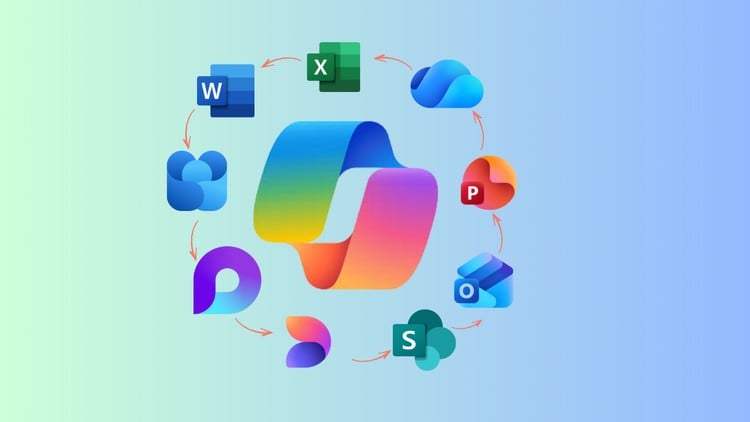
We will learn Copilot Chat, as well as Copilot inside Word, Excel, PowerPoint, OneNote and Outlook. Further, we will customize Copilot so that it understands who you are, and what type of output you need.

In addition, we will learn prompt engineering, context engineering, custom instructions, memory, file referencing and data security.

We will also learn how to create agents using Copilot. Use Copilot to accelerate your growth.

The most important part is to learn how to use Copilot to improve your work efficiency. Copilot can look at all your work activities that use Microsoft platform and tell you if there is a better, smarter, more efficient method available. This is your opportunity to transform your work.

Copilot and AI is evolving very fast. New capabilities are added every week. You will learn how to keep track of new features and map these to your needs.

By following this course, you will be able to achieve more with less effort. AI is not competition. It is empowerment!

Khóa học liên quan

Khám phá thêm các khoá học cùng chủ đề

Hiển thị tất cả khoá học Chatgpt
Hiển thị tất cả khoá học Copilot
Hiển thị tất cả khoá học Microsoft 365
Hiển thị tất cả khoá học Productivity Tools
Zalo
Tôi có thể tư vấn khoá học cho bạn 😊