Ưu đãi trong tuần: Nhập mã UD50 giảm 50k cho đơn từ 300k!
Trang chủ
Menu

Complete Social Media Video Editing MasterClass Zero to Hero

MasterClass chỉnh sửa video mạng xã hội toàn diện – Từ con số 0 trở thành chuyên gia

MasterClass chỉnh sửa video mạng xã hội toàn diện – Từ con số 0 trở thành chuyên gia

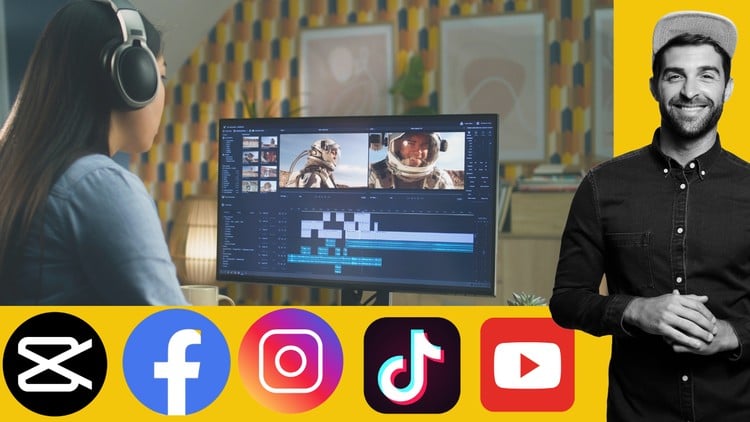
Học chỉnh sửa video với Adobe Premiere Pro, Canva, CapCut, After Effect dành cho Facebook, Instagram, TikTok, YouTube

4.2
(68 đánh giá)
14,236 học viên
Giảng viên
Sustoab Soren
Phụ đề Việt chất lượng cao Phụ đề tiếng Anh Bán chạy Đánh giá cao
50.000đ 399.000đ -87%
✓ Xem giỏ hàng và thanh toán
Bao gồm phụ đề tiếng Việt, tiếng Anh
11.0 giờ video
38 bài giảng
Truy cập vĩnh viễn
Học trên mọi thiết bị
Cập nhật: 31/05/2026

Bạn sẽ học được gì

Tạo ra những video cuốn hút, khiến người xem phải dừng lại trên các nền tảng như Instagram, TikTok, YouTube Shorts và Facebook
Thiết kế hiệu ứng hoạt hình và chuyển động ấn tượng với Adobe After Effects
Chỉnh sửa chuyên nghiệp bằng Adobe Premiere Pro để có nội dung bóng bẩy, mang chất điện ảnh
Xây dựng đồ họa và câu chuyện mạng xã hội nhất quán với thương hiệu bằng Canva
Tạo video nhanh, hợp xu hướng, tối ưu cho thiết bị di động với CapCut
Hiểu rõ định dạng, độ dài và phong cách đặc thù của từng nền tảng để tăng tương tác
Sử dụng chuyển cảnh, hiệu ứng, lớp chữ và nhạc để nâng tầm kể chuyện
Tối ưu video để đạt nhiều lượt xem, lượt chia sẻ và giữ chân người xem

Yêu cầu

Không yêu cầu kinh nghiệm trước
Phần mềm Adobe Premiere Pro và Adobe After Effect
Phần mềm CapCut
Tài khoản Canva

Đối tượng phù hợp

Dành cho bất kỳ ai muốn học chỉnh sửa video chuyên nghiệp cho mạng xã hội

Nội dung khóa học

4 phần • 38 bài giảng
1 Module 1: Giới thiệu về chỉnh sửa video và Premiere Pro
2 Module 2: Cơ bản về chỉnh sửa video
3 Module 3: Chỉnh sửa cho mạng xã hội
4 Module 4: Nâng cao chất lượng video
5 Module 5: Chỉnh sửa âm thanh cho mạng xã hội
6 Module 6: Kể chuyện và chiến lược nội dung
7 Module 7: Xuất và đăng tải video
8 Dự án Module 1: Instagram Reel
9 Dự án Module 2: Video Facebook
10 Dự án Module 3: Video TikTok
11 Dự án Module 4: YouTube Shorts
12 Dự án Module 5: Video YouTube
1 Module 1: Giới thiệu về Canva dành cho chỉnh sửa video
2 Module 2: Cơ bản về video mạng xã hội
3 Module 3: Thêm và chỉnh sửa các clip video
4 Module 4: Hoạt ảnh chữ và kiểu chữ
5 Module 5: Thêm nhạc, lồng tiếng và hiệu ứng âm thanh
6 Module 6: Kỹ thuật hoạt ảnh và chuyển động
7 Module 7: Xây dựng thương hiệu cho video của bạn
8 Module 8: Hiệu ứng đặc biệt trong Canva
9 Module 9: Xuất và đăng tải video
10 Module 10: Các dự án trên Facebook, Instagram, TikTok, YouTube
1 Bài 1: Nhập và sắp xếp media
2 Bài 2: Công cụ chỉnh sửa cơ bản
3 Bài 3: Cài đặt canvas và tỷ lệ khung hình
4 Bài 4: Thêm chữ, tiêu đề và phụ đề
5 Bài 5: Chuyển cảnh giữa các clip
6 Bài 6: Sử dụng hiệu ứng và bộ lọc
7 Bài 7: Cơ bản về chỉnh màu
8 Bài 8: Làm việc với âm thanh
9 Dự án Module 1: Chỉnh sửa Instagram Reel, Chỉnh sửa video Facebook
10 Dự án Module 2: Chỉnh sửa video TikTok
11 Dự án Module 3: Chỉnh sửa YouTube Shorts và video
1 Module 1: Cách sử dụng cơ bản After Effect
2 Module 2: Học qua dự án thực tế
3 Module 3: Chỉnh sửa video Facebook
4 Module 4: Chỉnh sửa video LinkedIn
5 Module 5: Chỉnh sửa video YouTube

Giới thiệu khóa học

Are you ready to create stunning, engaging, and shareable videos that stop the scroll on social media? This comprehensive MasterClass will take you from a complete beginner to a confident video editor with four video editing software and platform like  Adobe Premiere Pro, Canva, CapCut, Adobe After Effect empowering you to craft professional-looking content for platforms like TikTok, Instagram Reels, YouTube Shorts, Facebook, and more!

In this course, you won't be limited to just one software. We'll dive deep into a powerful suite of industry-standard and user-friendly tools, giving you the versatility to tackle any video editing project:

  • Adobe Premiere Pro: Learn professional video editing from the ground up, mastering timelines, cuts, transitions, audio mixing, color correction, and efficient workflows for polished, high-quality productions.

  • Adobe After Effects: Elevate your videos with dynamic motion graphics, engaging animations, visual effects, and text overlays that grab attention and tell your story effectively.

  • Canva: Discover how to leverage Canva's intuitive interface for quick, eye-catching video creation, ideal for generating stunning intros, outros, text animations, and graphic overlays without complex software.

  • CapCut: Master the popular mobile and desktop app for fast, trendy, and highly shareable short-form video content, perfect for quick edits, popular effects, and viral trends.

What you'll learn:

  • Foundational Video Editing Principles: Understand the core concepts of video editing, including pacing, storytelling, visual hierarchy, and audience engagement.

  • Mastering Each Software: Gain in-depth proficiency in Adobe Premiere Pro, After Effects, Canva, and CapCut, understanding their unique strengths and how to integrate them for optimal results.

  • Optimizing for Social Media: Learn specific techniques for creating videos that perform exceptionally well on different social media platforms (aspect ratios, trending sounds, effective hooks, etc.).

  • Dynamic Storytelling: Craft compelling narratives with effective sequencing, transitions, text, and music.

  • Visual Enhancements: Apply color grading, visual effects, and filters to make your videos pop and convey the right mood.

  • Audio Mastery: Mix and master audio for clear dialogue, engaging music, and impactful sound effects.

  • Motion Graphics & Animation: Create captivating text animations, lower thirds, and intro/outro sequences using After Effects and Canva.

  • Efficiency & Workflow: Develop efficient editing workflows to save time and streamline your creative process.

  • Exporting for Success: Understand optimal export settings for various social media platforms to ensure maximum quality and reach.

  • Troubleshooting & Best Practices: Learn common editing challenges and how to overcome them, along with industry best practices for social media video.

Who is this course for?

  • Anyone interested in learning professional video editing for social media, regardless of prior experience.

By the end of this MasterClass, you'll be equipped with the skills and confidence to produce high-quality, professional-grade social media videos that capture attention, drive engagement, and help you achieve your content creation goals.

Enroll now and transform your social media presence with stunning video!

Khóa học liên quan

Khám phá thêm các khoá học cùng chủ đề

Hiển thị tất cả khoá học Adobe Premiere Pro
Hiển thị tất cả khoá học Capcut
Hiển thị tất cả khoá học Social Media Marketing
Hiển thị tất cả khoá học Video Editing
Zalo
Tôi có thể tư vấn khoá học cho bạn 😊